Part Number
Issue
Date
Page
6159938880
13
01/2018
22 / 249
01/2018 22 (249)
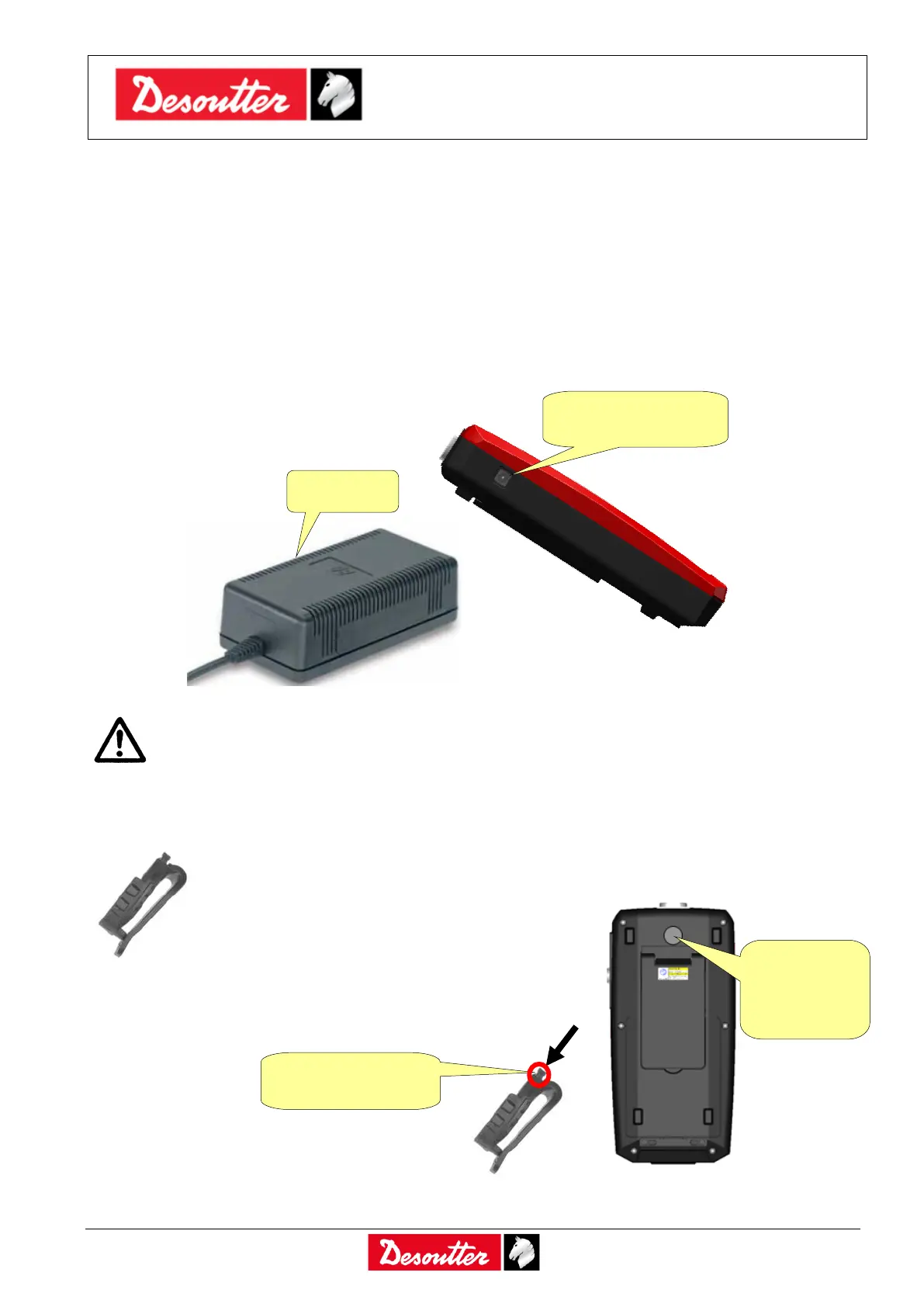
2.2.2 External power supply
The external power supply can charge the battery and this is charged even if the Delta is switched off.
In spite of everything, the battery icon on the Delta display shows the recharging process only when
the Delta is switched on.
The external power supply can also be used to power on the Delta if the battery is not installed.
Connect the external power supply to AC power 100 ÷ 240 VAC 50/60 Hz, and plug the connector
into the Delta.
WARNING: Use only the power supply ordered from Desoutter. Warranty will not cover
damages to the Delta caused by the use of a different external power supply.
2.2.3 Delta clip
The clip can be fixed on the operator trousers. The Delta can be easily attached and
removed from the clip.
Attach the Delta to the clip by sliding the support
into the clip:
To remove the Delta
from the clip, press
the button on the
bottom of the clip
and extract the
Delta.
External power
supply connector
Support to
attach the
Delta to the
clip
Press here to
release the Delta



 To Next Page