Part Number
Issue
Date
Page
6159938880
13
01/2018
28 / 249
01/2018 28 (249)
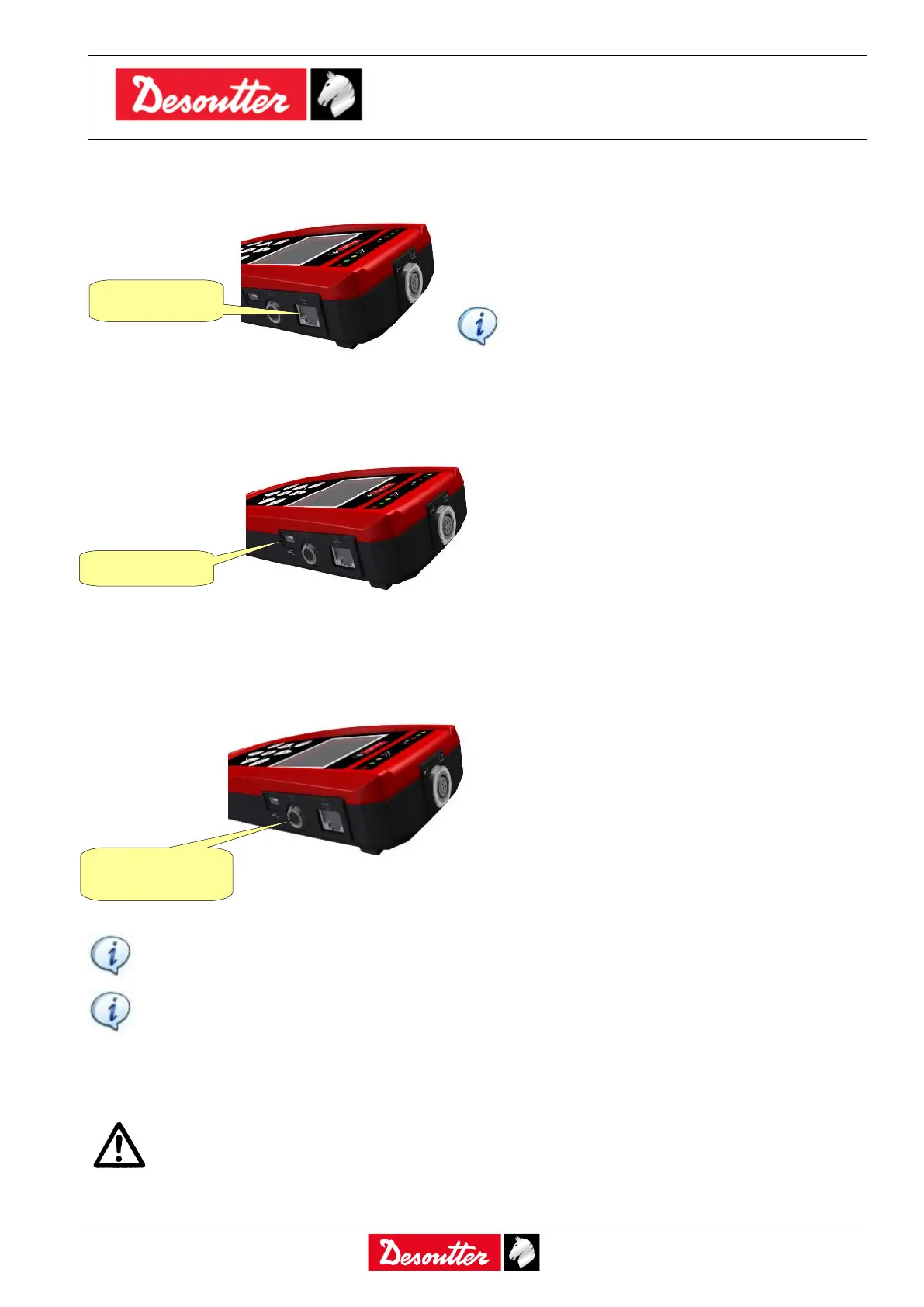
3.7 Ethernet Port
The Ethernet port can be used (as the USB port) for
programming the Delta with the DeltaQC software.
It is also possible to export test results on the
Ethernet port.
NOTE: The Delta 1D does not support the
Ethernet connection.
Refer to the paragraph “Connecting with the Delta” for further details.
3.8 Mini USB Port
The USB port is available for programming the
Delta with DeltaQC software.
It is also used for firmware upgrade (reserved for
Desoutter Service Personnel).
Refer to the paragraph “Connecting with the
Delta” for further details.
3.9 Serial Port
The “Serial Port connector” is available for the following functions:
Connect an external barcode reader to the Delta
6D/7D. The barcode reader can be used either to
select the test to be performed by a barcode
scanning or to associate the barcode to the test
results. Refer to the paragraph “Pset” for further
details.
Connecting with CVI II / CVI3 / CVIC II for calibration.
Export test results for SIMAP-Box.
WARNING: When using the SIMAP-Box interface, the serial port cannot be used for the CVI
II / CVI3 / CVIC II calibration functions. To calibrate the CVI II / CVI3 / CVIC II, the SIMAP-
Box interface must be left disabled. Refer to the paragraph “Enabling the SIMAP-Box” for
further details about how to enable/disable the SIMAP-Box.
NOTE: The serial cable to be connected to an external barcode reader (using a standard
serial connector) can be ordered from Desoutter.
NOTE: The external barcode reader must be configured with start of text 02 (hexadecimal)
and end of text 03 or 0D (hexadecimal).



 To Next Page