Part Number
Issue
Date
Page
6159938880
13
01/2018
86 / 249
01/2018 86 (249)
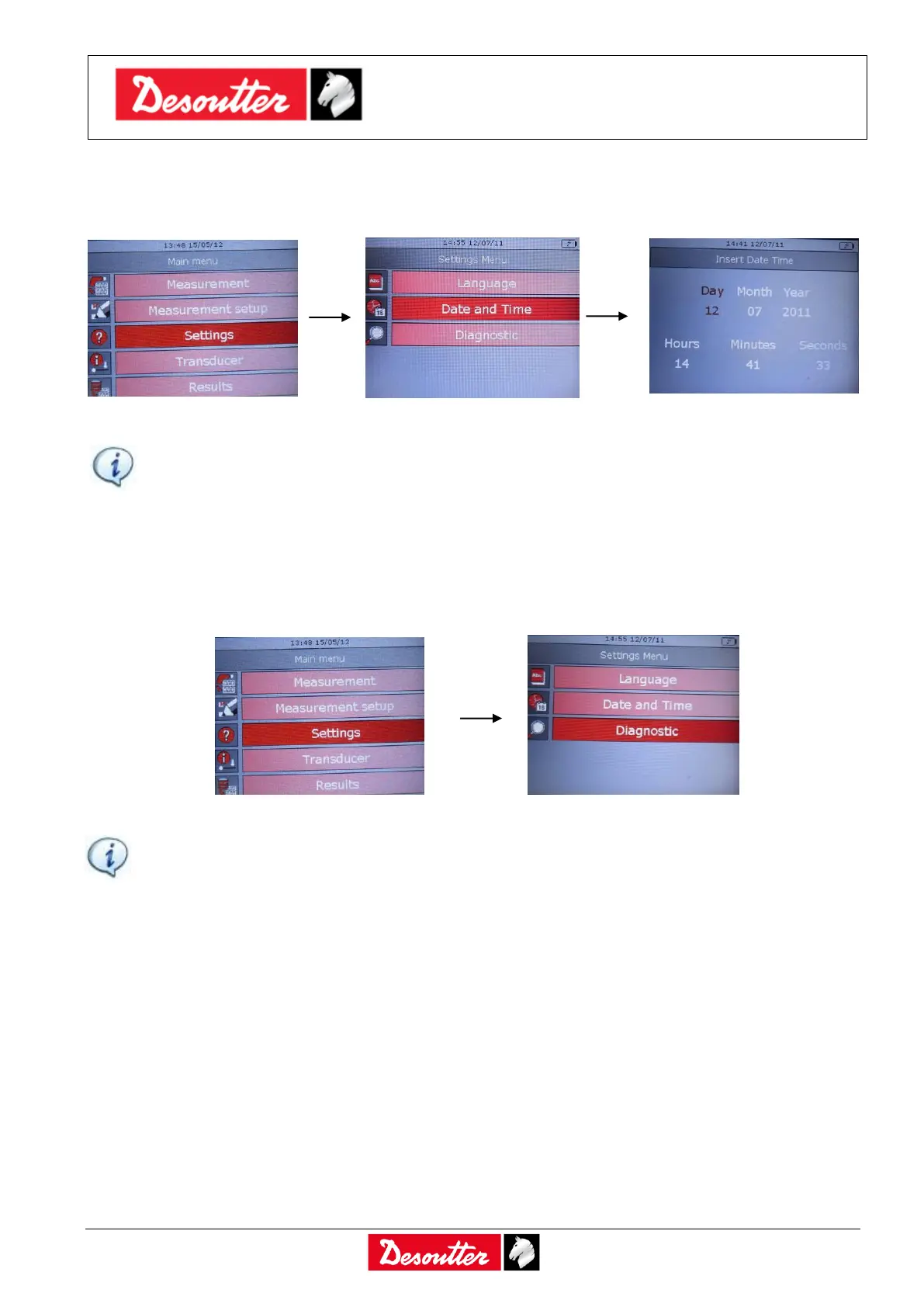
7.2.2 Date and Time
To set the Delta date and time, select Settings → Date and Time from the main menu:
Click on Enter button on the keyboard to set the date and time.
NOTE: The Time is shown on the display, while the Date is only associated to the test results.
7.2.3 Diagnostic
The “Diagnostic” menu starts the diagnostic procedure. Select Settings → Diagnostic from the
main menu:
NOTE: For further details about the Diagnostic function, refer to the paragraph “Delta
Diagnostic”.



 To Next Page