Part Number
Issue
Date
Page
6159938880
13
01/2018
53 / 249
53 (249) 01/2018
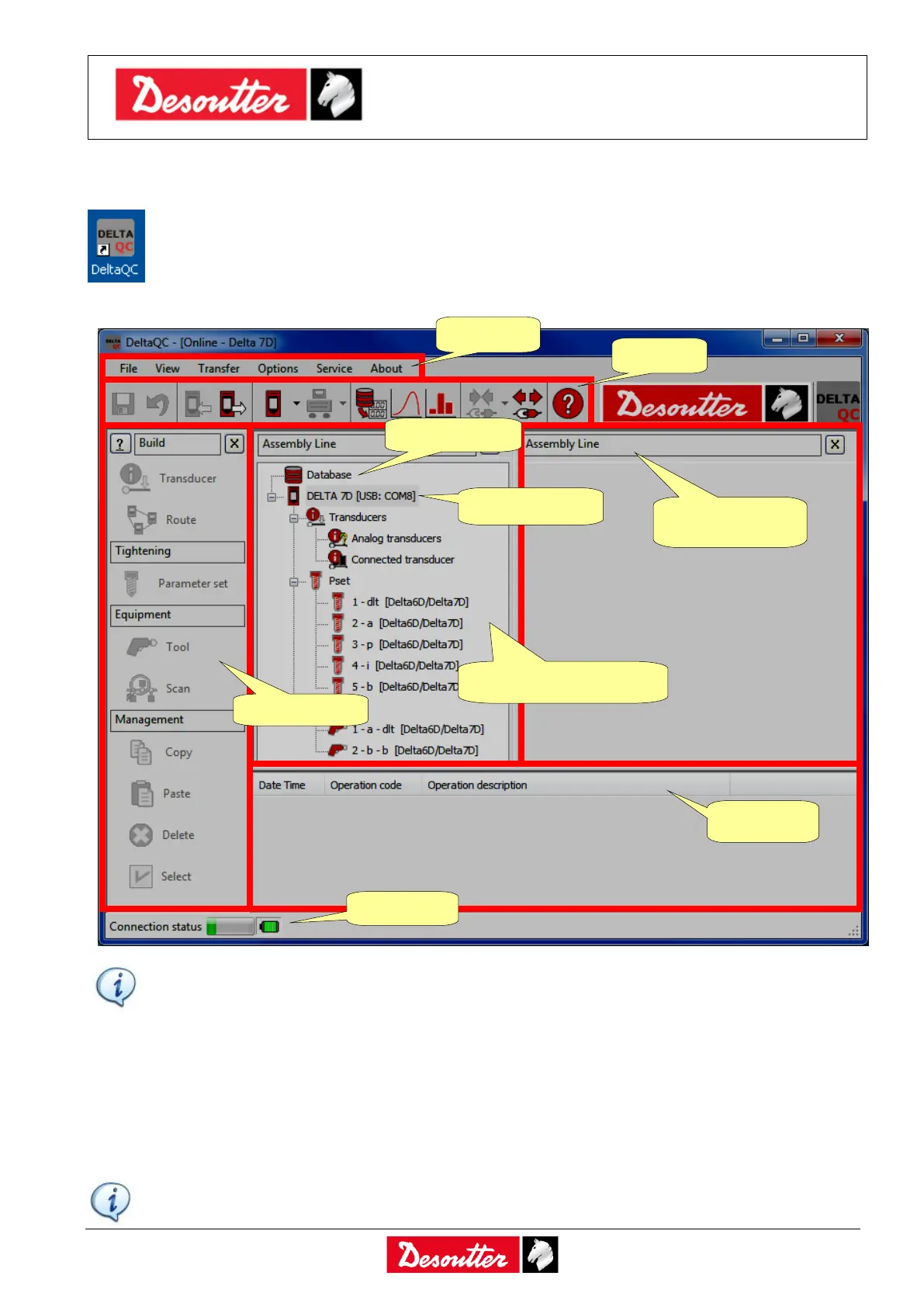
4.2 DeltaQC Overview
Click on the DeltaQC icon to launch the software.
The following main menu is shown:
NOTE: The DeltaQC adapts automatically to the Delta type and firmware version and
DeltaQC license; therefore, some menus or commands may be hidden or disabled, if not
supported by your version of the Delta or DeltaQC License.
Working in the Delta Map area (Online mode), the Delta is connected to the DeltaQC Software and
all of the data are directly written in the Delta connected.
Working Offline, it is possible to define the test programs and transfer them to the Delta at a later
time. The DeltaQC stores the following data in a local database:
NOTE: Refer to the paragraph “Offline mode” for further details.
Assembly Line
details area



 To Next Page