Part Number
Issue
Date
Page
6159938880
13
01/2018
80 / 249
01/2018 80 (249)
6.1.2 Peak
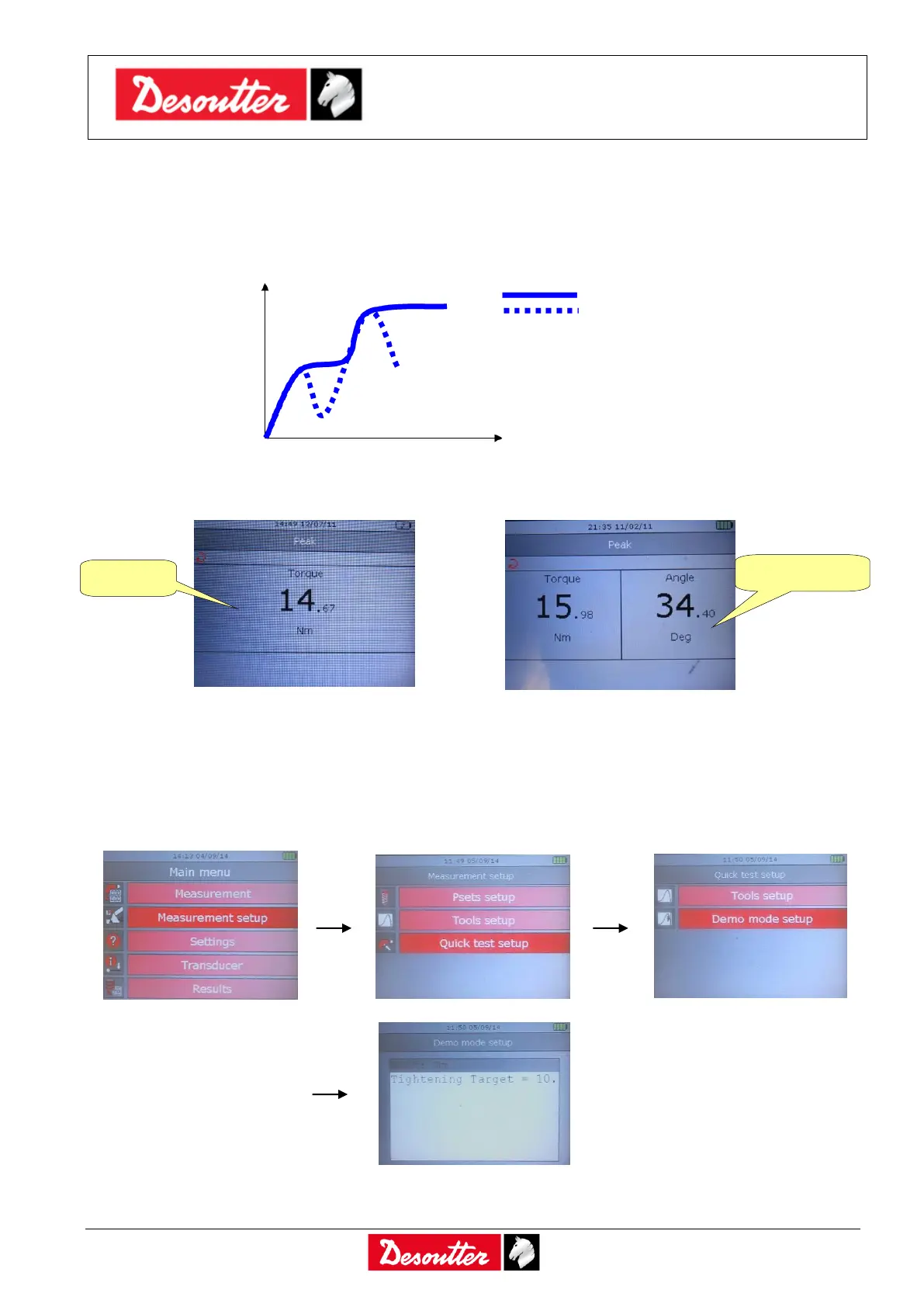
In “Peak” the torque produced by the wrench or nutrunner is shown in real time, and the maximum
value reached during tightening remains frozen on the Delta display.
Generally, the Delta displays torque in real time (the Delta 6D/7D shows the angle as well), and the
torque peak value is frozen on the display; the angle value is not frozen with the torque peak.
A new cycle starts when the applied torque is released, and applied again.
By clicking on the Enter button on the keyboard the torque value is reset.
The torque must be applied in the clockwise direction.
The torque measurement unit can be set from the Measurement setup → Quick test setup →
Demo mode setup menu:
The filter frequency is 100 Hz.



 To Next Page