Part Number
Issue
Date
Page
6159938880
13
01/2018
85 / 249
85 (249) 01/2018
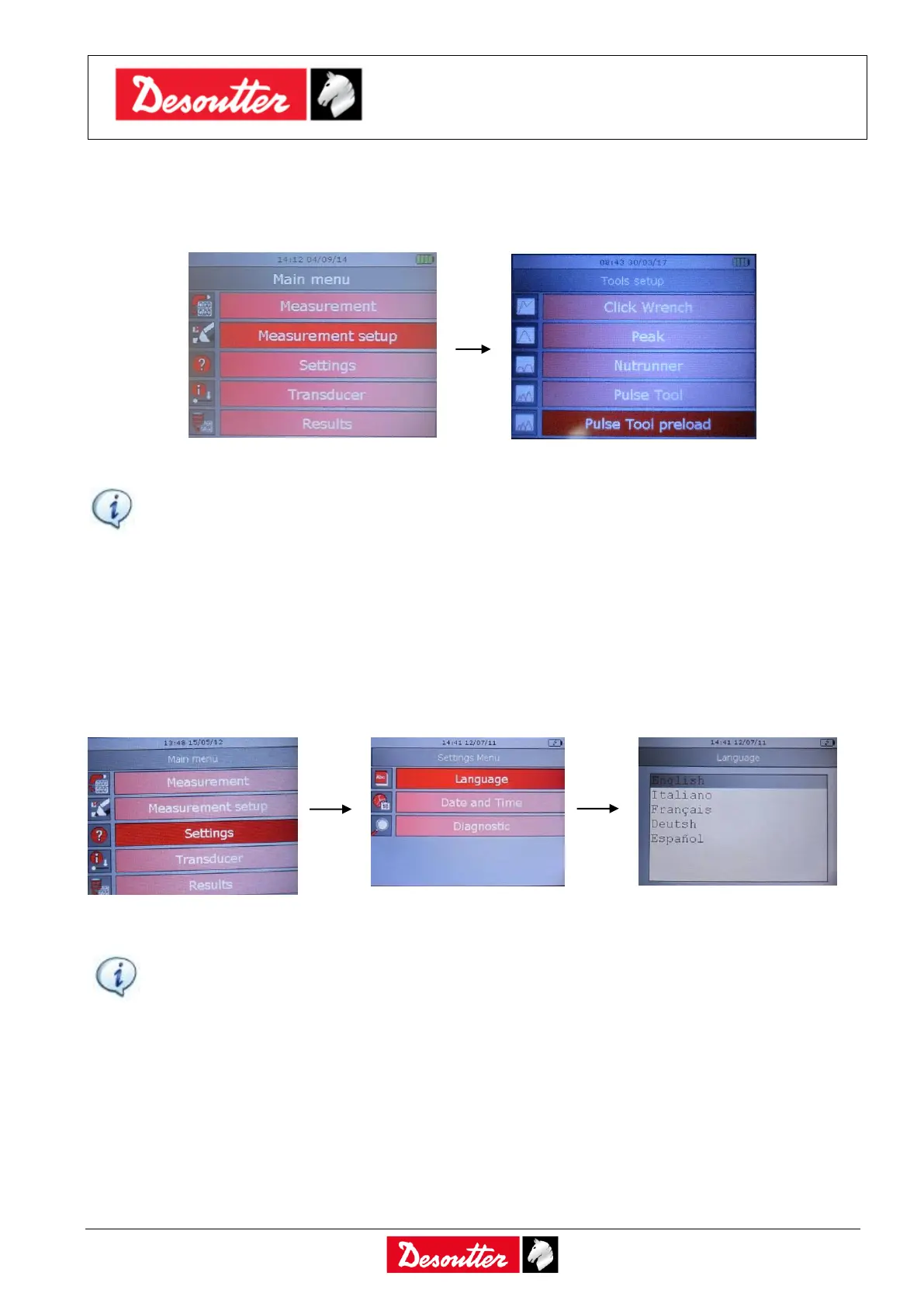
7.1.1 Test setup
Each kind of test (Click wrench, Nutrunner, Peak and Pulse tool) is configured in the Measurement
Setup menu:
NOTE: For further details about how these parameters are used by the instrument to test a
tool, refer to the following paragraphs: “Testing Click-wrenches”, “Peak Test”, “Testing
Nutrunners”, “Testing Pulse Tools”, “Testing Pulse Tools with Preload”.
7.2 Delta 1D Settings
7.2.1 Display Language
To set the display language, select Settings → Language from the main menu:
Select the desired language and press “Valid” key on the keyboard to confirm.
NOTE: The language can be set also by means of the DeltaQC software. Refer to the
paragraph “Delta Controller Setup” for further details.



 To Next Page