Part Number
Issue
Date
Page
6159938880
13
01/2018
56 / 249
01/2018 56 (249)
4.2.2 Menu list
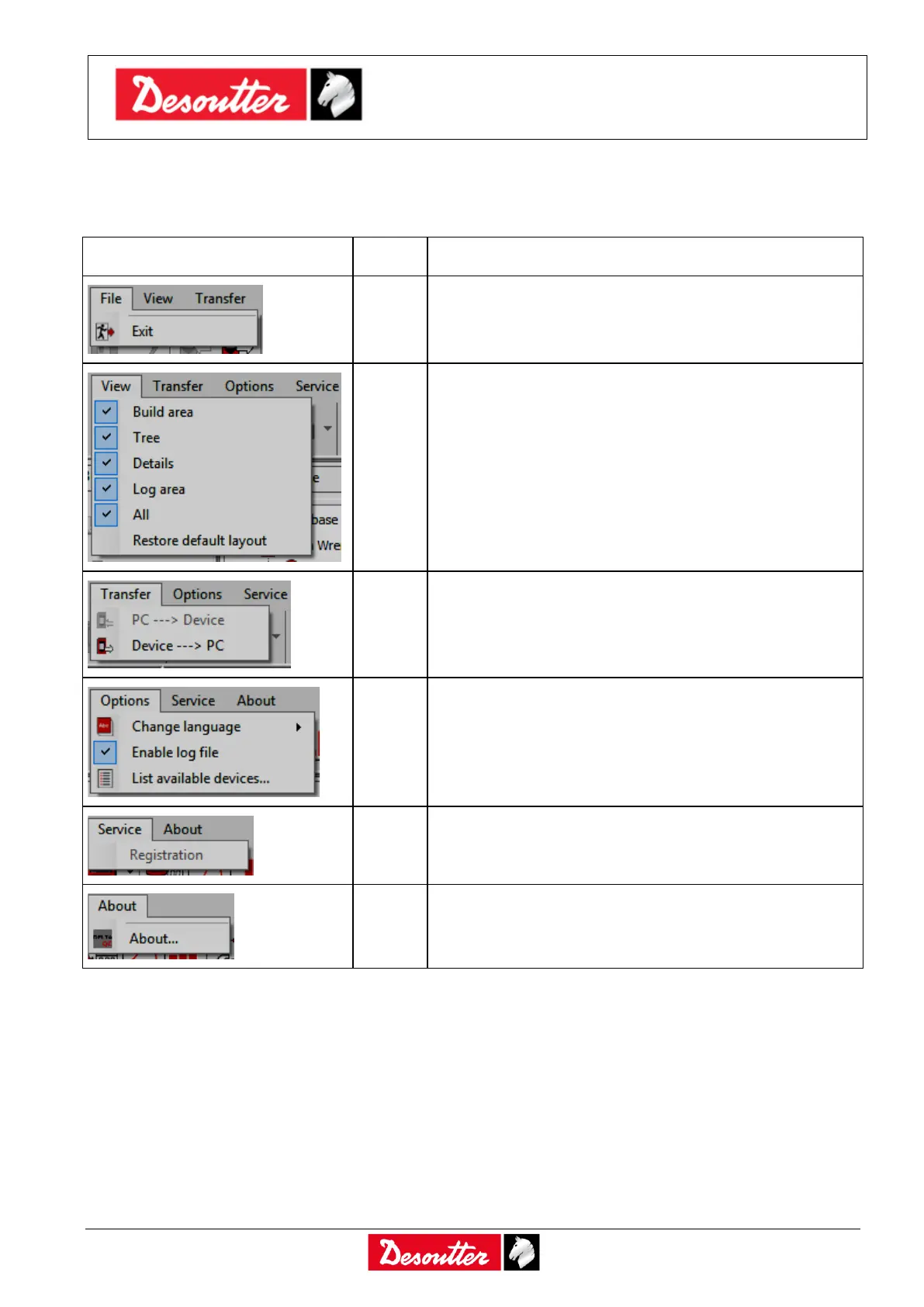
The following options are available in the DeltaQC Menu List:
The Exit option allows the user to exit from the Delta
QC software.
The View option selects the areas to show/hide in the
main menu.
The Transfer option transfers data either from the PC to
the Delta Wrench or from the Delta Wrench to the PC.
The Options tab sets the DeltaQC language and
enables/disables the log file. Furthermore, a list of
available devices can be viewed.
The Service option allows to register the software.
The About tab gives software information, including
registration details.



 To Next Page