Part Number
Issue
Date
Page
6159938880
13
01/2018
243 / 249
243 (249) 01/2018
26.1 Delta Diagnostic
The diagnostic menu can be used to perform a check of the Delta hardware.
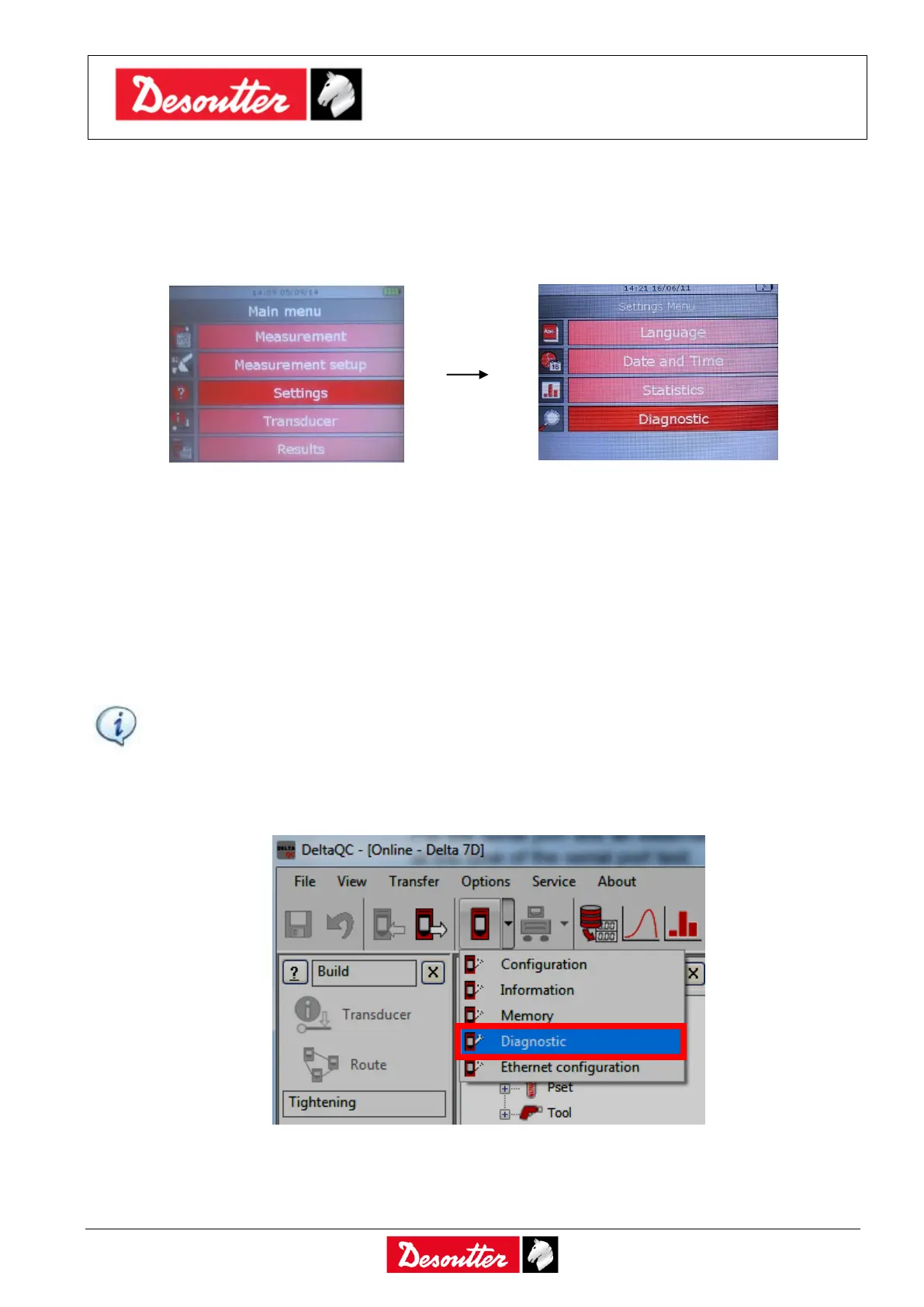
Select Diagnostic from the Settings menu to start the diagnostic procedure:
The diagnostic procedure leads the user to check all the Delta hardware.
The diagnostic procedure is interactive: simply follow the instructions given on the Delta display to
complete it; if a component gives a Not OK result during the test, it should be repaired or replaced.
To perform network test, the Delta must be connected with the network (without the need of specific
settings).
For the serial port test an external barcode must be connected and a barcode string must be scanned
at the time of the serial port test.
NOTE: If the test on some buttons of the Delta keyboard gives Not OK result, all the following
tests requiring the operator to use that button to confirm the test result will not be performed,
and will be marked as N.A. (Not Applicable).
The last ten diagnostic reports are saved in the Delta memory and can be retrieved by the DeltaQC
software. Connect the Delta to the DeltaQC software and select the Controller → Diagnostic menu:



 To Next Page