Part Number
Issue
Date
Page
6159938880
13
01/2018
65 / 249
65 (249) 01/2018
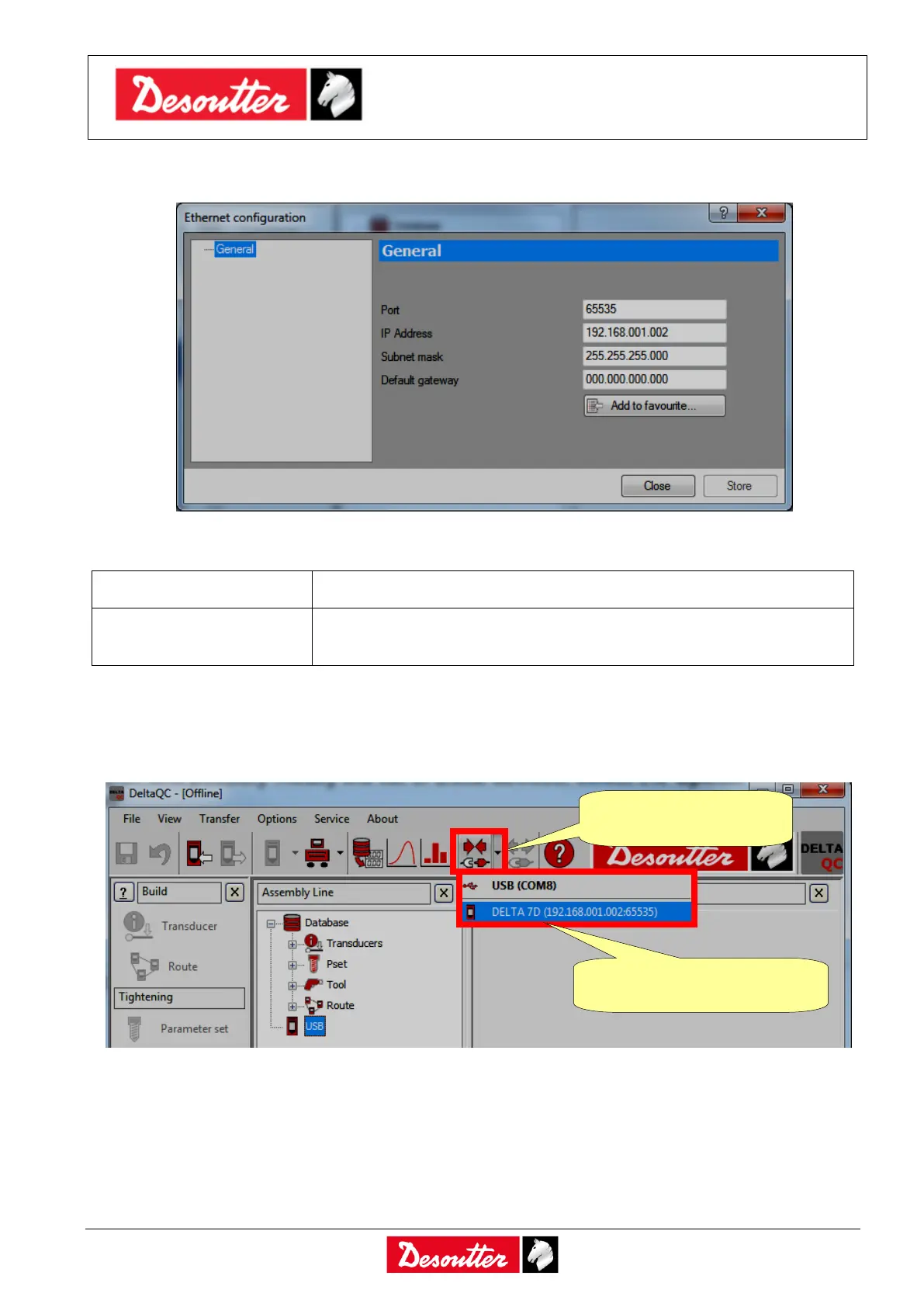
After clicking on “Ethernet configuration” option, the following screen is shown:
Set the parameters as follows:
Set any port available in the own system.
IP Address, Subnet mask
and Default gateway
Set valid parameters according with the own network (or PC network
parameter if the Delta is directly connected to the PC).
After setting the above parameters, click on “Add to favourite…” option to save them into a local
archive; then click on Store to save the configuration.
The list of the devices added to the “Favourite List” is shown under the Connect icon menu:
Connect the network cable to the Delta and select it from the list.
1. Click on the arrow
of the Connect icon
2. The List of Delta defined
previously is shown



 To Next Page