Part Number
Issue
Date
Page
6159938880
13
01/2018
70 / 249
01/2018 70 (249)
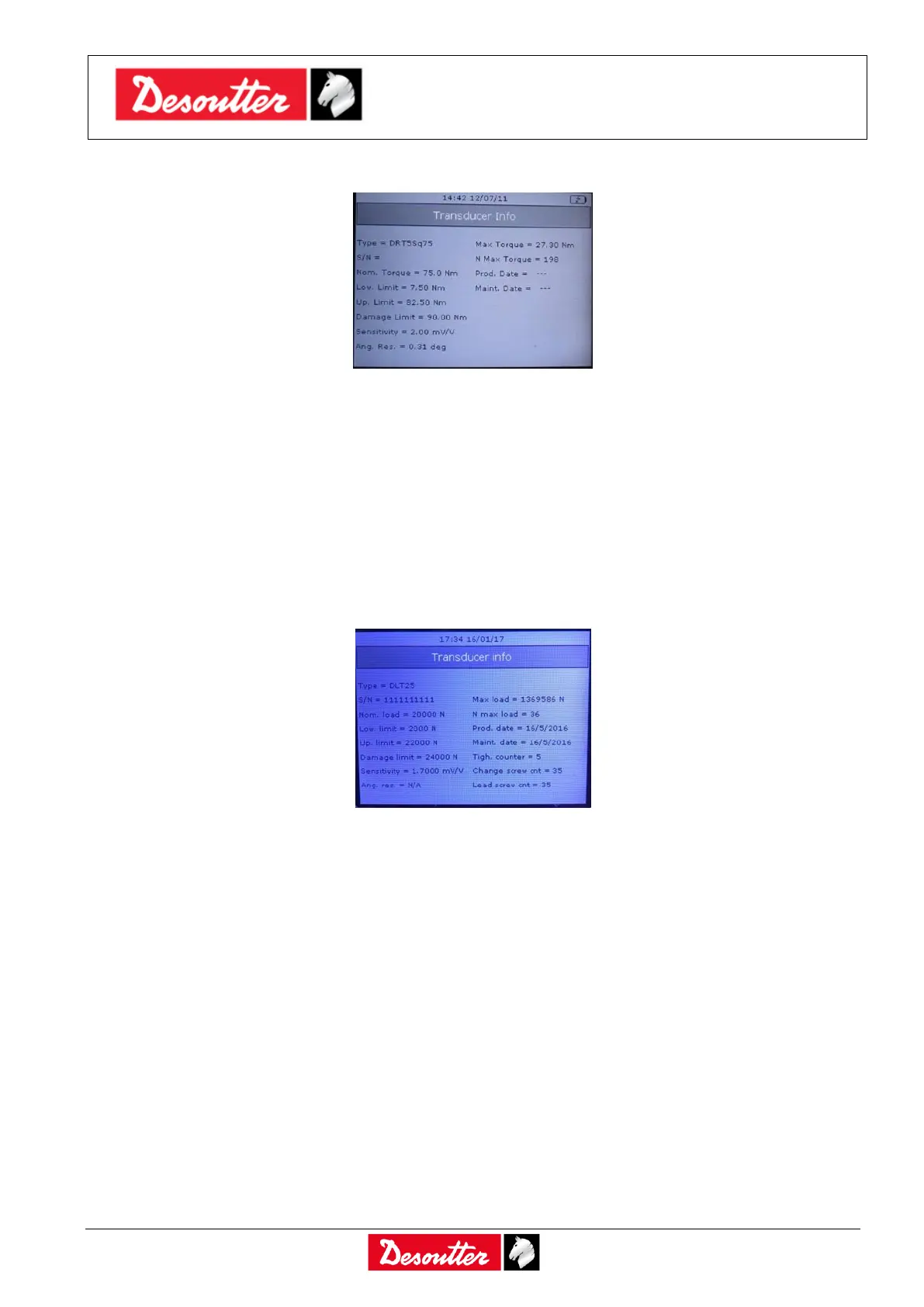
In the Transducer info are detailed the transducers characteristics:
In addition, two additional fields indicate if the transducer has been overloaded during the use with the
Delta:
Max. Torque: Maximum torque applied to the transducer during the use with the Delta. If this value
is over the Damage Limit, a warning message is shown for few seconds when the transducer is
connected to the Delta; to reset this message, and to ensure that the transducer is still working
properly, the transducer must be inspected and re-calibrated by the Customer Center.
N. Max Torque: This field contains a counter incremented every time the torque measured by the
transducer exceeds the Up Limit during the use with the Delta. For a transducer that works
properly it should be always zero.
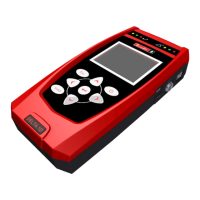
In the case the DLT is connected to the Delta, the Transducer info screen is as follows:
The measurement unit is Newton. Moreover, there are the following additional fields indicating:
Max load: Maximum load applied to the transducer during the use with the Delta. If this value is
over the Damage Limit, a warning message is shown for few seconds when the transducer is
connected to the Delta; to reset this message, and to ensure that the transducer is still working
properly, the transducer must be inspected and re-calibrated by the Customer Center.
N max load: This field contains a counter incremented every time the load measured by the
transducer exceeds the Up Limit during the use with the Delta. For a transducer that works
properly it should be always zero.
Tigh. Counter: This field counts the number of tightenings performed by the transducer connected
to the Delta
Change screw cnt: This field indicates when it is necessary to replace the DLT screw (see DLT
Product Instructions for details)
Lead screw cnt: This field indicates when it is necessary to replace the DLT lead screw (see DLT
Product Instructions for details)



 To Next Page