TC500 Ethernet Cabling Certifier Operation Manual
7
4.4. Main Menu
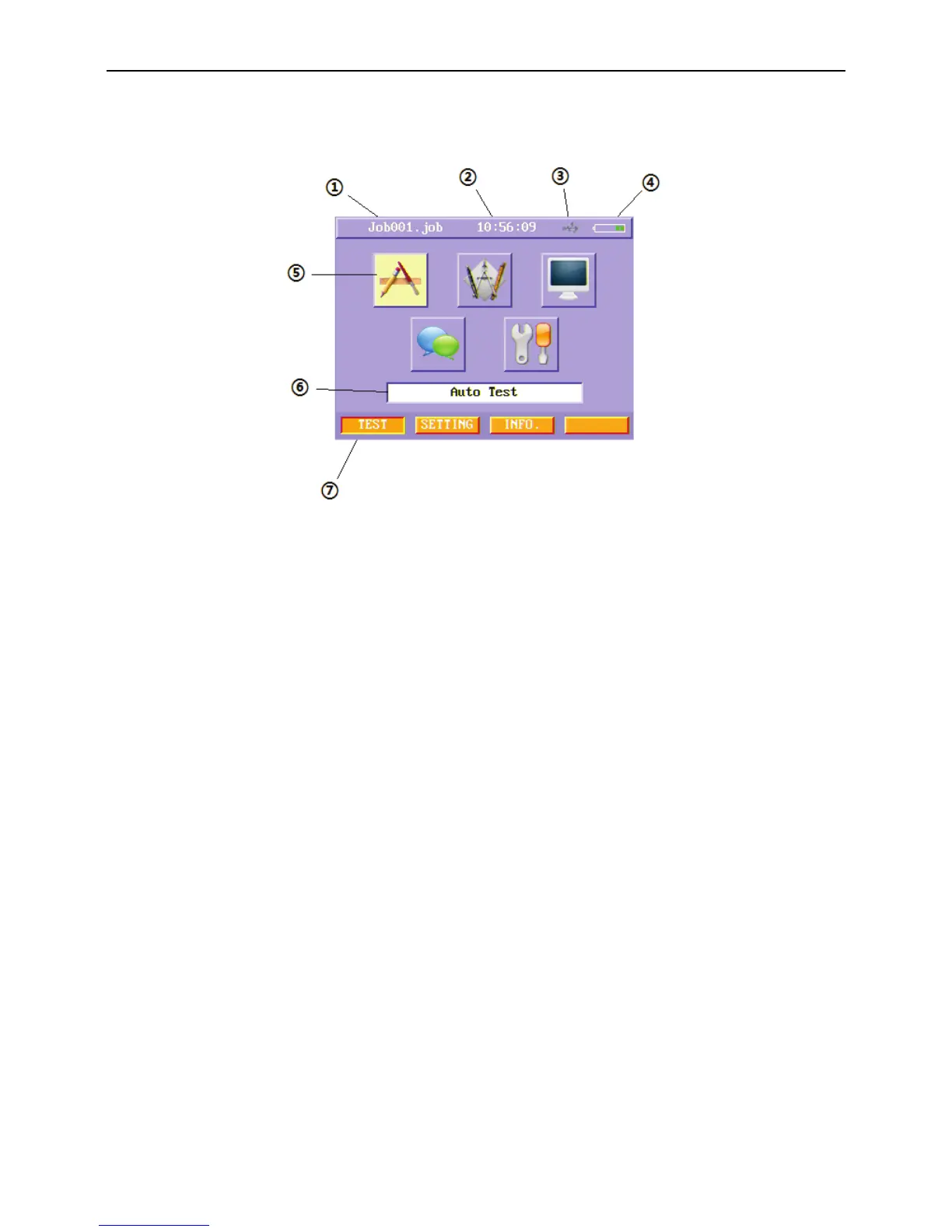
After turn on main unit, you will see a welcome screen, and then the main menu appears.
Figure3 Main menu
① Job name: Display the current job name.
② Current Time: Display current time.
③ USB icon: Display current U-disk status.
④ Battery status icon: Display battery status, when battery is low, the icon blinks, and the icon rolls when charging.
⑤ Function Buttons: Display each function in current menu.
⑥ Function Descriptions: Describe the detailed function of the selected function button.
⑦ Soft Function Keys: Display the function related to four function keys on the pad.



 To Next Page