TC500 Ethernet Cabling Certifier Operation Manual
11
6.3. Language & Unit Setting
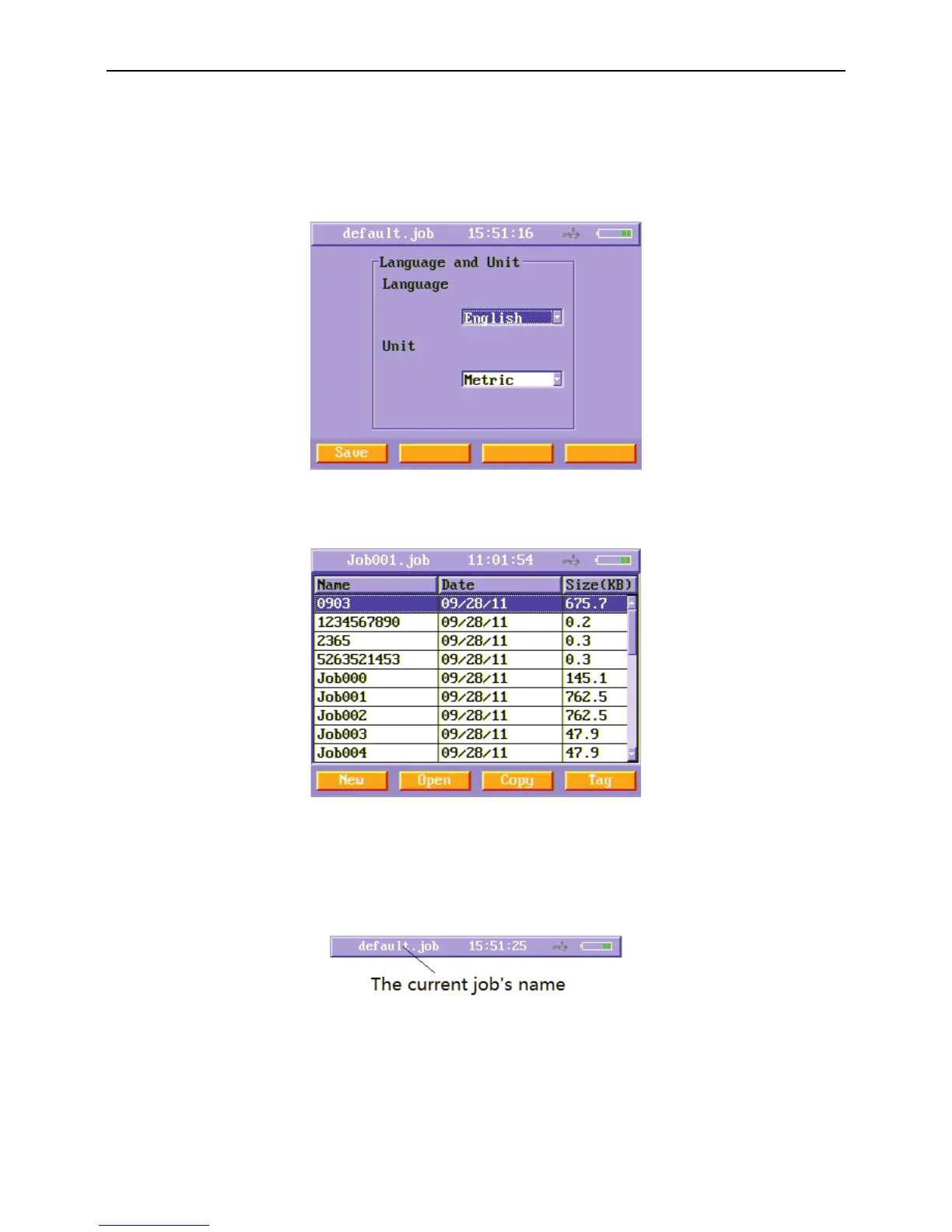
Users can choose language and unit in Language & Unit Setting menu. Users can choose Metric unit or Imperial unit, and users can
choose English language or Spanish language. Select Language & Unit Setting function button and press enter key, you will enter
Language & Unit Setting menu. Press Save (F1) soft function key after you choose the language and unit you want.
Figure8 Language & Unit Setting menu
6.4. Job information Setting
Figure9 Job information setting menu
The Job information Setting menu is used to view a list of all jobs stored in the main unit. It manages the cable files as the following
method.
One job is a file folder, and each cable’s detailed results are saved as a file. The current job’s name is on the title.
Figure10 Job’s name on the title
Once the inspector comes to a new site, the inspector creates a new job, and all the cables tested in this site are saved in this job
folder as many cable files. Users can set some useful properties for one job folder when you create a new job such as inspector’s
name, inspector’s company, inspector’s telephone, site name, site company etc.
In the Job Information Setting menu, press “New”(F1)soft function key to create a new job folder and enter the setting menu of the
new job.



 To Next Page