TC500 Ethernet Cabling Certifier Operation Manual
21
1. Data cable
Turn on main unit and remote unit and then connect the UTP/STP cable tested to these two units, you can run data cable manual
test.
Standard Test
If you test UTP/STP, you just choose data cable manual test menu.
In this menu, you first choose Test limit and model. Test Limit changes according to the test standard you choose in the “Test
Configuration” setting menu. Table 3 shows it.
Table3 Test Limit and according Test Standard
TIA/EIA-568-B Cat 3, Cat 5e, Cat 6
ISO/IEC 11801 Class C, Class D, Class E
After you choose Test Limit and Model, press “TIA568B” or “ISO11801” (according to the test standard you choose) function button
to do individual standard test.
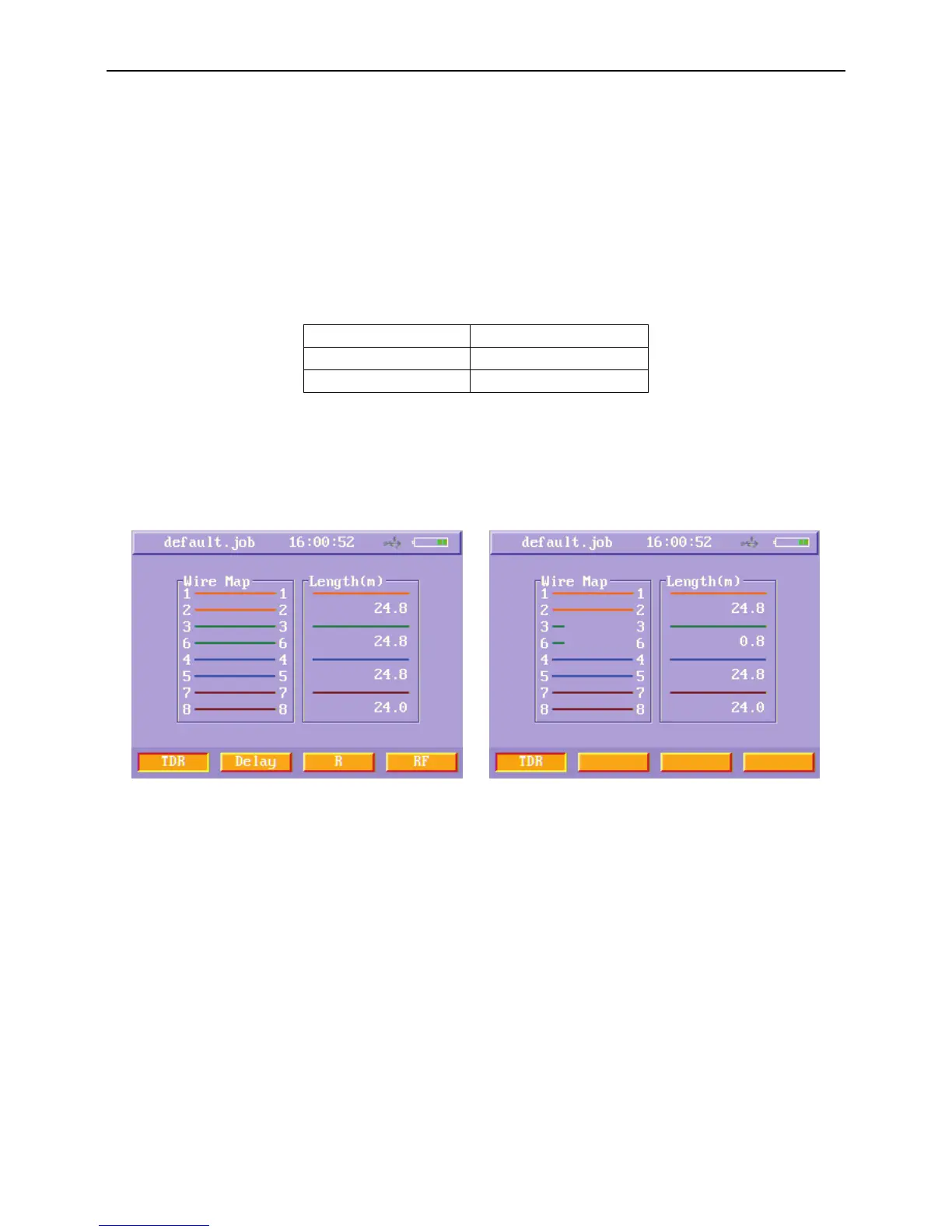
After you press “TIA568B” or “ISO11801” function button, the instrument will do wire map and length test first and TDR manual test
menu appears.
Figure31 Data cable TDR manual test results menu (TDR OK) Figure32 Data cable TDR manual test results menu (TDR Wrong)
If the wire map is OK, you can press Delay (F2), R (F3) and RF (F4) soft function keys to do according manual test. When the wire
map is not correct, you can’t test the other items.
When you press Delay (F2) soft function key, the instrument will test the propagation delay and delay skew and enters the Delay
menu.



 To Next Page