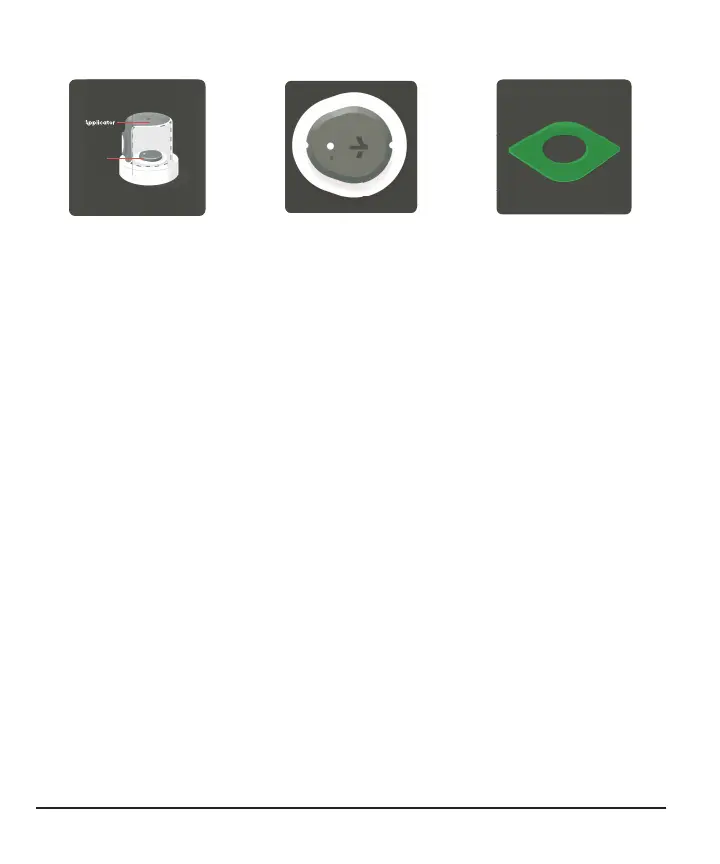
Stelo Glucose Biosensor basics
The applicator inserts the
built-in biosensor (sensor)
under your skin. Each
sensor session lasts up to
15 days
1
, plus a 12-hour
grace period at the end.
The sensor sends glucose
sensor readings
(readings) to your
smartphone. You'll get
glucose updates every 15
minutes.
After you insert the
sensor, you must apply an
overpatch to keep the
sensor on your skin.
1
A study was conducted to assess the sensor life where 77.9% of sensors lasted the full 15 days. In other
words, when using the product per the package labeling, approximately 20% of sensors may not last for the
full 15 days, 10% of these sensors may last less than 12 days.
Inserting your sensor
These instructions are also available in your app.
Open the app and follow the onscreen instructions to set up and use
your Stelo Glucose Biosensor System.
1. Choose sensor site
Insert your sensor on the back of your upper arm. Don't wear your sensor on other
sites (such as your abdomen), as it may not work as expected.
20



 To Next Page