3 • Insertion Instructions | Stelo Glucose Biosensor User Guide 23
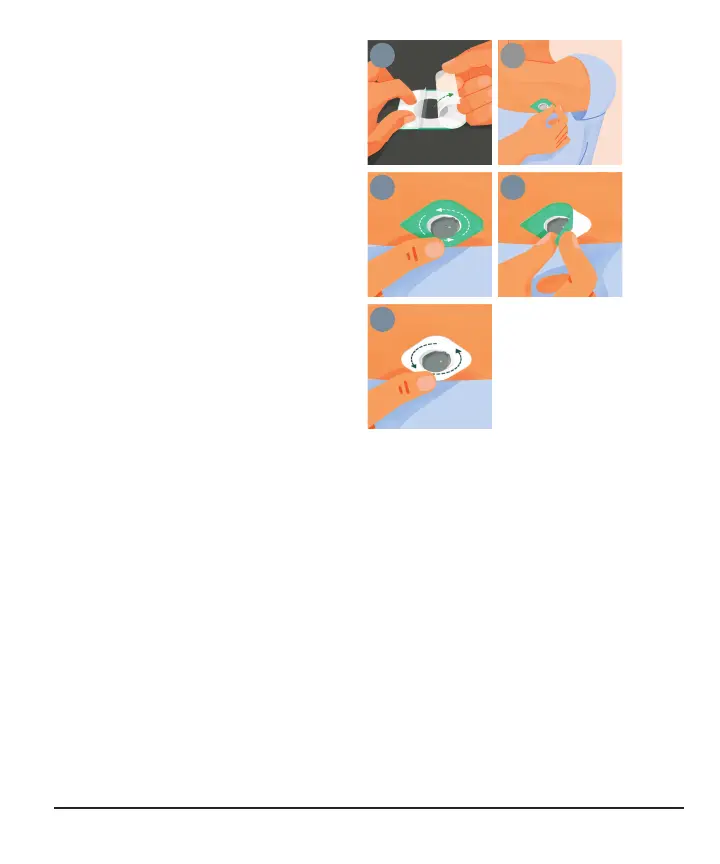
7. Apply overpatch
The overpatch keeps the sensor
on your skin. It's bundled with the
instructions in the sensor box.
a.
Carefully pull off both clear
liners, one at a time. Don't
touch white adhesive area.
b.
Use colored tab to place
overpatch around sensor.
c.
Rub around overpatch.
d.
Use tab to peel off colored
liner.
e.
Rub around overpatch.
Go back to app to finish setup.



 To Next Page