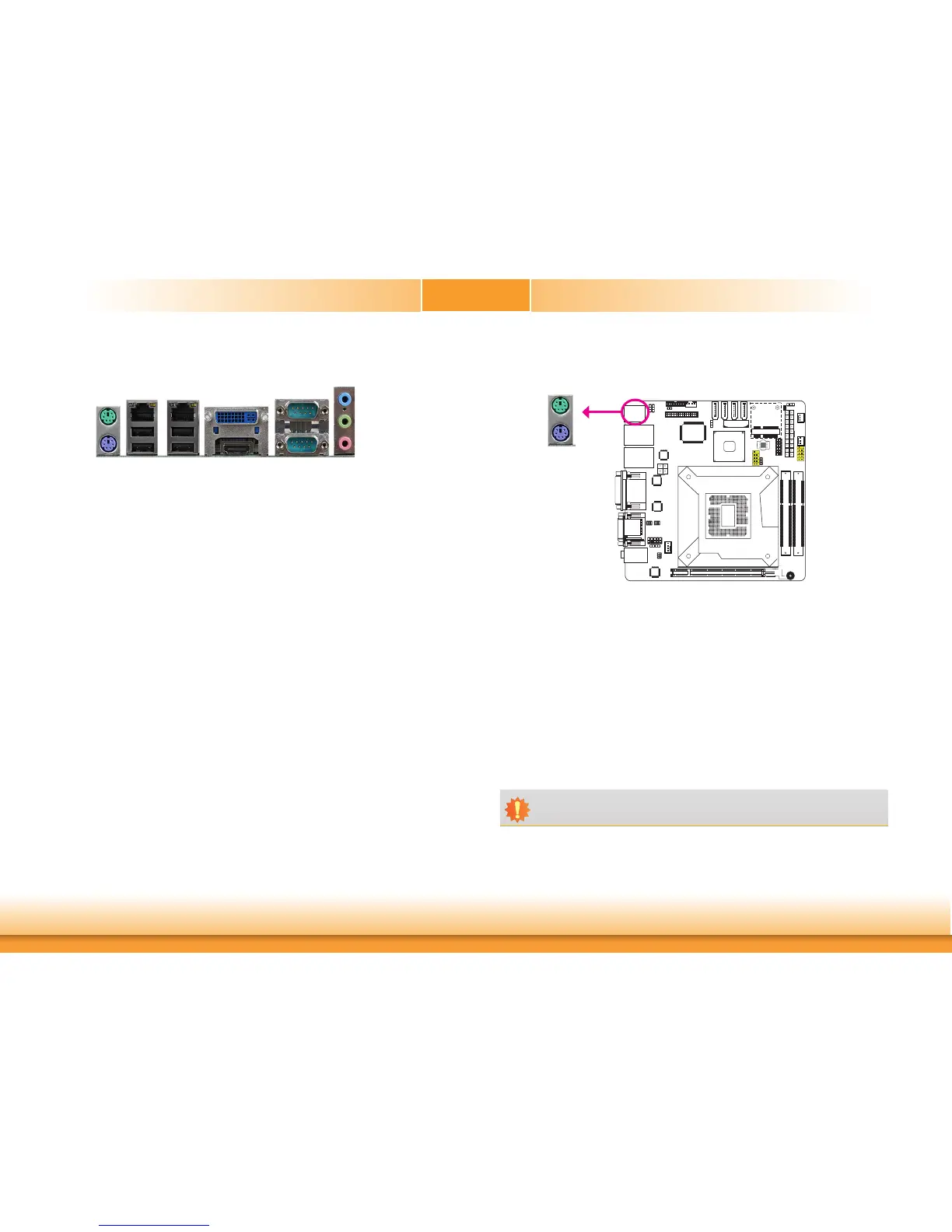
Rear Panel I/O Ports
The rear panel I/O ports consist of the following:
• PS/2mouse/keyboardport
• 2LANports
• 4USB2.0ports
• DVI-Iport
• HDMIport
• 2COMports
• Mic-injack
• Line-injack
• Line-outjack
HDMI
COM2
USB2.0
Line-out
Line-in
Mic-in
LAN1
COM1
DVI-I
LAN2
PS/2Mouse
PS/2 Mouse and PS/2 Keyboard Ports
USB2.0PS/2KB
PS/2Mouse
PS/2KB
TheseportsareusedtoconnectaPS/2mouseandaPS/2keyboard.ThePS/2mouseport
usesIRQ12.
Wake-On-PS/2 Keyboard/Mouse
TheWake-On-PS/2Keyboard/MousefunctionallowsyoutousethePS/2keyboardorPS/2
mousetopower-onthesystem.Tousethisfunction:
• Jumper Setting
JP2mustbesetto“2-3On:+5V_standby”.Referto“PS/2PowerSelect”inthischapterfor
moreinformation.
• BIOS Setting
ConfigurethePS/2keyboard/mousewakeupfunctionintheAdvancedmenu(“ACPIPower
ManagementConfiguration”submenu)oftheBIOS.Refertochapter3formoreinformation.
Important:
The+5V_standbypowersourceofyourpowersupplymustsupport≥720mA.


 To Next Page