www.dfi .com
51
Chapter 4 Supported Software
Chapter 4
Intel LAN Drivers
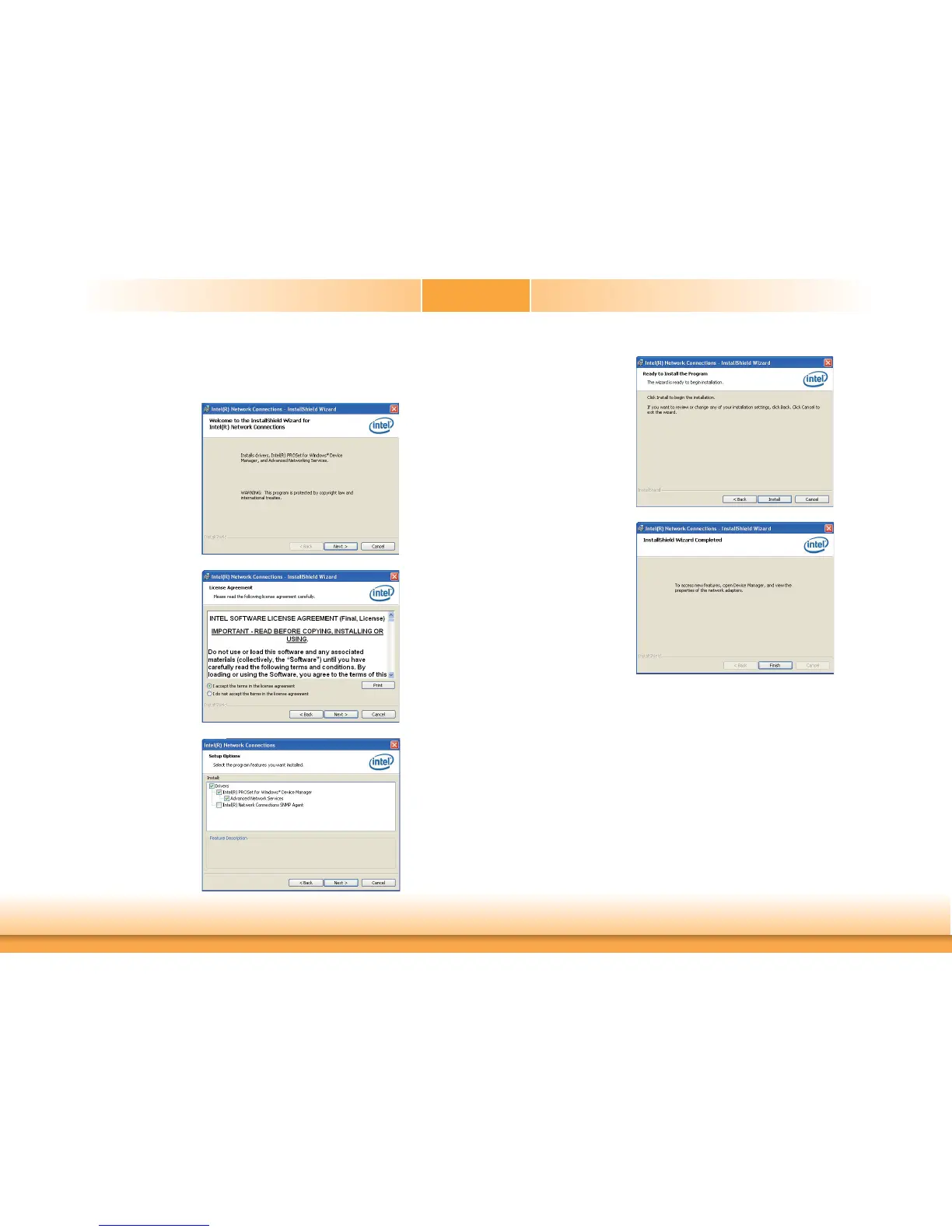
To install the driver, click “Intel LAN Drivers” on the main menu.
1. Setup is ready to install the
driver. Click Next.
2. Click “I accept the terms
in the license agreement”
then click “Next”.
3. Select the program featuers
you want installed then
click Next.
4. Click Install to begin the
installation.
5. After completing installa-
tion, click Finish.


 To Next Page