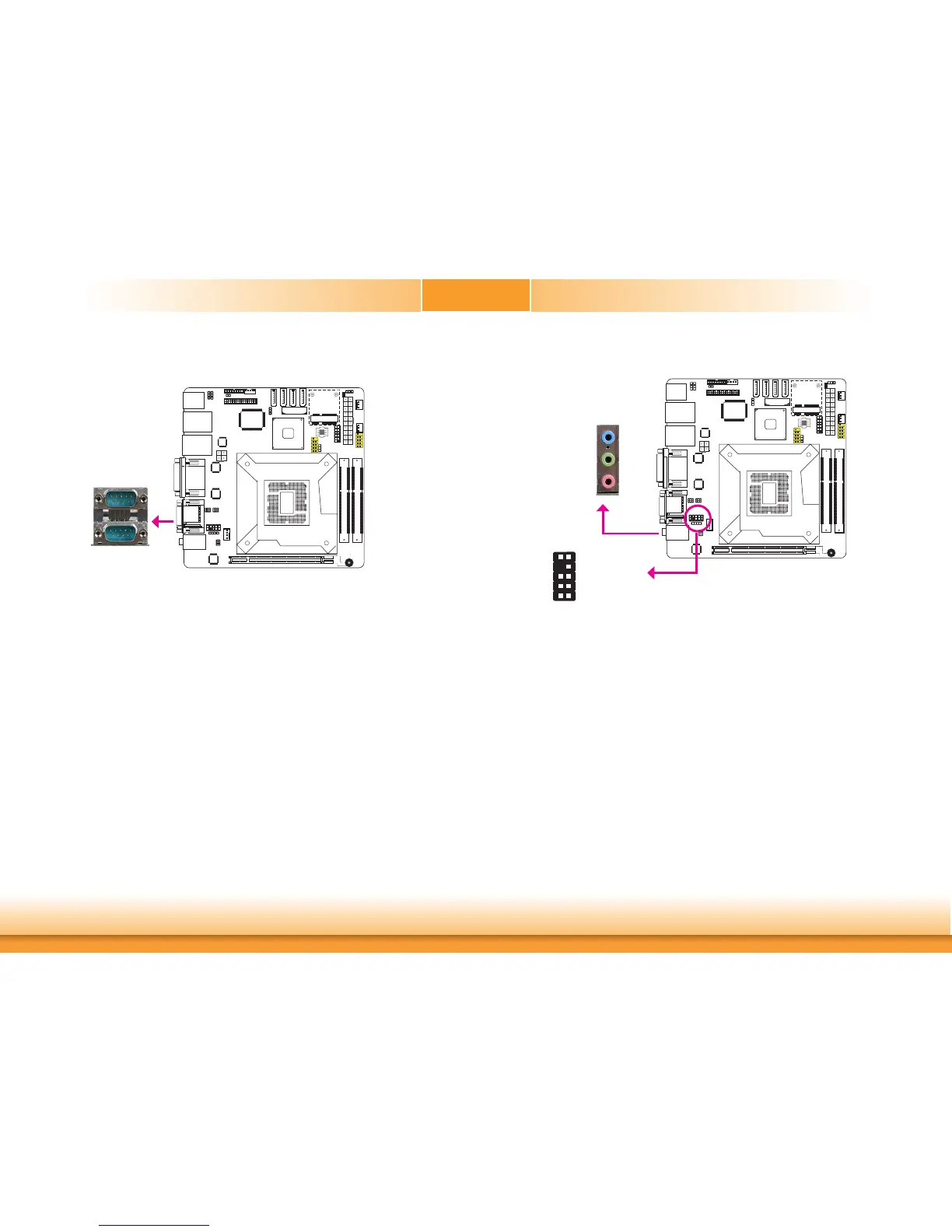
COM (Serial) Ports
COM1
ThepinfunctionofCOM1portwillvaryaccordingtoJP1’ssetting.Referto“COM1RS232/
RS422/RS485Select”inthischapterformoreinformation.
Theserialportsareasynchronouscommunicationportswith16C550A-compatibleUARTsthat
canbeusedwithmodems,serialprinters,remotedisplayterminals,andotherserialdevices.
Connecting External Serial Ports
YourCOMportmaycomemountedonacard-edgebracket.Installthecard-edgebracketto
anavailableslotattherearofthesystemchassistheninserttheserialportcabletotheCOM
connector.Makesurethecoloredstripeontheribboncableisalignedwithpin1oftheCOM
connector.
BIOS Setting
ConfiguretheserialportsintheAdvancedmenu(“SuperIOConfiguration”submenu)ofthe
BIOS.Refertochapter3formoreinformation.
COM1:
RS232/422/485
COM2
Audio
Rear Audio
Thesystemboardisequippedwith3audiojacks.Ajackisaone-holeconnectinginterfacefor
insertingaplug.
• Mic-inJack(Pink)
Thisjackisusedtoconnectanexternalmicrophone.
• Line-inJack(LightBlue)
ThisjackisusedtoconnectanyaudiodevicessuchasHi-fiset,CDplayer,tapeplayer,
AM/FMradiotuner,synthesizer,etc.
• Line-outJack(Lime)
Thisjackisusedtoconnectaheadphoneorexternalspeakers.
Front Audio
Thefrontaudioconnectorallowsyoutoconnecttothesecondline-outandmic-injacksthat
areatthefrontpanelofyoursystem.
Line-out
Line-in
Mic-in
Rearaudio
Frontaudio
1
Mic2-L
Line2-R
Front_IO_Sense
GND
PresenceSignal
Key
2
10
Mic2-JD
Line2-JD
9
Mic2-R
Line2-L
COM2:RS232


 To Next Page