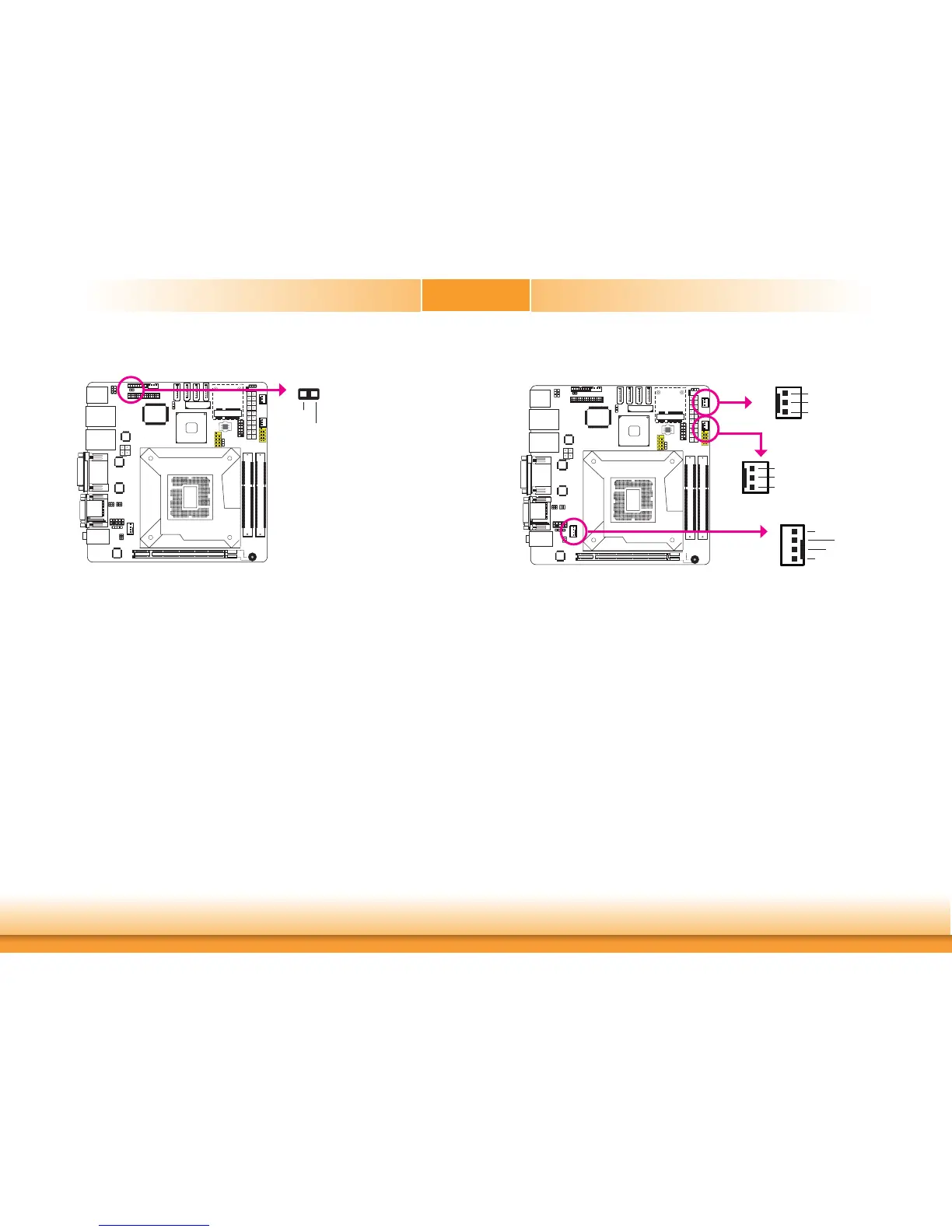
Cooling Fan Connectors
Thefanconnectorsareusedtoconnectcoolingfans.Thecoolingfanswillprovideadequate
airflowthroughoutthechassistopreventoverheatingtheCPUandsystemboardcomponents.
BIOS Setting
TheAdvancedmenu(“PCHealthConfiguration”submenu)oftheBIOSwilldisplaythecurrent
speedofthecoolingfans.Refertochapter3formoreinformation.
System_fan 1
1
3
Sense
Power
Ground
4
1
Sense
Power
Ground
SpeedControl
CPU fan
Chassis Intrusion Connector
Theboardsupportsthechassisintrusiondetectionfunction.Connectthechassisintrusion
sensorcablefromthechassistothisconnector.Whenthesystem’spowerisonandachassis
intrusionoccurred,analarmwillsound.Whenthesystem’spowerisoffandachassisintru-
sionoccurred,thealarmwillsoundonlywhenthesystemrestarts.
MyGuard Hardware Monitor
Installthe“MyGuardHardwareMonitor”utility.Bydefault,thechassisintrusiondetectionfunc-
tionisdisabled.Whenenabled,awarningmessagewillappearwhenthechassisisopen.The
utilitycanalsobeconfiguredsothatabeepingalarmwillsoundwhenthechassisisopen.
Refertothe“MyGuardHardwareMonitor”sectioninchapter4formoreinformation.
1 2
Ground
Signal
1
3
Sense
Power
Ground
System_fan 2


 To Next Page