www.dfi .com
52
Chapter 4 Supported Software
Chapter 4
Intel Management Engine Drivers
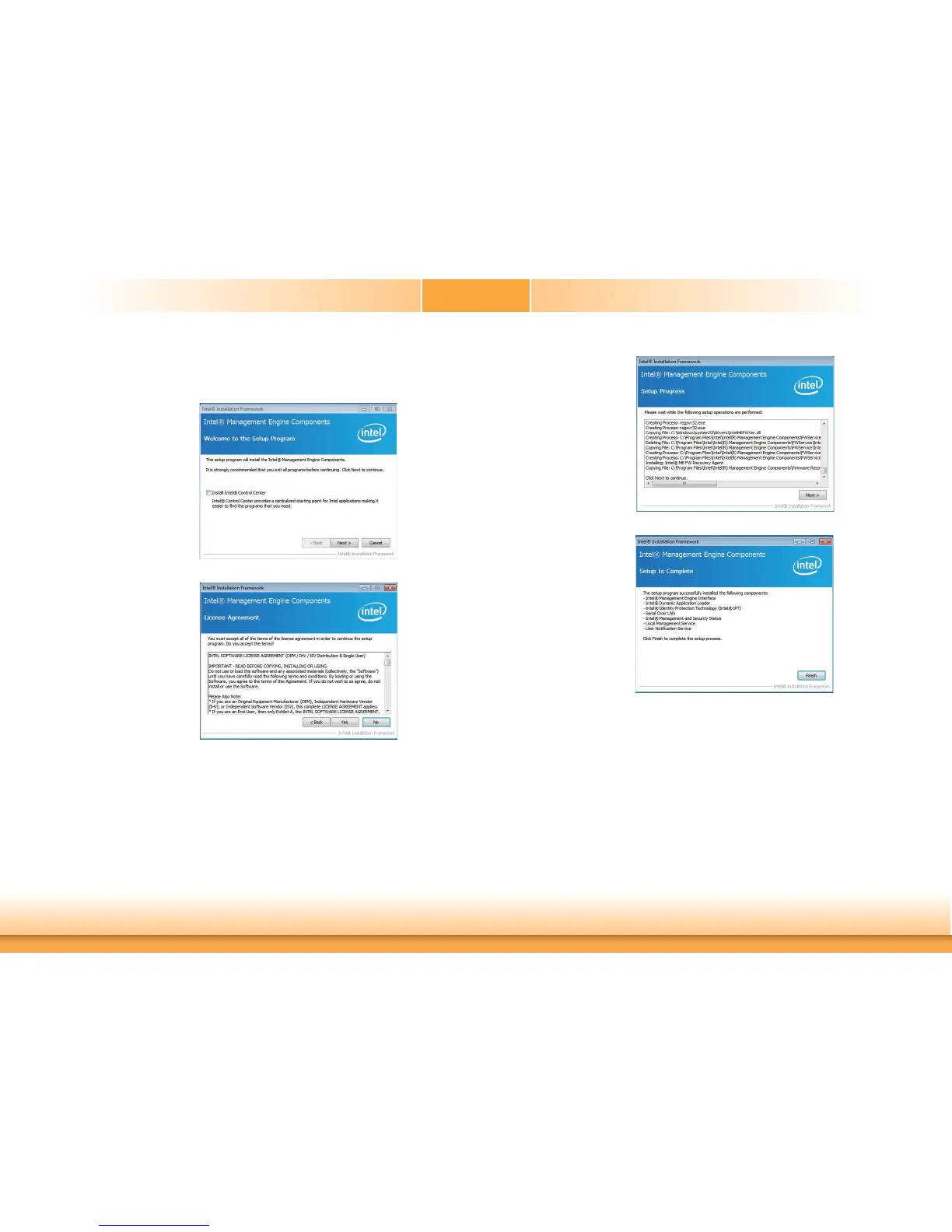
To install the driver, click “Intel Management Engine Drivers” on the main menu.
1. Setup is ready to install the
driver. Click Next.
2. Read the license agreement
then click Yes.
3. Setup is currently installing
the driver. After installation
has completed, click Next.
4. After completing installa-
tion, click Finish.


 To Next Page