www.dfi .com
47
Chapter 4 Supported Software
Chapter 4
Microsoft .NET Framework 3.5
(for Windows XP only)
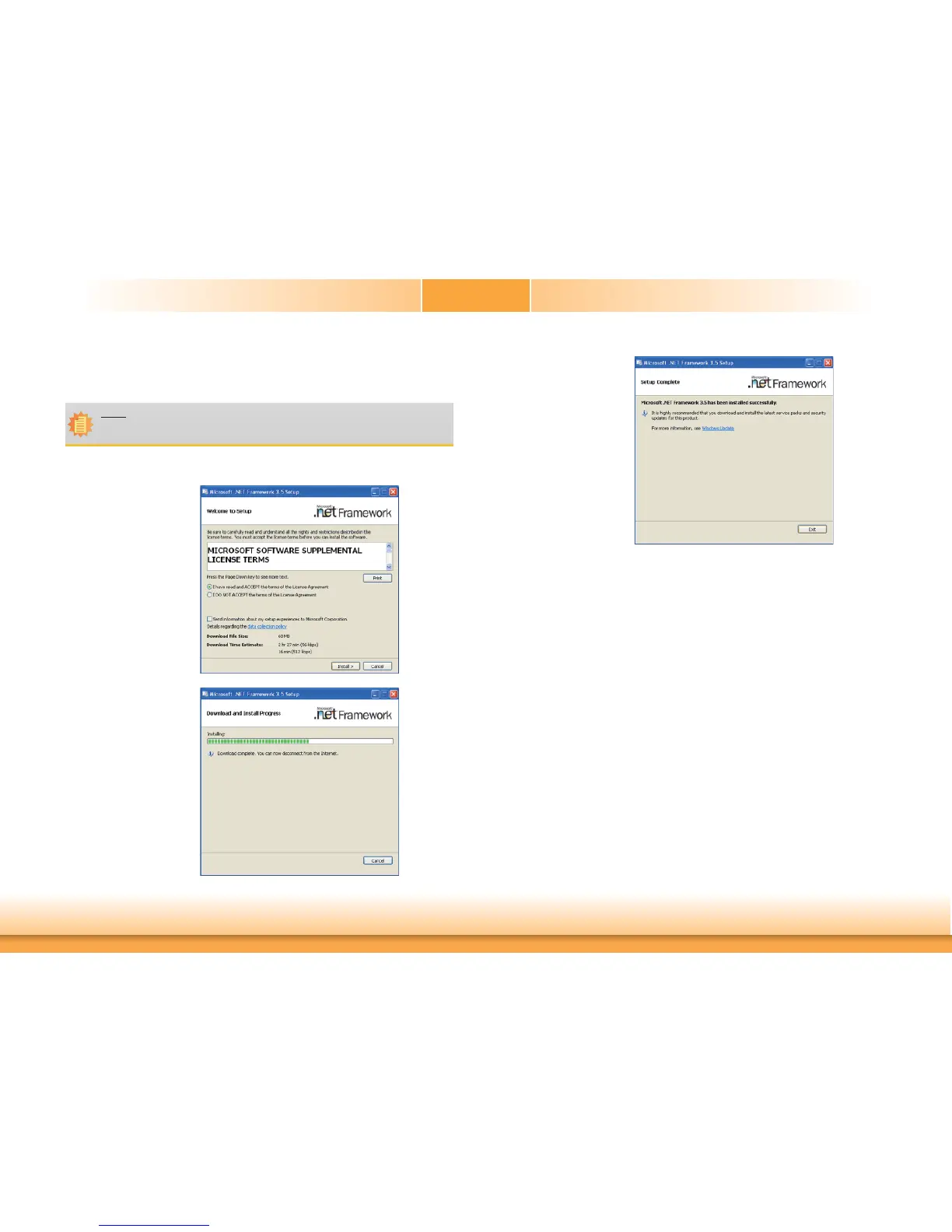
To install the driver, click “Microsoft .NET Framework 3.5” on the main menu.
1. Read the license agreement
carefully.
Click “I have read and
accept the terms of the
License Agreement” then
click Install.
2. Setup is now installing the
driver.
3. Click Exit.
Note:
Before installing Microsoft .NET Framework 3.5, make sure you have updated your
Windows XP operating system to Service Pack 3.


 To Next Page