www.dfi .com
55
Chapter 4 Supported Software
Chapter 4
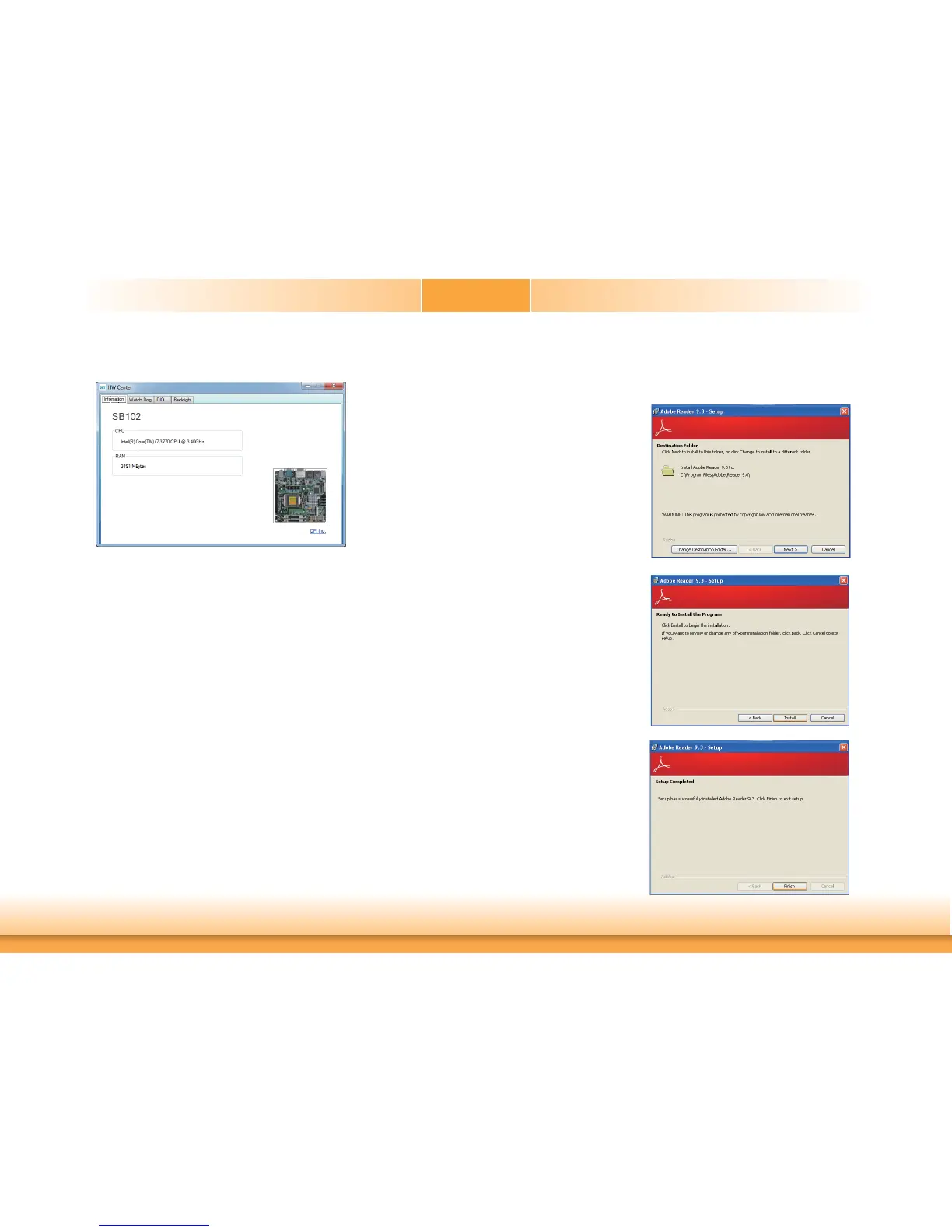
The DFI Utility icon will appear on the desktop. Double-click the icon to open the utility.
Adobe Acrobat Reader 9.3
To install the reader, click “Adobe Acrobat Reader 9.3” on the main menu.
1. Click Next to install or click
Change Destination Folder
to select another folder.
2. Click Install to begin installa-
tion.
3. Click Finish to exit installation.


 To Next Page