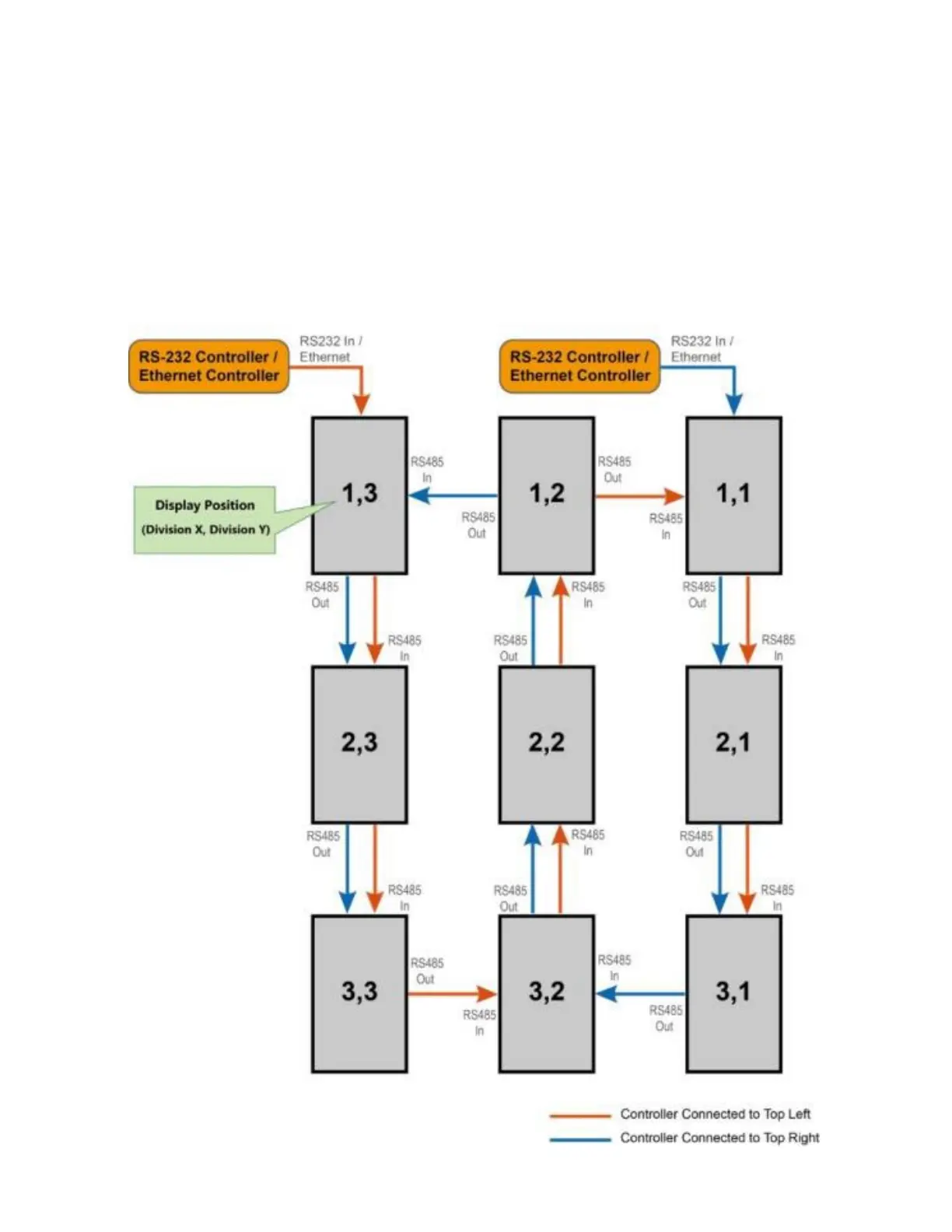
Connecting an RS232 or an Ethernet controller to a video wall in
portrait orientation
Complete the following steps to connect an RS232 or an Ethernet controller to a video wall in portrait orientation.
It is not recommended that more than 25 display panels be daisy-chained together using the RS485 input and outputs. If you
are working with a video wall that exceeds 25 display panels, consider breaking the array in to groups of 25 display panels or
less, and then use separate RS232 or Ethernet connections to control each group.
When you create a video wall in portrait orientation, both the video source and the content must be configured for use in a 9:16
format.
1. Connect the controller to the top-left or the top-right display panel.



 To Next Page