Chapter 5: Configuring D-Command 27
When this preference is set to “No,” the on-screen display of
plug-in and send windows does not change to reflect the state
of the control surface.
To set the Channel Window display preference:
1 In the Console Prefs Soft Keys section, press the Operation
switch repeatedly to display the page that includes Channel
Window (“ChanWn”).
2 Press the Soft Key that corresponds to “ChanWn” to toggle
this setting between “Yes” and “No.”
3 Hold Control (Windows) or Command (Mac) and press the
Operation switch to exit.
Meter Preferences
The following preferences affect operation of the meters on
D-Command.
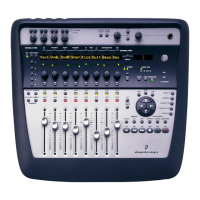
Send Meters On/Off
The Send Meters On/Off preference toggles send metering on
and off. Send levels are displayed on the LED rings surround-
ing the D-Command rotary encoders. This metering follows
Send pre- or post-metering settings in Pro Tools.
To toggle send meters on and off:
1 Press the Meter switch in the Console Prefs Soft Keys sec-
tion.
2 Press the Soft Key that corresponds to “SndMtr” to toggle
the setting On and Off.
3 Press the Meters Console Prefs Soft Key switch to exit.
Insert Meter On/Off
The Insert Meters On/Off preference toggles insert metering
on and off. This preference applies when inserts are displayed
on the LED rings surrounding the D-Command rotary encod-
ers.
To toggle insert meters on and off:
1 Press the Meter switch in the Console Prefs Soft Keys sec-
tion.
2 Press the Soft Key that corresponds to “InsMtr” to toggle the
setting On and Off.
3 Press the Meters Console Prefs Soft Key switch to exit.
Meters Pre/Post Fader
The Meters Pre/Post Fader preference toggles channel meter-
ing between pre- and post-fader modes.
To toggle channel meters between pre- and post-fader metering:
1 Press the Meters switch in the Console Prefs Soft Keys sec-
tion.
2 Press the Soft Key that corresponds to “Meters” to toggle the
setting between “PreFad” (pre-fader metering) and “PostFd”
(post-fader metering).
3 Press the Meters Console Prefs Soft Key switch to exit.
Center Meters Track/Output
The Center Meters Track/Output preference toggles the
8-channel meter display on the Main Unit meter bridge be-
tween main output levels and the focused track.
When set to meter the focused track, you can view levels for
multichannel tracks up to 6 channels (5.1 surround).
To toggle the center meters between output and track metering:
1 Press the Meters switch in the Console Prefs Soft Keys sec-
tion.
2 Press the Soft Key that corresponds to “CtrMtr” to toggle the
setting between “Output” and “Track.”
3 Press the Meters Console Prefs Soft Key switch to exit.
VCA Slave Metering On/Off
The VCA Meters On/Off preference toggles metering of VCA
slave track levels on VCA channel rotary encoders on and off.
To toggle VCA slave track metering on and off:
1 In the Soft Keys section, press the Meter switch repeatedly to
display the page that includes the VCA Meters On/Off prefer-
ence (“VCAMtr”).
2 Press the Soft Key that corresponds to “VCAMtr” to toggle
the setting On and Off.
3 Press the Meters Console Prefs Soft Key switch to exit.


 To Next Page