DK50018 - Bluetooth accessory and switching decoder Bluetooth connecon
DK50018 - Bluetooth accessory and switching decoder
www.digikeijs.com
*R-Bus, B-Bus are registered trademarks of Modelleisenbhan GmbH. XpressNet and RS-Bus are registered trademarks of Lenz 12www.digikeijs.com
3.1.1 Applicaon conguraon
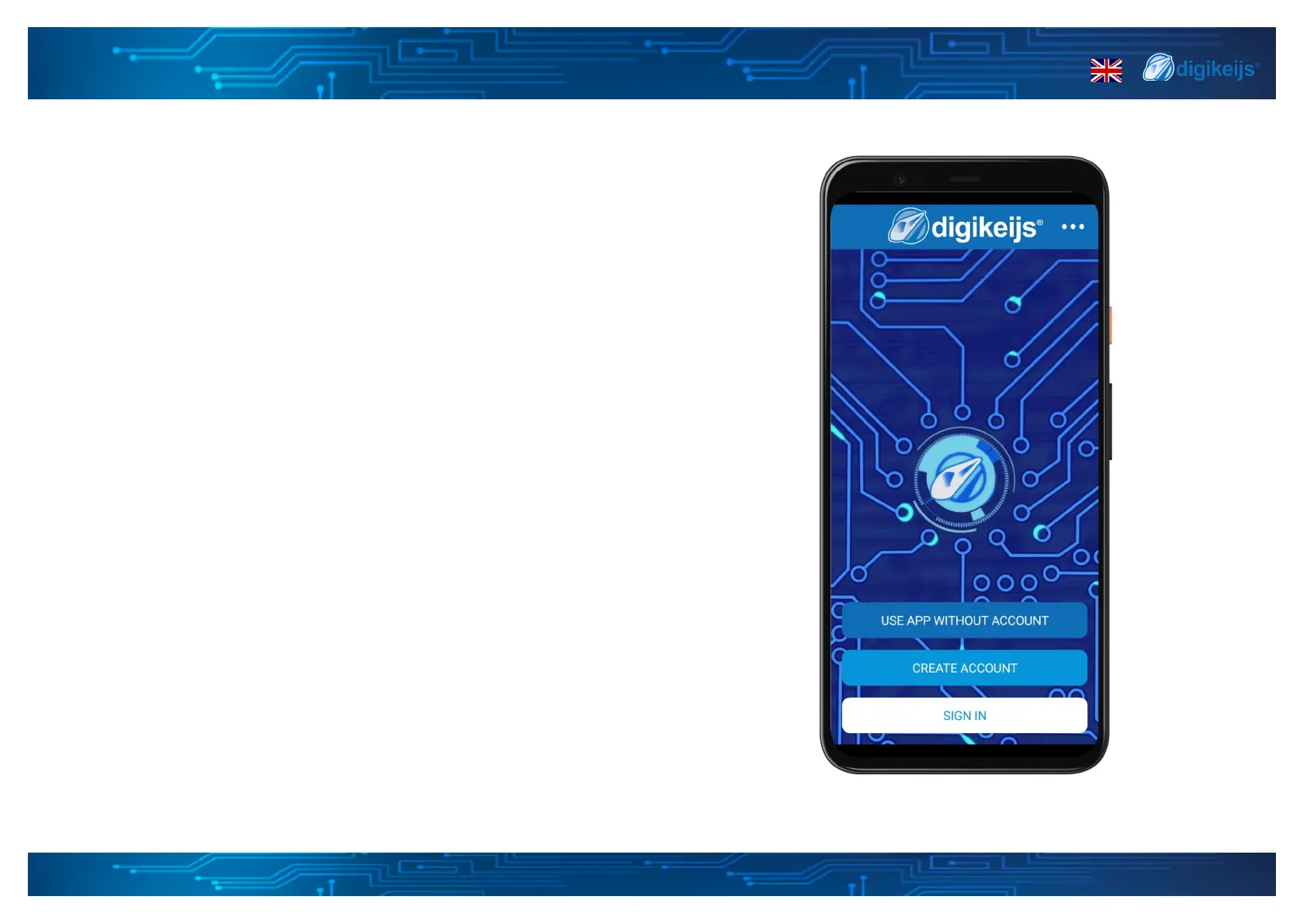
Now that the app is installed, the rst screen will give you mulple opons.
Use App without account
This opon will allow you to fully use the app, connect and congure your devices
but will only save your data locally on your device, this means if you remove the
app your data will be lost, you can also not share your devices or conguraons
on other devices.
Create account
This opon will guide you in making a new account that can be used within the
app. This way you will save your devices and conguraons in your prole so you
can use it on mulple devices or you can load it again when you for example have
a new phone or tablet.
Sign in
You can login with the account created in opon 2. Please note this will only work
with accounts created in the app. Your Digikeijs support or webshop account is
not related and cannot be used within the app. When you are signed in you can
change the language or remove your account through the top right menu.
Change Language
On the top right their is another opon to change the language of the app. By
default the app uses the default language of your mobile phone or tablet. From
release 1.0.6 onwards, the version number of the app will also be displayed via
this menu.


 To Next Page