DK50018 - Bluetooth accessory and switching decoder Bluetooth connecon
DK50018 - Bluetooth accessory and switching decoder
www.digikeijs.com
*R-Bus, B-Bus are registered trademarks of Modelleisenbhan GmbH. XpressNet and RS-Bus are registered trademarks of Lenz 25www.digikeijs.com
www.digikeijs.com
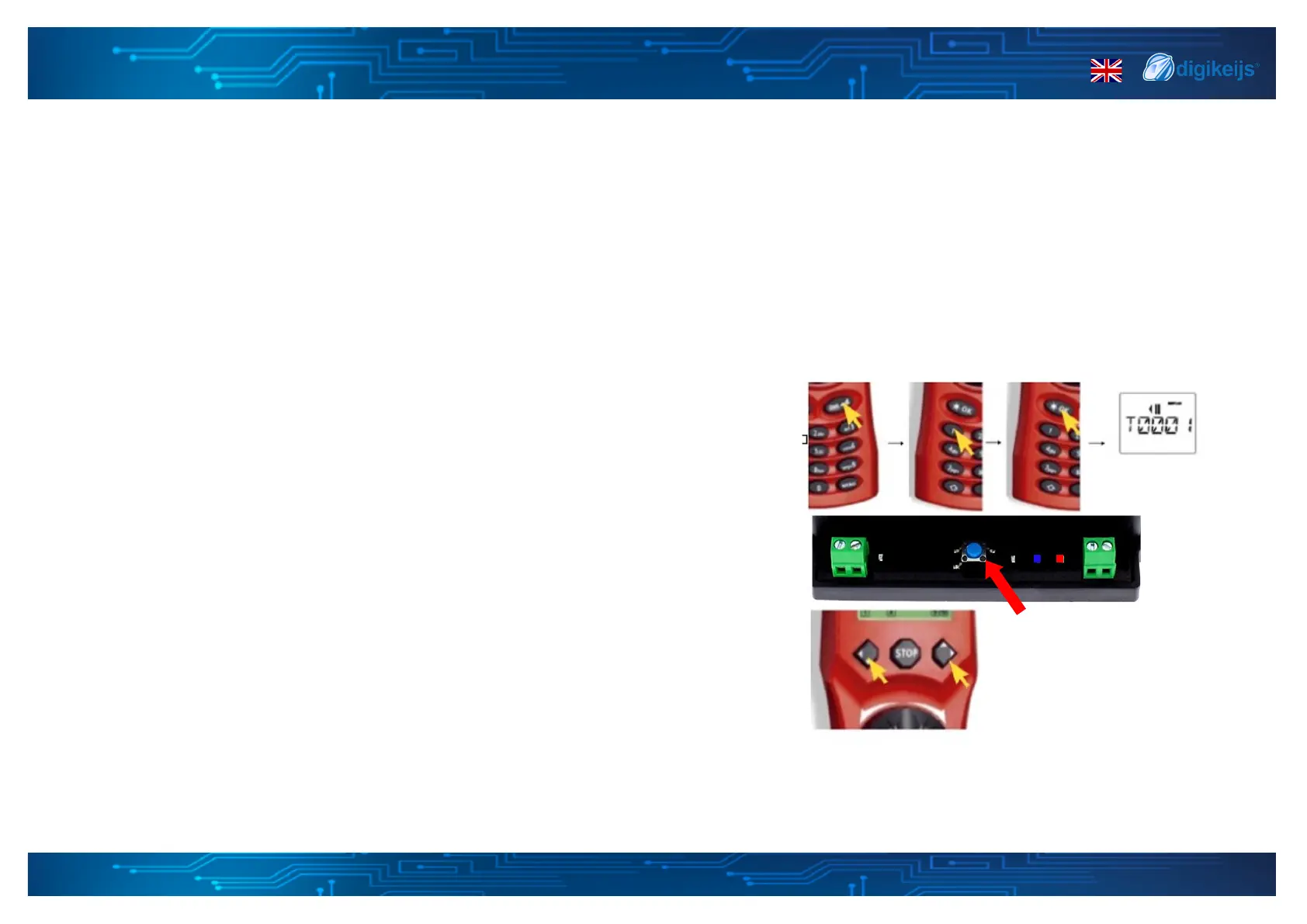
4.1.4 Programming the start address
with the Mulmaus
Programming the start / base address (output 1).
1. Connect the DK50018 to your main track output.
2. Select the desired address as start address via the numeric keypad of the control.
3. Press the programming buon on the DK50018. The yellow LED lights up.
4. Press both buons on the Mulmaus simultaneously. The yellow LED on the
DK50018 should ash and go o, which means that the start address is stored
in memory.
*


 To Next Page