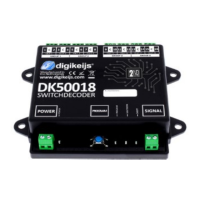
DK50018 - Bluetooth accessory and switching decoder Bluetooth connecon
DK50018 - Bluetooth accessory and switching decoder
www.digikeijs.com
*R-Bus, B-Bus are registered trademarks of Modelleisenbhan GmbH. XpressNet and RS-Bus are registered trademarks of Lenz 35www.digikeijs.com
www.digikeijs.com
5.1.4 Issues in combinaon with the Z21 staons
Within the Digikeijs APP you have have the opon to luck or unlock the DK50018. This would mean if locked, other devices are not able to nd the DK50018
through bluetooth. If for any reason you do not have acces to the app, lost your phone etc you can always reset the lock through CV programming.
To unlock the DK50018 and open up bluetooth broadcasng again please use CV 255 and value 0.
If you want to learn more about above presets and nd more technical informaon on the default cv values please take a look at the following faq
hps://support.digikeijs.com/hc/en-us/arcles/360018631717-Preset-informaon-and-default-CV-values
5.1.3 I need to unlock my DK50018
We are currently doing a lot tesng and making changes to x compability issues with the Roco Z21 command staons. In the upcoming release a lot of
issues will be xed, for the me being you can sll use the DK50018 in combinaon with the Z21 commands staons but please take note of the following
Within the Z21 maintenance tool please change the following sengs
• Deacvate Railcom
• Acvate the DCC turnout-addressing according RCN-213, if not then your addresses will change with +4 (default start address 1 will become 5)
• Change Track signal type to DCC Only or MM Only


 To Next Page