DK50018 - Bluetooth accessory and switching decoder Bluetooth connecon
DK50018 - Bluetooth accessory and switching decoder
www.digikeijs.com
*R-Bus, B-Bus are registered trademarks of Modelleisenbhan GmbH. XpressNet and RS-Bus are registered trademarks of Lenz 28www.digikeijs.com
4.1.7 Programming with the Uhlenbrock
intellibox in POM* mode
In the following example we will program the DK50018 to use preset 2 using
CV47— Value 2
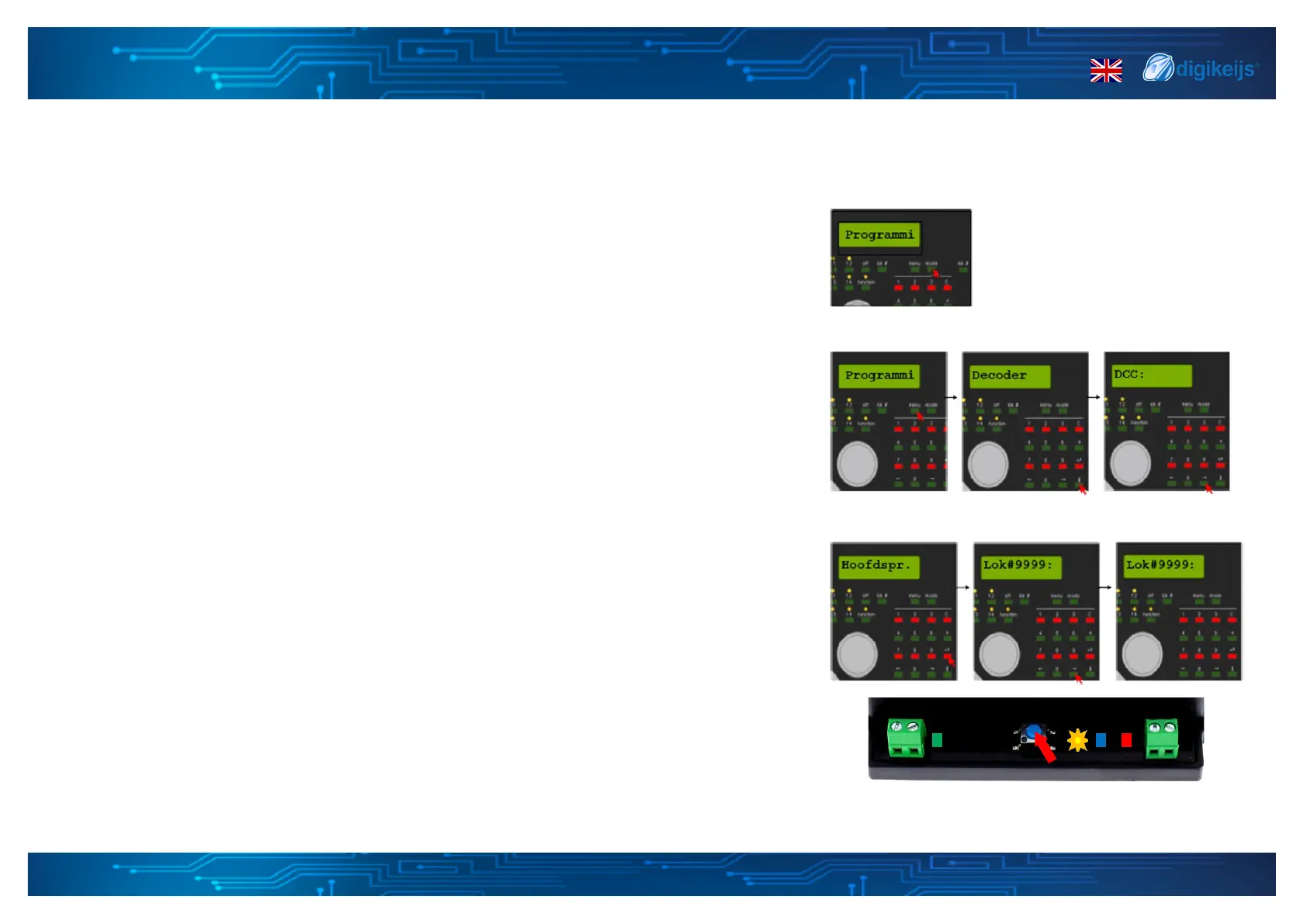
1. Connect the DK50018 to the Intellibox main channel output.
2. Enter the programming mode on the control panel by pressing the [Mode] buon unl
"Programming" appears on the display.
3. Press the [Menu] key, select the DCC Program ->DCC Program opon. DCC Program -
>Main track Prog.
4. Press the Buon on the DK50018 and the yellow LED should light up.
5. Enter the address 9999 and press the [Enter] key, call up the CV47 and press the right
key [->]. Now you can enter the value, in this case 2.
6. Press the [Enter] key to set the desired value for DK50018.
7. You have now changed to preset 2, please close the programming mode by pushing the
program buon on the DK50018. The yellow led will go o.
*:POM stands for Program On the Main and corresponds to the direct programming on the track or "track output" of the control unit.


 To Next Page