DK50018 - Bluetooth accessory and switching decoder Bluetooth connecon
DK50018 - Bluetooth accessory and switching decoder
www.digikeijs.com
*R-Bus, B-Bus are registered trademarks of Modelleisenbhan GmbH. XpressNet and RS-Bus are registered trademarks of Lenz 22www.digikeijs.com
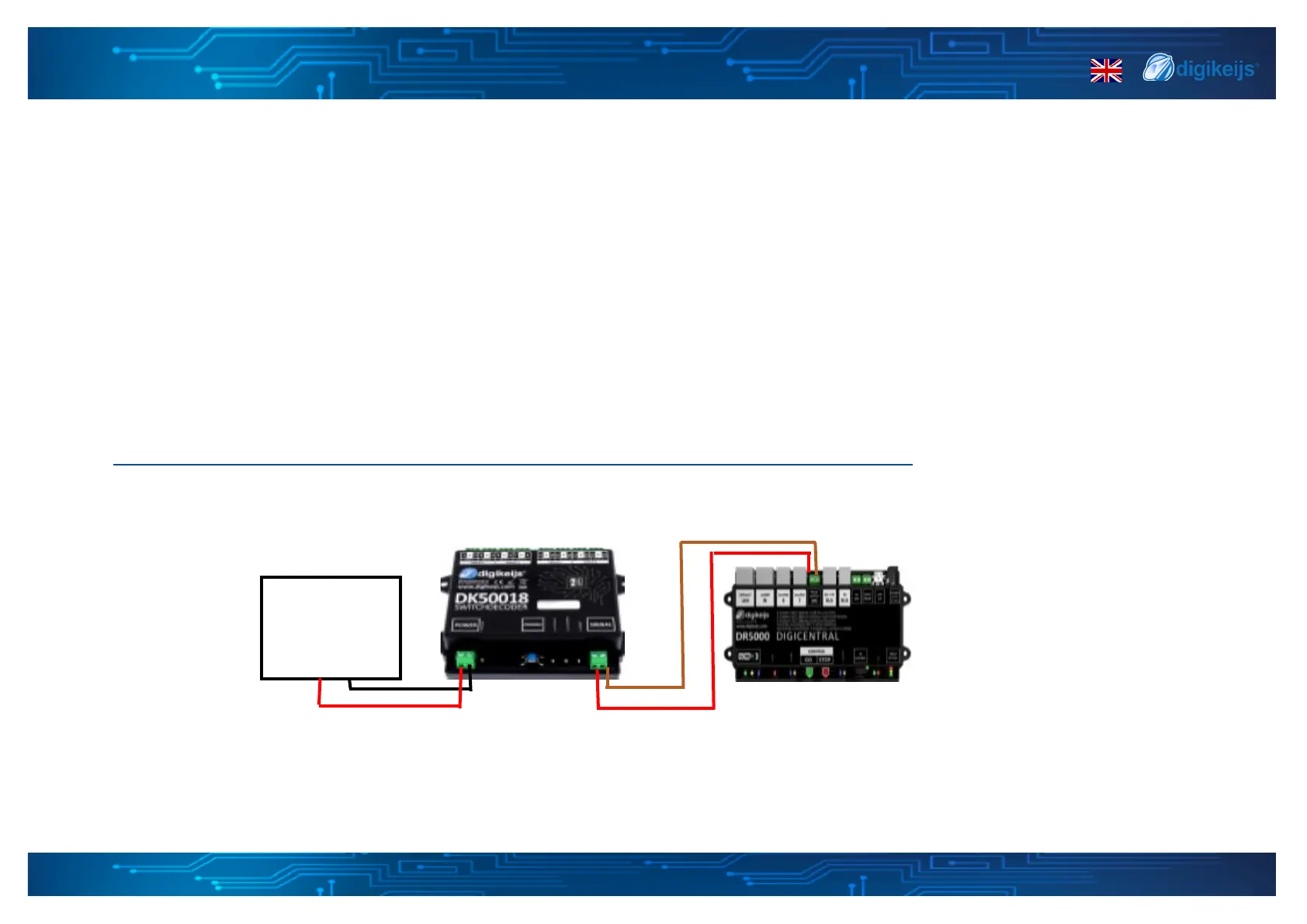
4.1.1 DR5000 — Programming through POM*
*:POM stands for Program On the Main and corresponds to the direct programming on the track or "track output" of the control unit.
.
12/24V DC/AC
mininum
recommended 12V
Yellow LED
Power Supply
1 Enter the 9999 locomove address with 128 speed steps into your control unit, Mulmaus or other applicaon. The DK50018 can be programmed
through the same way as a locomove decoder using this type of addressing.
2 Select locomove address 9999 in the control unit, Mulmaus, or other applicaon Etc.... Acvate and deacvate the F0 (light) funcon for
simulate the "locomove" in the control panel.
3 Press the DK50018's programming buon. The Yellow LED is now lit connuously and indicates that the DK50018 is in "programming mode".
4 Select the CV programming funcon via the POM mode in the control panel, applicaon or hand control. (For more informaon on bit-by-bit CV
programming, refer to your control panel manual).
5 You can now program your preered CV values through POM, more informaon on the default cv values can be found through below link
hps://support.digikeijs.com/hc/en-us/arcles/360018631717-Preset-informaon-and-default-CV-values
6 To exit the DK50018 programming mode, you must press the programming buon again. The yellow LED will go o indicang that the
programming mode is completed.


 To Next Page