5–10 Site Preparation and Maintenance
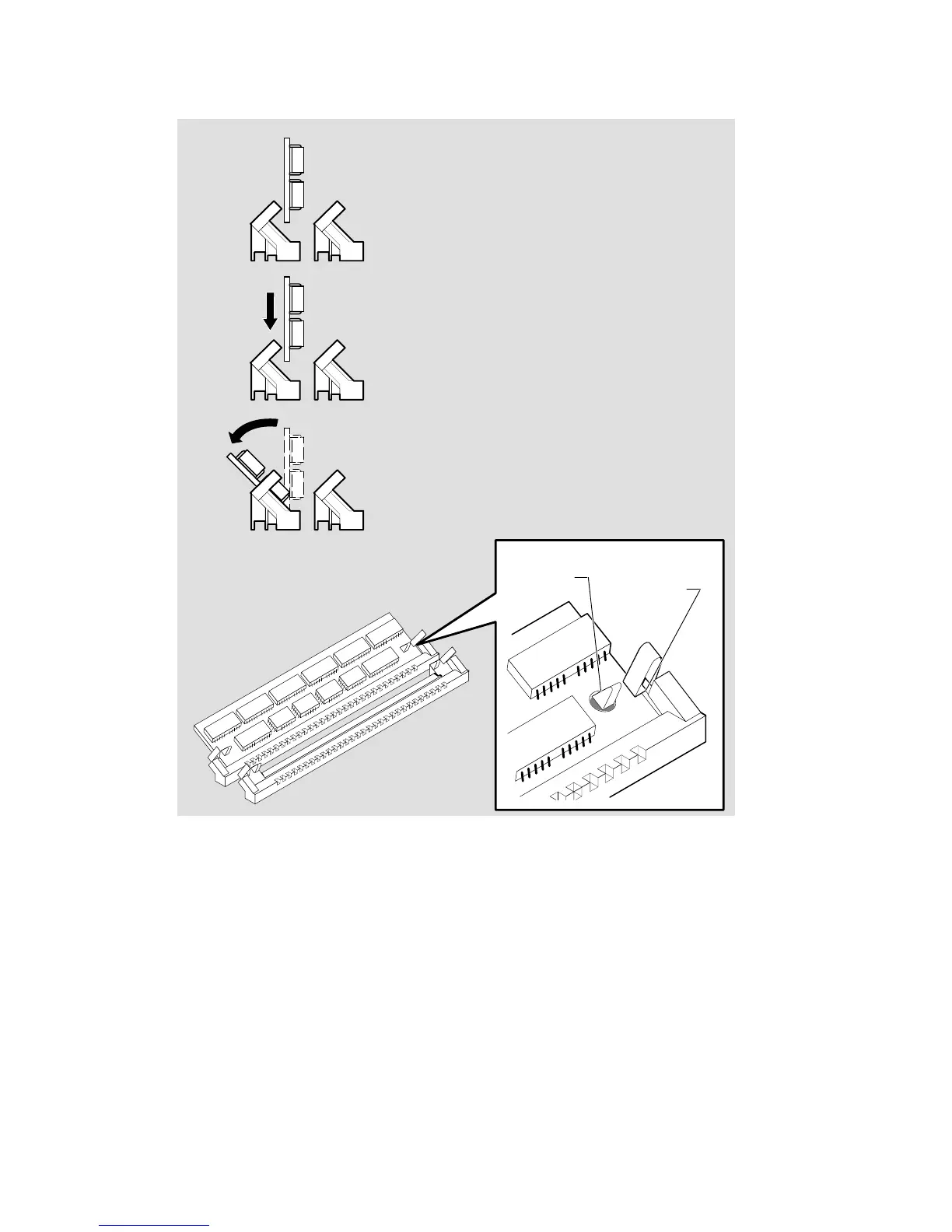
Figure 5–6: Inserting the Replacement SIM
LKG–5960–91I
3. Push SIM back against connector.
1. Align SIM with connector slot.
Mounting pin
centered
Latch
gripping
SIM
2. Insert SIM into connector slot.
4. Check that mounting pins are
centered and latches are
gripping SIM.



 To Next Page