3–5Cabling the Site
3.2.3 Installing the ThinWire Ethernet Cables and Devices
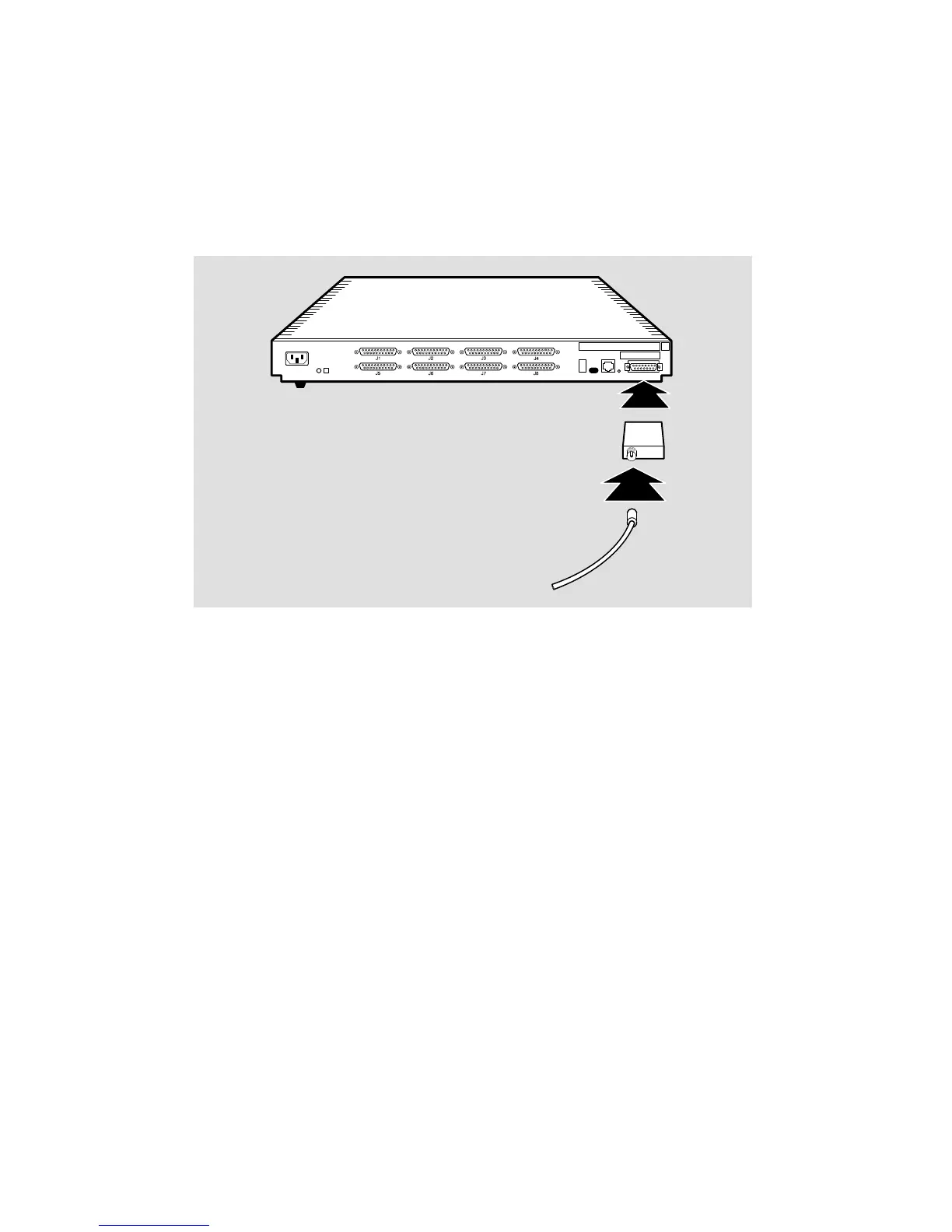
You can connect the DECserver 700 to a ThinWire Ethernet (Figure 3–3) as follows:
1. Connecting the MAU to the standard Ethernet connector
2. Connecting the ThinWire cable to the MAU
Figure 3–3: Connecting the DECserver 700 to ThinWire Ethernet Cable
LKG-5572-91I
MAU
ThinWire
cable
Use a ThinWire coaxial cable to connect the DECserver 700 to the system in either of
two ways:
• As part of a standalone ThinWire Ethernet coaxial cable segment
• As part of a DEMPR or DESPR ThinWire Ethernet coaxial cable segment
Figure 3–4 shows the DECserver 700 connected as part of a ThinWire Ethernet
segment.



 To Next Page