43
5. As a result of Smart Search, you will see the motion based recording(s) on the channel
Time Bar marked with
Dark Green
lines.
5.7.4.2 Trim Video
Use this function if you need to backup just a certain section of the video recording.
1)
Connect a USB flash drive to the DVR.
2)
Double-click on the channel (to display in full screen during video playback) that you wish to
backup.
3)
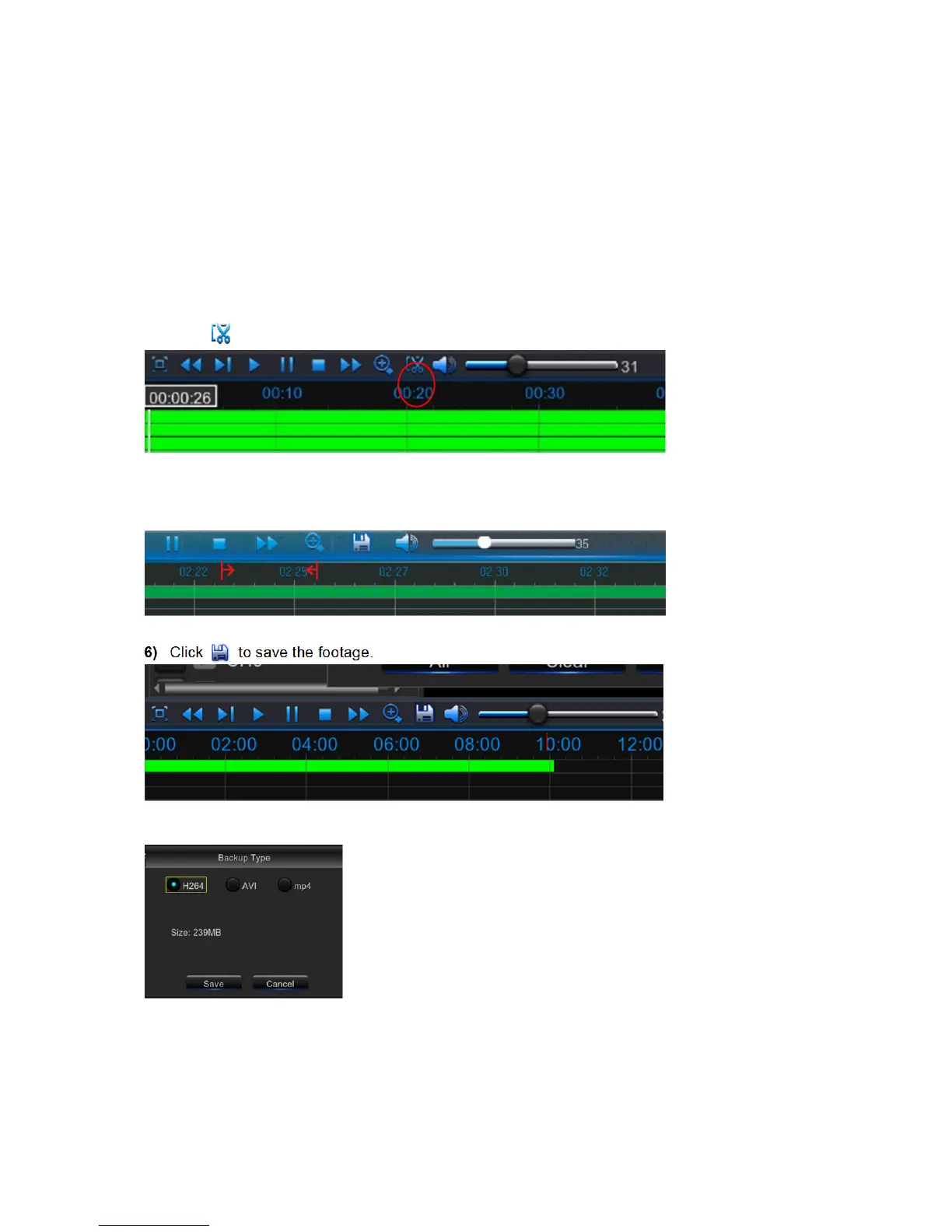
Click on the Time Bar to mark the beginning of the video footage you wish to backup.
4)
Click to start selecting the footage.
5)
Click on the Time Bar to mark the end of the video footage you wish to backup.
The marked up area is now displayed within the red arrows.
6)
Click to save the footage.
7)
A video type selection message appears. Select the file format and click
Save.



 To Next Page