24
© 2015 Directed. All rights reserved.
Programming the LCD Remote Control
To enter programming mode:
Press and hold the button on the back of the remote control until one
long beep sounds. You can now customize the remote’s response feed-
back. Note: If no buttons are pressed within five seconds, program-
ming mode is exited; the remote sounds two beeps.
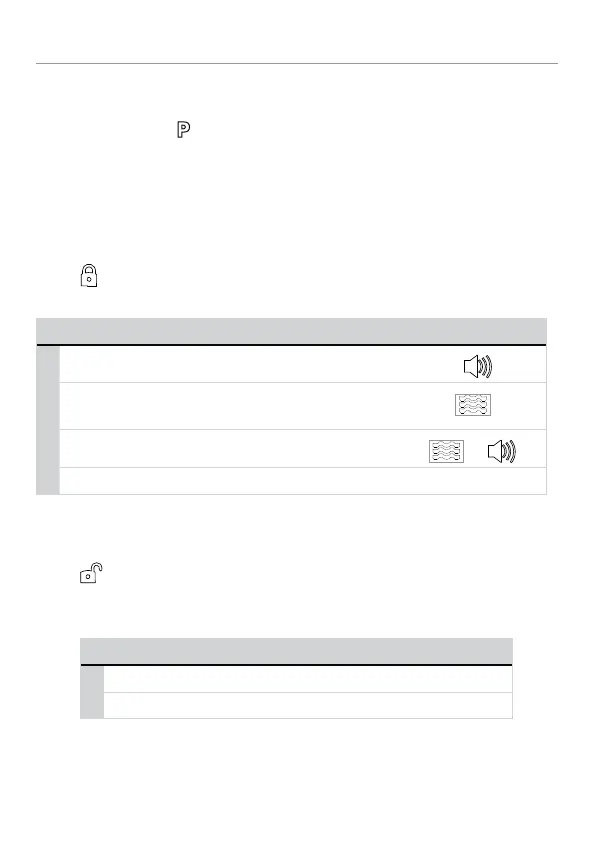
Beeps and Vibration, On/Off
Press to select beep/vibration On or Off, or one of the below
settings.
Beeps/Vibrate Response Icon*
Beeps only 1 beep
Vibrate only 1 vibrate
Beep & Vibrate 1 beep & 1 vibrate
&
No Beep & No Vibrate 1 long beep
*Displays during programming
Illumination On/Off
Press to select LCD backlight illumination On/Off. The LCD back-
light will illuminate when a remote button is pressed, or an alarm status
page is received.
LCD backlight settings Programming
On 1 beep backlight On
Off 2 beeps backlight Off


 To Next Page