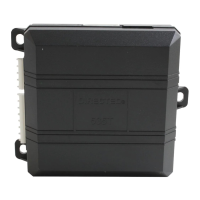
What to do if BCM programming fails on Directed Automobile Accessories?
- EErica RichardsonSep 23, 2025
If the BCM programming fails on your Directed Automobile Accessories, try clicking 'Unlock' on the OEM remote to solve the problem.
What to do if BCM programming fails on Directed Automobile Accessories?
If the BCM programming fails on your Directed Automobile Accessories, try clicking 'Unlock' on the OEM remote to solve the problem.
What does it mean if Directed Directechs DB3 shows PTS shutdown error?
The PTS output from the module was not activated due to safety protection.
What to do if Directed Automobile Accessories shows bypass processing error?
If the Directed Automobile Accessories system displays 'Bypass processing error', reset the module and try again.
What does feature error mean for Directed Directechs DB3 Automobile Accessories?
If you are experiencing a feature error with your Directed Automobile Accessories, an RSR feature file mismatch was detected. Please contact Technical Support.
What to do if Directed Directechs DB3 Automobile Accessories bypass data is not detected?
Check the connection of the bypass line. If multiple wires are used, ensure they are not inverted. Also, verify that the vehicle operates correctly with the factory key.
Why Directed Remote Starter PTS shutdown error?
The PTS output from the module was not activated due to safety protection.
What to do if Directed Automobile Electronics CAN bus incorrectly detected?
Verify the CAN1 and CAN2 connections.
Why Directed Directechs DB3 speed was detected?
The vehicle was detected as moving, which prevents the system from shutting it down.
What does 'ISO 1 not detected' mean for Directed Directechs DB3 Automobile Accessories?
If the Directed Automobile Accessories system indicates 'ISO 1 not detected,' the Yellow/Black wire did not detect the expected signal. Refer to “Installation (wiring diagrams & vehicle wiring reference charts)” on page “Installation (wiring diagrams & vehicle wiring reference charts)” to check the connections.
What should I do if J1850 is not detected in Directed Directechs DB3?
If the J1850 is not detected by your Directed Automobile Accessories, check the J1850 wire connection. Try waking up the data bus by turning the ignition on and trying again.
Lists all functions compatible with the vehicle for installation.
Presents an alternative wiring diagram for the DB3 module installation.
Shows alternative locations of key components within the vehicle for installation.
Lists error codes indicated by LED flashes during module programming.
Addresses troubleshooting for OBDII features and external module sync issues.
Explains LED feedback for lock, unlock, trunk, and auxiliary commands received.
Lists LED indicators for various reasons of remote start unscheduled shutdown.
Explains LED indicators for Remote Start Ready (RSR) specific error conditions.
Describes methods to send commands like lock, unlock, and remote start.
Explains the "Get In and Go" feature for seamless takeover after remote start.
Explains the functionality and benefits of the SmartStart mobile application for vehicle control.
| Brand | Directed |
|---|---|
| Model | Directechs DB3 |
| Category | Automobile Accessories |
| Language | English |


Loading...