8(
4
2
$"
You can reach this screen by pressing the DIRECTV MENU button, then selecting
$7
then
!$
, then
!$
. This screen
provides a list of hints for troubleshooting problems with your phone connection. To
view all of the hints, use the CHAN DOWN button to scroll down the page; use the
CHAN UP button to scroll up the page.
!$
is also available
under the Troubleshooting submenu in
$7
.
#%
You can set your remote control to control your TV’s power, muting and volume here.
You can also set your remote to control the power, volume and muting on your stereo
system (if you have a stereo hooked up). See your Installation Guide for details.
+67,#
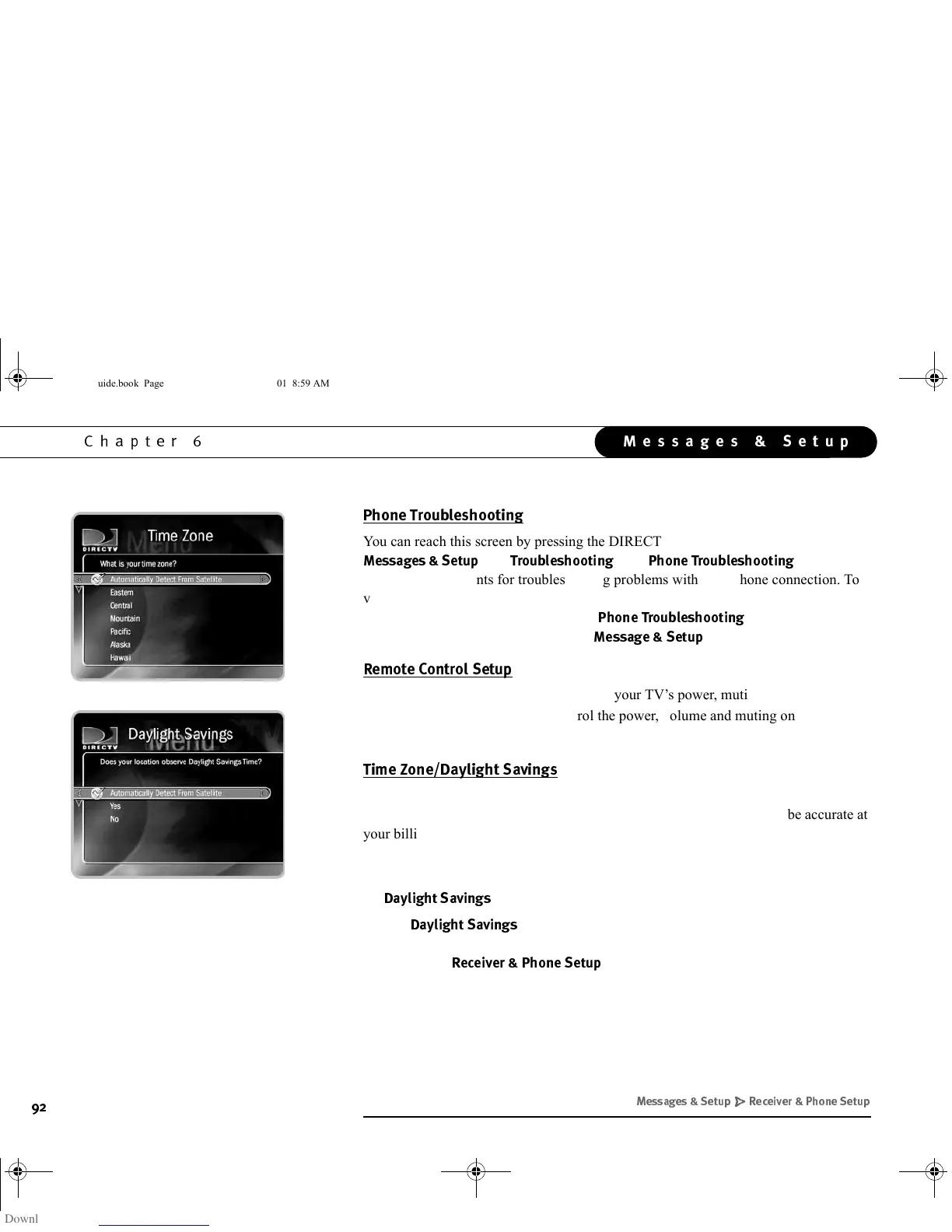
Your time zone and Daylight Savings Time setting is detected automatically through
the DIRECTV satellite signal. The satellite information sets the clock to be accurate at
your billing address. You might want to change these settings manually if you
temporarily move the Receiver to a new location. You can change these settings here.
• Use the UP and DOWN arrows to choose a time zone, then press SELECT. The
!$$
screen will appear.
•The
!$$
screen lets you determine whether or not your Receiver
should use Daylight Savings Time. After you have made a selection, you are
returned to
7
.
+) /' /# '
GC Viewer's Guide.book Page 92 Tuesday, March 13, 2001 8:59 AM



 To Next Page