'9
%"#
&!
.
)!
The last step of Guided Setup, Phone Setup, begins automatically the first
time you press the TiVo button on your Remote Control. The Receiver will make a
brief call during Phone Setup and then will automatically make a short call each day to
communicate with the DIRECTV and TiVo Services, so a telephone line should be
connected to the Receiver, as described in the Installation Guide. The Receiver makes
a brief daily phone call to get updates to the TiVo Service, TiVolution Magazine, and
Network Showcases, and for Pay Per View functionality.
Phone calls made by the Receiver generally happen late at night. By default, the
Receiver will not pick up the phone if the line is busy. If you pick up the phone while
the Receiver is using the line, the modem will begin to disconnect. You should hang
up, then pick up the phone again to get a dial tone.
&
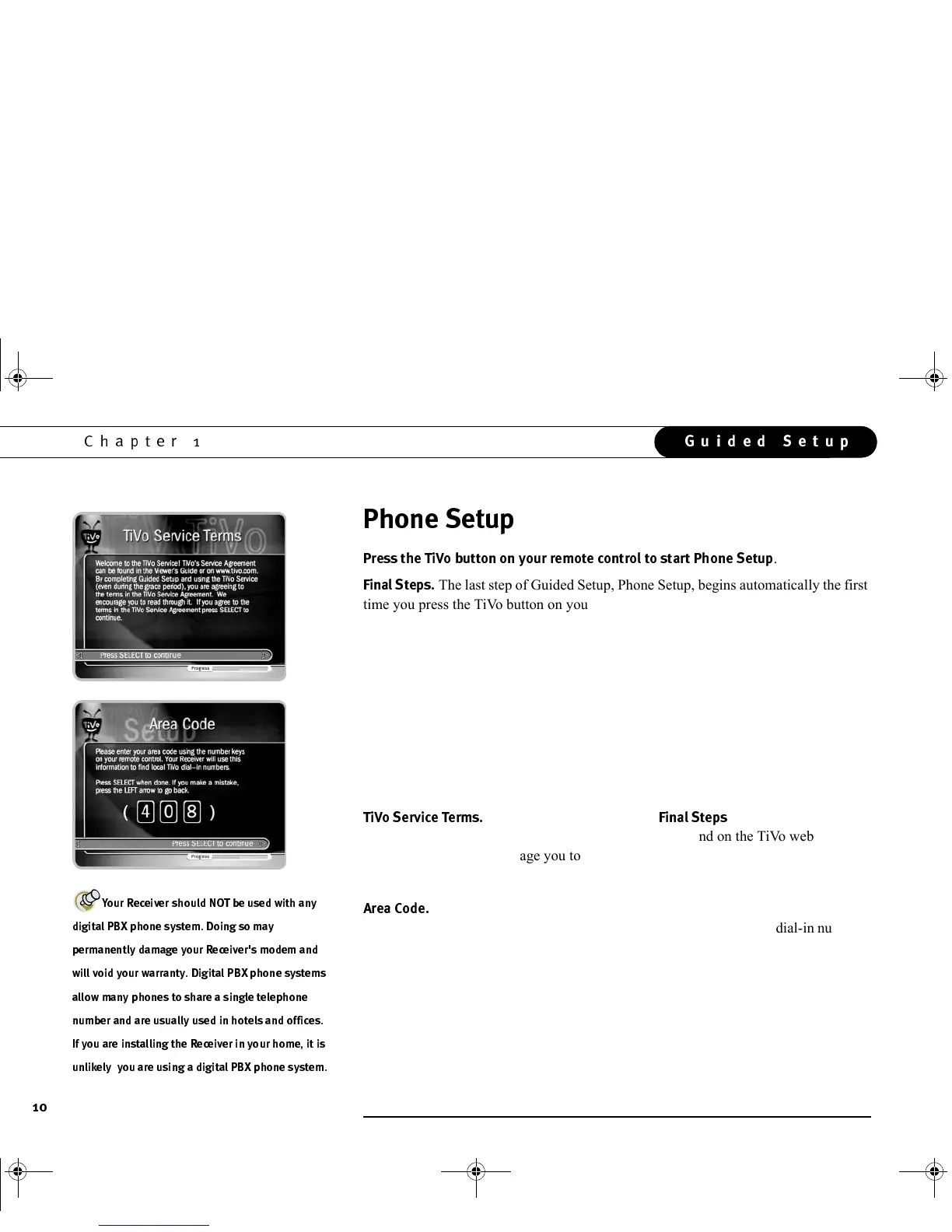
This screen appears after the
)!
screen. The full TiVo
Service Agreement is printed in chapter 8 of this guide, and on the TiVo web site at
www.tivo.com. We encourage you to read through it. If you agree to the terms of the
TiVo Service Agreement, press SELECT on this screen to continue to Phone Setup.
5*
You can use the number buttons on the remote control to enter your area
code on this screen. TiVo uses your area code to determine which local dial-in numbers
are available. If you make a mistake, you can use the LEFT arrow to highlight a
previous number, then press a number key to replace it.
?(3#9
8@,
(3A
3,8@
(3
'8@
GC Viewer's Guide.book Page 10 Tuesday, March 13, 2001 8:59 AM



 To Next Page