.9
.
*!%
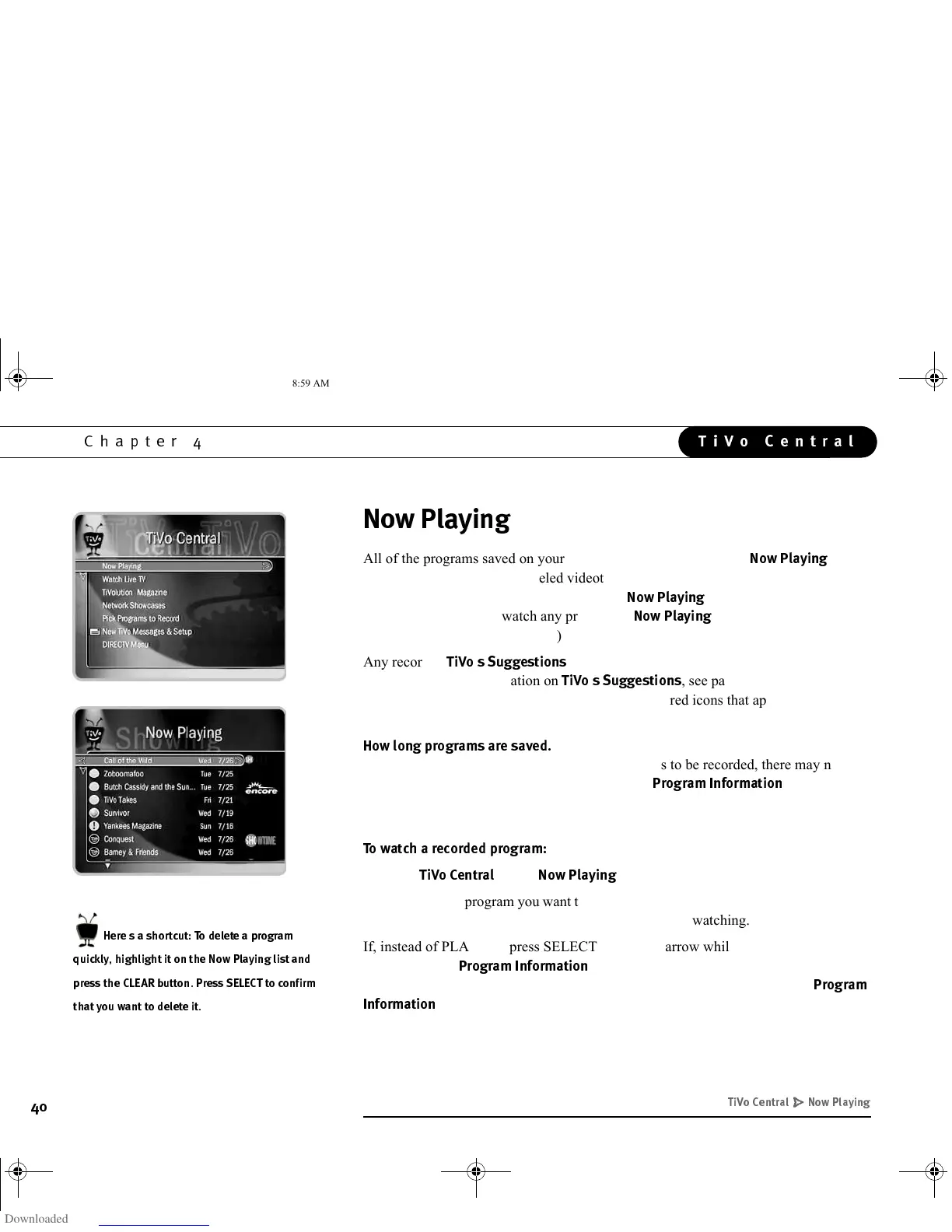
All of the programs saved on your Receiver are listed by name in
3!$
. (No
more searching through unlabeled videotapes!) The most recently recorded programs
are at the top of the list. Programs appear on
3!$
the moment they begin
recording; and you can watch any program in
3!$
, even one that is still
recording. (Try that with a VCR!)
Any recorded
$$
appear beneath programs you have chosen to
record. (For more information on
$$
, see page 56.) See the inside
back cover of this guide for a description of the colored icons that appear to the left of
each program title.
C!$$&*
Programs you request are usually saved for at least
two days. However, if you ask for a lot of programs to be recorded, there may not be
enough room to save them all for two days. (The
$&&
screen,
described on page 55, shows how you can set the length of time that each program is
saved.)
**$&@
•From
!
, select
3!$
.
• Highlight the program you want to watch and press PLAY. The program starts from
either the beginning or from where you last stopped watching.
If, instead of PLAY, you press SELECT or RIGHT arrow while a program is
highlighted, the
$&&
screen appears. This screen provides a list of
options you can take with a recorded show. (For more information about the
$&
&
screen, see page 57.)
D G
6'#
*/-+()-/-*
( " !)
GC Viewer's Guide.book Page 40 Tuesday, March 13, 2001 8:59 AM



 To Next Page