'6
&() ( %
"#
You can always record a program you are watching by pressing the RECORD button
on your remote control. What’s more, if you have not changed the channel for a while,
your Receiver will continuously add to your recording whatever part of the program it
has already saved, up to thirty minutes. Your Receiver also provides many ways to
quickly search large numbers of programs, find your favorites, and schedule
recordings in advance. Even buying and recording Pay Per View events is quick and
easy, without any need for you to make a phone call. What’s more, if a program is part
of a series, you can get a Season Pass to the series. A Season Pass records every
episode of a selected program that airs on a given channel.
"#
Press the TiVo button to see
!
™
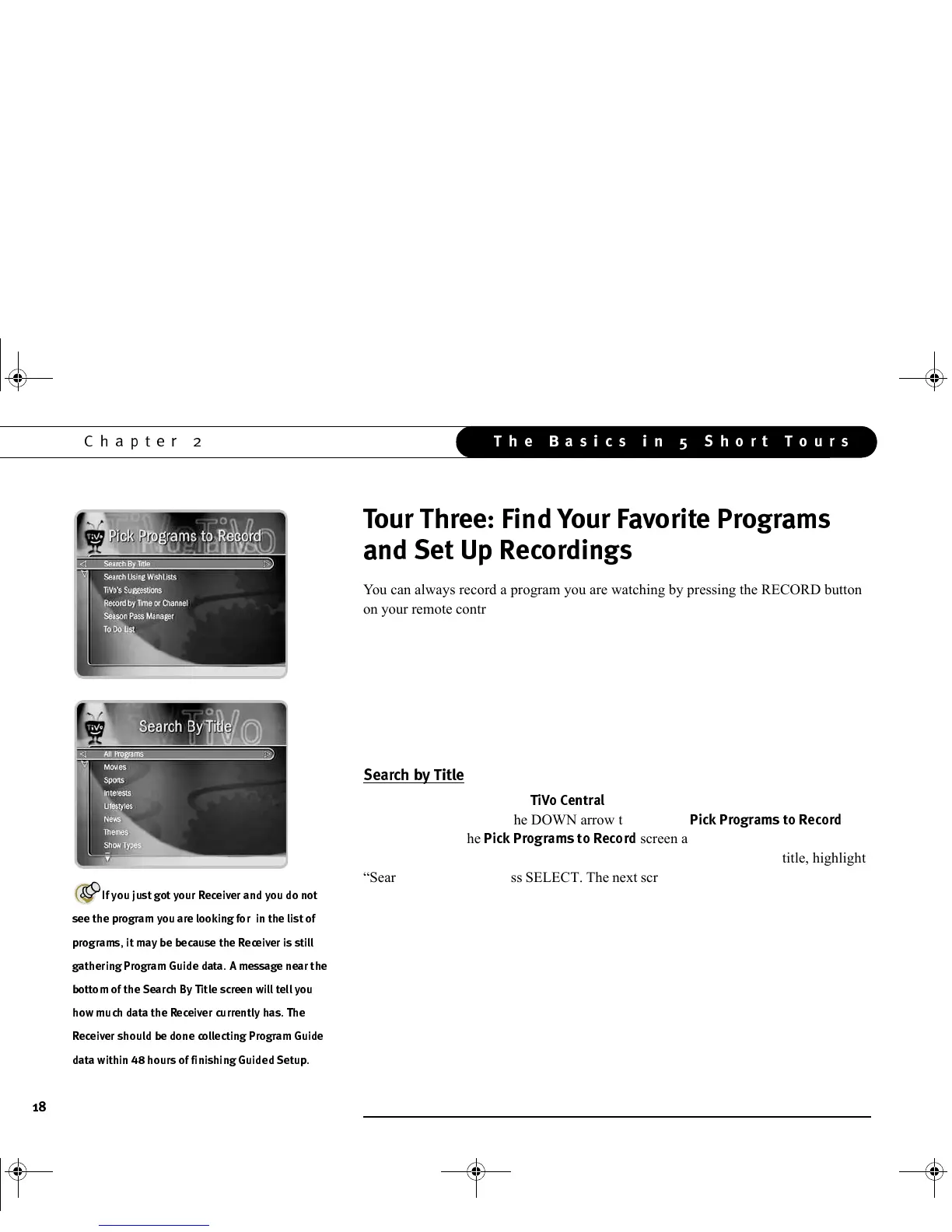
. For this example, we’ll get a Season Pass
for The Simpsons. Press the DOWN arrow to highlight
" $&*
.
Press SELECT. The
"$&*
screen appears. As you can see, there
are many ways to search for a program. Since you know the program’s title, highlight
“Search by Title” and press SELECT. The next screen lets you limit your search to any
of several categories, but for now, choose “All Programs” and press SELECT.
The next screen has a picture of an alphanumeric keypad. Notice the white box around
the “A”. Use the RIGHT, LEFT, UP, and DOWN arrows to move the box among the
alphanumeric characters. Move it to “S” and press SELECT. A list of programs
appears on the right side of the screen. Move the white box to “I” and press SELECT
again. The list changes. TiVo searches through all available programs (usually, data for
the next two weeks) to find those that begin with “SI,” then lists those programs. This
can be a great way to find a show if you are not sure of its full name.
E(3
'
(3
+
)8
(3
(3
><)
GC Viewer's Guide.book Page 18 Tuesday, March 13, 2001 8:59 AM



 To Next Page