1
&$*!!
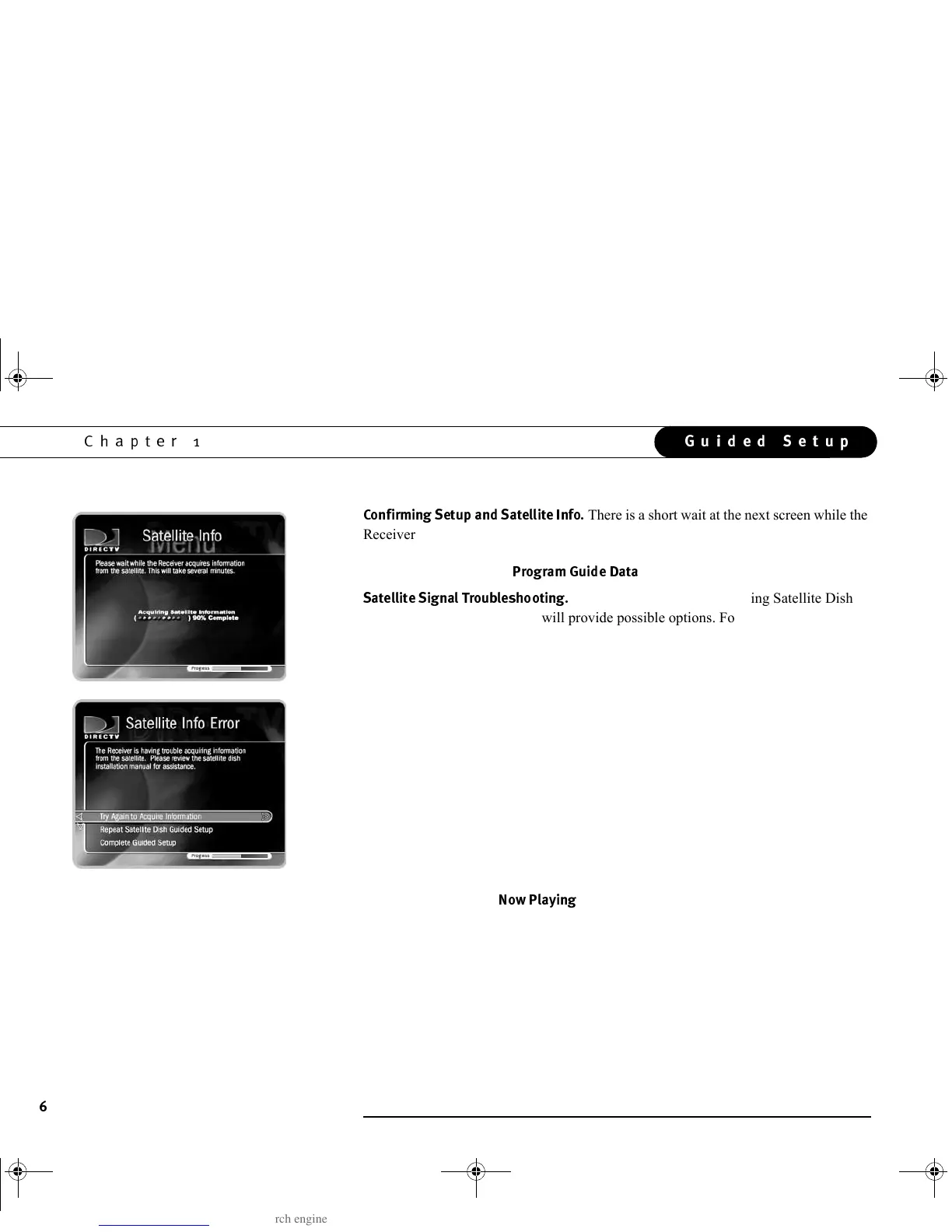
There is a short wait at the next screen while the
Receiver confirms your setup. When it is finished, press SELECT to continue. Another
short wait follows while the Receiver gathers the list of channels from the satellite.
When it has finished, the
$&2*
screen appears automatically.
!!$!!$
If you encounter problems during Satellite Dish
Guided Setup, an error screen will provide possible options. For example, you may
have made a mistake entering your ZIP code or the type of satellite dish you are using.
If you are trying to set up the Receiver, you should choose one of the options that
allow you to redo part of Satellite Dish Guided Setup. For example, if you received the
“Satellite Info Error,” you can choose “Try Again to Acquire Information.” You can
also choose to redo Satellite Dish Guided Setup. This allows you to check that your
ZIP code and satellite dish type are correct. If you repeat Satellite Dish Guided Setup
and still receive error notifications, it is possible that your satellite dish is not pointed
correctly or the dish or multi-switch is miswired. In such a case, you can check the
cabling, or consult a professional satellite system installer.
If you are trying to bypass Satellite Dish Guided Setup—for example, if you are
setting up the Receiver in a place without a satellite signal—the bottom choice on the
error screens allows you to continue without resolving potential problems. While you
may receive fewer or no TV channels, you can still watch any programs you may have
previously recorded to
3!$
.
GC Viewer's Guide.book Page 6 Tuesday, March 13, 2001 8:59 AM



 To Next Page