((
(&*!%
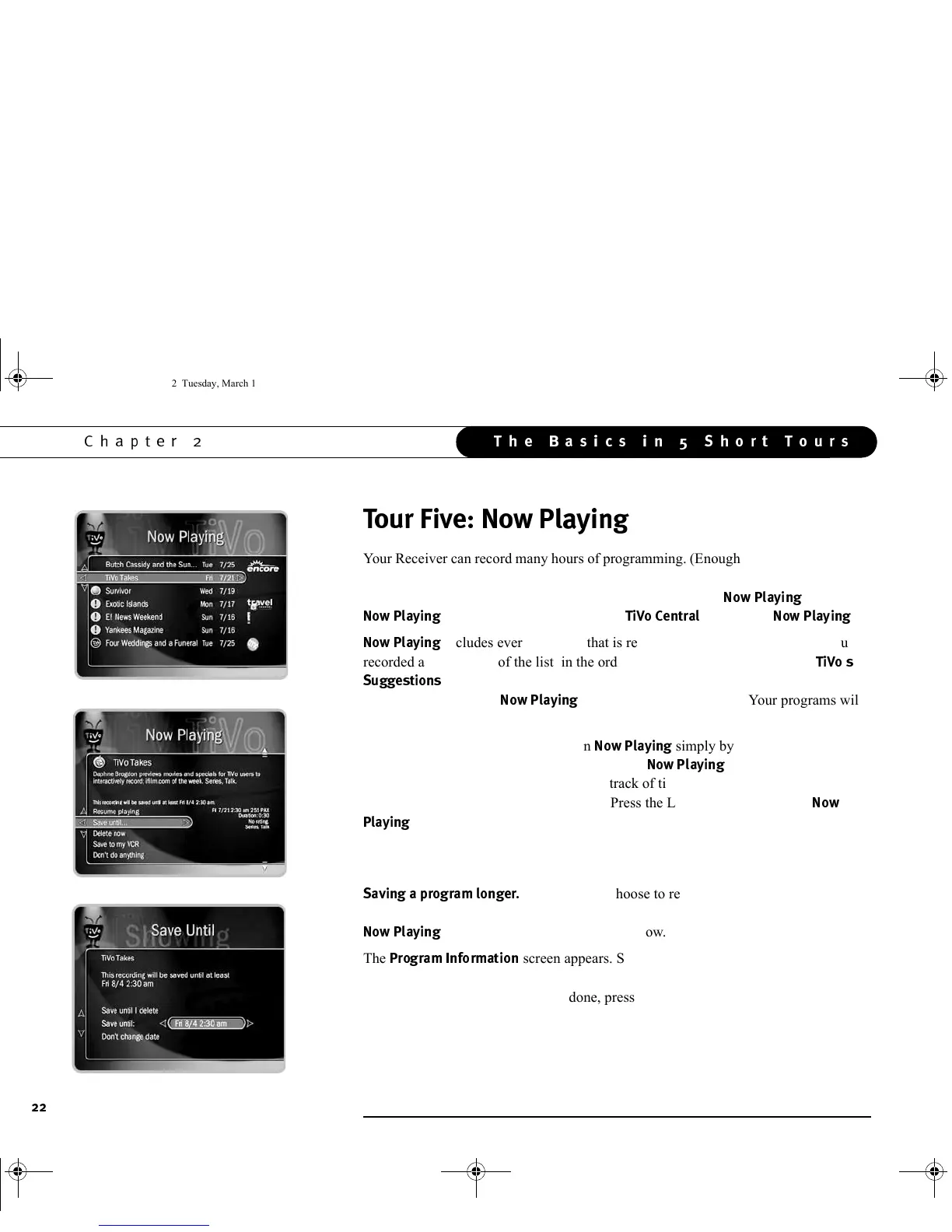
Your Receiver can record many hours of programming. (Enough to fill a slew of video
tapes!) Fortunately, it also labels and organizes all those saved programs. As soon as
the Receiver starts a recording, the program’s title appears in
3!$
. To see
3!$
, press the TiVo button to go to
!
, then select
3!$
.
3!$
includes every program that is ready for you to watch. Programs you
recorded are at the top of the list, in the order they were recorded. If some of
$$
have been recorded, they are listed below your programs. If your
Receiver is brand new,
3!$
may not have programs yet. Your programs will
start appearing here after they have been recorded.
You can start watching any program in
3!$
simply by highlighting it and
pressing the PLAY button. Unlike using a VCR,
3!$
gives you instant access
to all recorded programs, no need to keep track of timing or rewinding. To see a list of
other options, press the SELECT button. (Press the LEFT arrow to return to
3
!$
.)
An icon to the left of a program’s title tells you the recording’s current status. (For a
summary of what these icons mean, see the inside back cover.)
$$&!$
Programs you choose to record are saved at least two days
by default. To see options for saving a program longer, highlight the program’s title in
3!$
then press SELECT or RIGHT arrow.
The
$&&
screen appears. SELECT “Save until....” On the next
screen, use the UP/DOWN arrows to highlight the date, then use the RIGHT/LEFT
arrows to change it. When you are done, press SELECT.
GC Viewer's Guide.book Page 22 Tuesday, March 13, 2001 8:59 AM



 To Next Page