('
done! TiVo does the rest. You can get a Season Pass to
"
in
!
$>
or by using
?!
.
*+"+",%-
$$
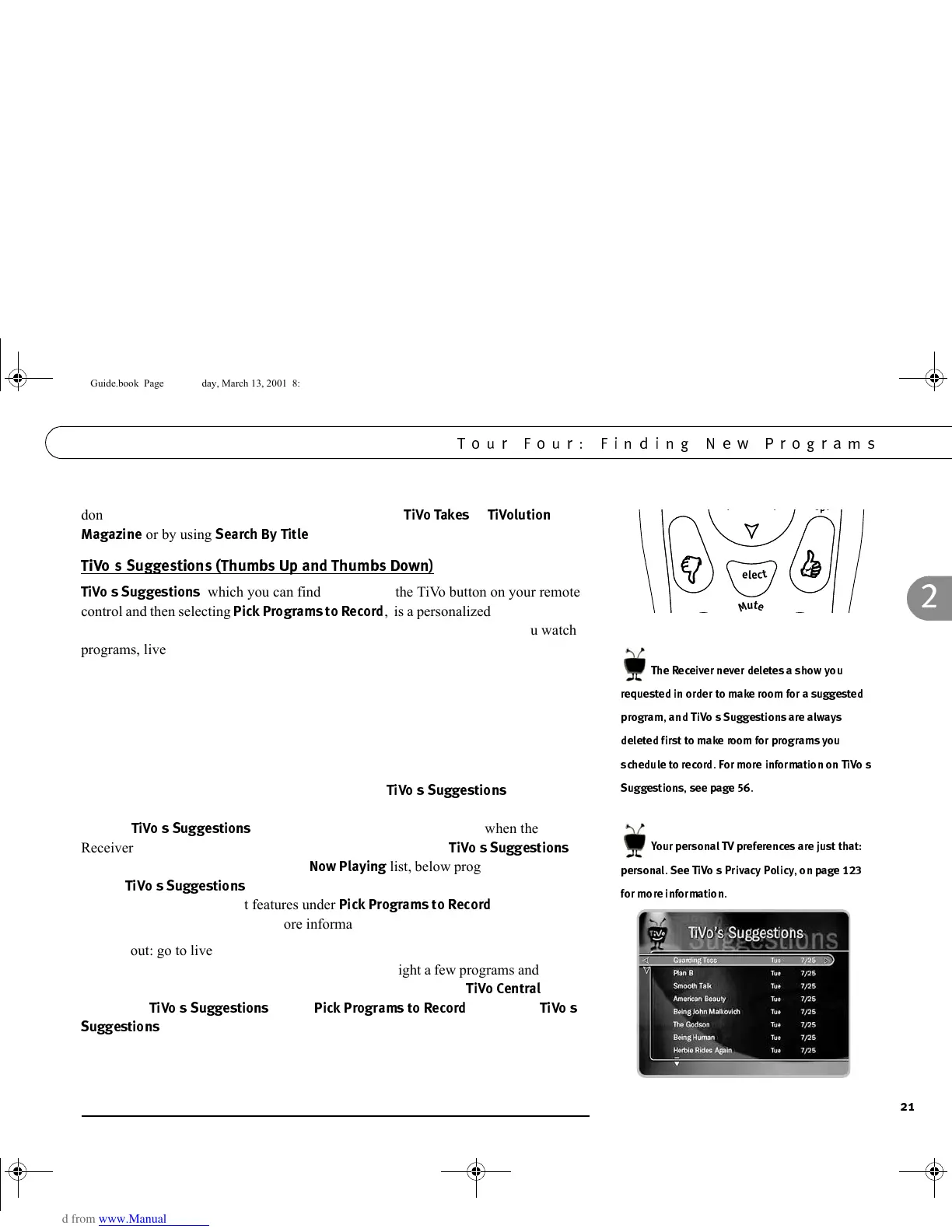
, which you can find by pressing the TiVo button on your remote
control and then selecting
"$&*
,
is a personalized list of programs
selected to match your preferences. How is this magic possible? Anytime you watch
programs, live or pre-recorded, or browse programs with the Program Guide, you can
rate them. If you like a program, press the green THUMBS UP button on your remote
control. If you dislike it, press the red THUMBS DOWN. You can give a program up
to three THUMBS, UP or DOWN. When you record a program that does not already
have a Thumb rating, it automatically gets one THUMBS UP.
Your Thumb ratings then go into your personal TV preferences on your Receiver. Your
preferences are used to find other shows you might like, but might not have known
about. Programs TiVo finds for you are listed under
$$
in order of
how closely they match your preferences. Over time, as you use the THUMBS
buttons,
$$
get more accurate. As an added bonus, when the
Receiver has extra space, it may automatically record some of
$$
.
You will find them at the bottom of the
3!$
list, below programs you chose to
record.
$$
only looks at programs on channels in the “Channels You
Receive” channel list. (Most features under
"$&*
use the
Channels You Receive list.) For more information on channel lists, see page 68.
Try this out: go to live TV (press the LIVE TV/GUIDE button) and bring up the
Program Guide (press LIVE TV/GUIDE again). Highlight a few programs and press a
THUMBS button to rate them. Then press the TiVo button. From
!
,
navigate to
$$
(select
"$&*
, then select
$$
). Has TiVo made any suggestions yet? If not, check again tomorrow.
Most of TiVo’s Suggestions are created while you are not using the Receiver, so the
biggest changes usually happen overnight.
S
e
l
e
c
t
S
e
l
e
c
t
M
u
t
e
(33
6'
. )
'
$.
)F=
?.EG
). 3;&:
''$*#$%
GC Viewer's Guide.book Page 21 Tuesday, March 13, 2001 8:59 AM



 To Next Page