'.
&%'
On this tour, you’ll take a look at how you can control live TV.
First, turn on your TV. (You can program the DIRECTV Receiver with TiVo’s remote
control to turn on your TV. For details, see the Installation Guide.)
Press the LIVE TV/GUIDE button at the top of the remote. This button always takes
you directly to live TV. It also displays a channel banner at the top of the screen, and a
status bar at the bottom of the screen, both of which disappear after a few seconds.
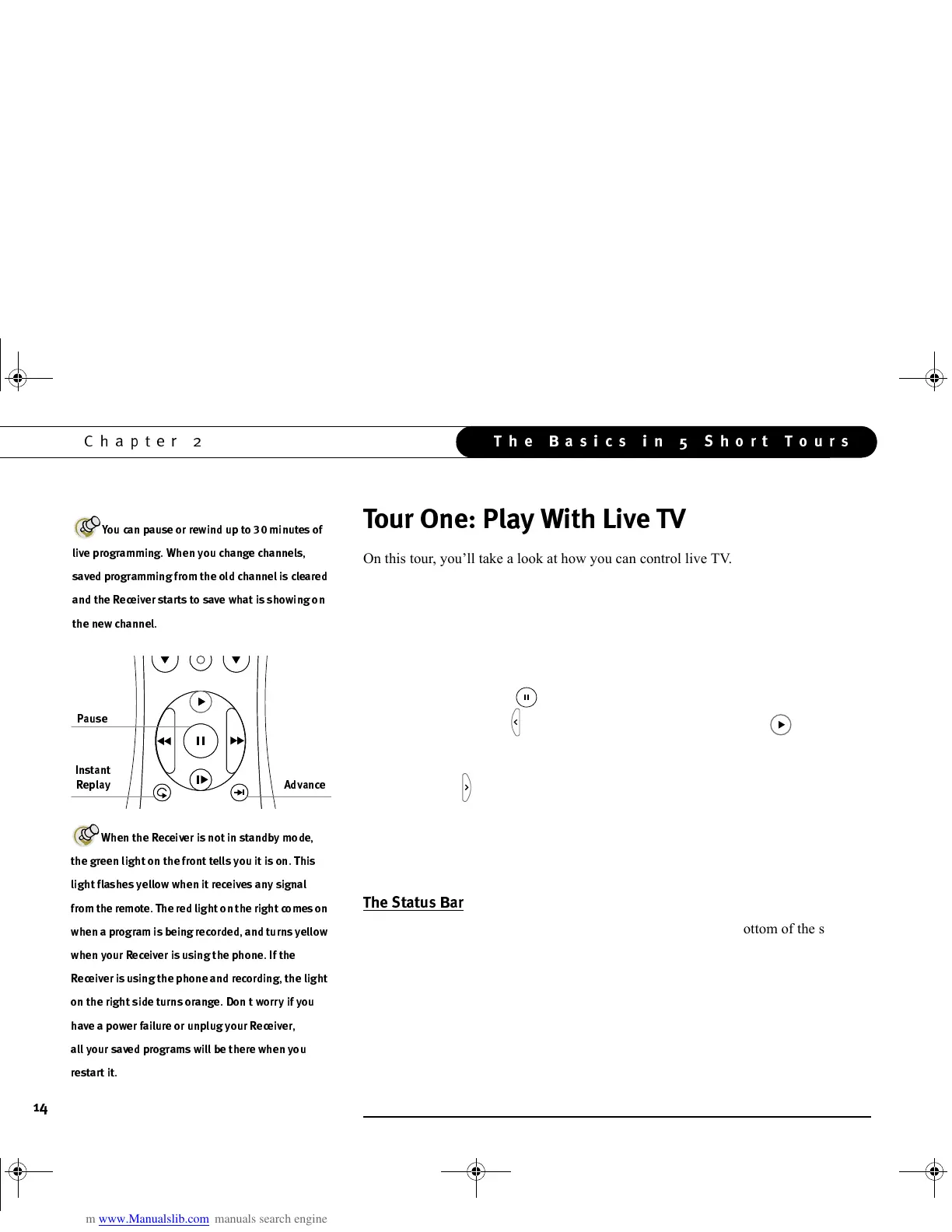
Press the PAUSE button ( ). Wow! The video stops!
Press the BACK button ( ). The program rewinds. Press the PLAY ( ) button, and
the program resumes at normal speed. Just the thing for those irritating little
interruptions that cause you to miss the key moment in your favorite show.
Press the FWD ( ) button—the picture speeds forward. Press it a second time—
faster! A third time—faster still! Both the FWD and the BACK buttons have three
speeds. You can always return to normal speed by pressing PLAY.
Press PAUSE again. Now press FWD. Cool, single frame forward. Press BACK. Cool
again, single frame back. While paused, that’s what FWD and BACK do.
Press PAUSE again to bring up the Status Bar. It appears at the bottom of the screen
and shows a one-hour period (notice the time markings at the left and right). The green
part of the bar is the portion of the current hour that has been saved by your Receiver.
The white line shows where you are in the saved programming. If there is green on the
right side of the white line then you are behind live TV.
S
l
o
w
k
c
a
B
P
l
a
y
F
w
d
(
-
)
P
a
g
e
?:B
3C
3
(33
C(3
3
(3
(3
,
3(3
3
GC Viewer's Guide.book Page 14 Tuesday, March 13, 2001 8:59 AM



 To Next Page