08
5"
The lower part of the
$&&
screen shows
actions you can take. Available actions vary depending on what kind of program is
selected and whether or not the program is already recorded or scheduled to record.
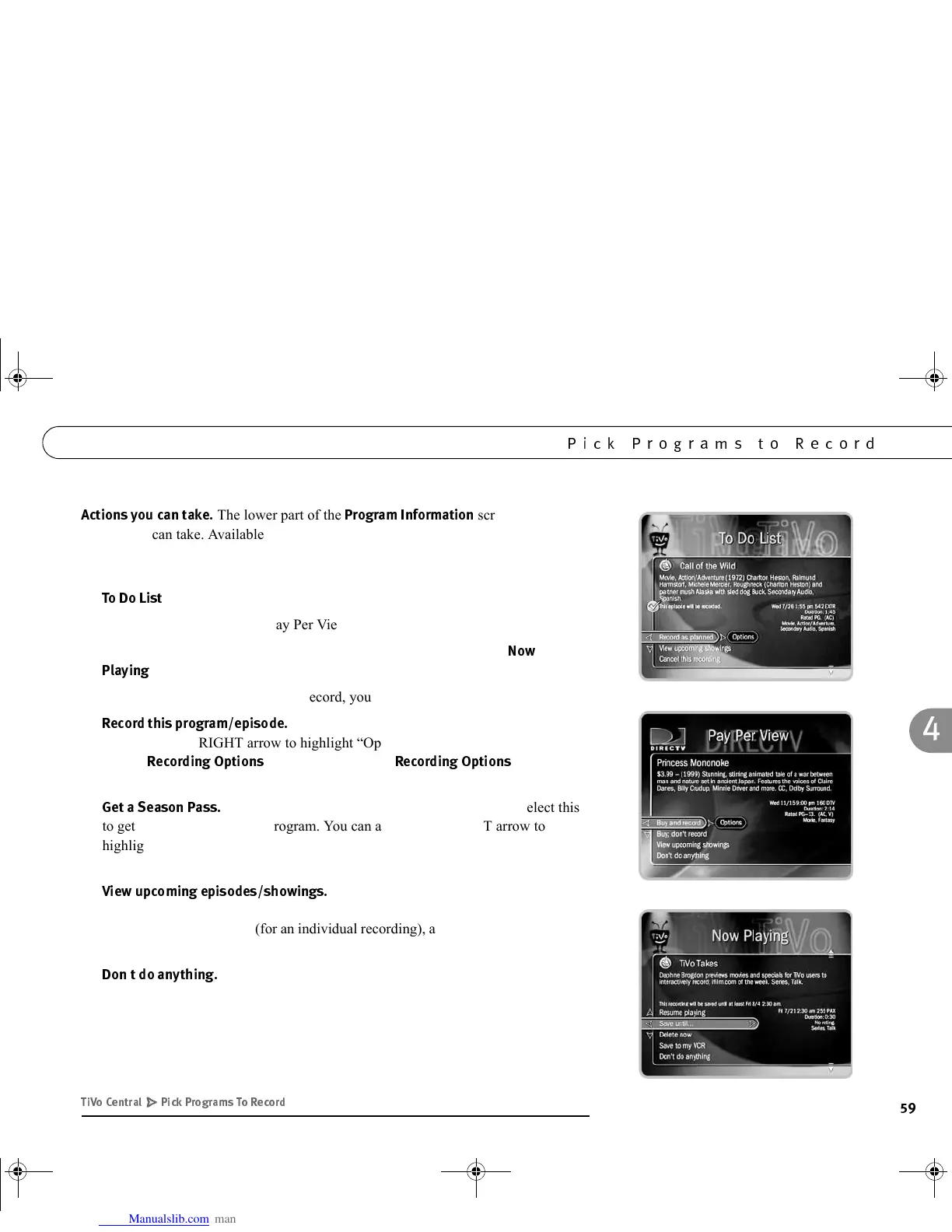
• For actions you can take on programs that are scheduled to record (programs in the
%
), see page 64.
• For actions you can take on Pay Per View programs, see page 77.
• For actions you can take on recorded programs (programs that are in
3
!$
), see page 40.
If the program is not yet scheduled to record, you can take these actions:
•
*$&E*
Schedules a recording of the current program. You
can also use the RIGHT arrow to highlight “Options,” then press SELECT to
change
*$:
. (For a description of
*$:
,
see page 60.)
•
2
(Only available if the program is part of a series.) Select this
to get a Season Pass for the program. You can also use the RIGHT arrow to
highlight “Options,” then press SELECT to change Recording Options for the
Season Pass.
•
&$*E$
Displays a list of upcoming episodes/
showings of the program on all channels. Programs in the list that are scheduled to
record have a check mark (for an individual recording), a double check mark (for a
Season Pass or manual Season Pass), or a star (for a WishList).
•
*$
Returns to the previous screen without making changes. LEFT
arrow selects “Don’t do anything.”
( " - ) *
/$%
GC Viewer's Guide.book Page 59 Tuesday, March 13, 2001 8:59 AM



 To Next Page