6(
4
2
+ /
From time to time DIRECTV and TiVo may send you messages about upgrades to
your service and other important notices. These messages are important, useful and
easy to get to—we made them that way because we really want you to read them.
When you receive a new message, a message icon ( ) appears on the Channel
Banner, in the
and in
!
.
To read a message:
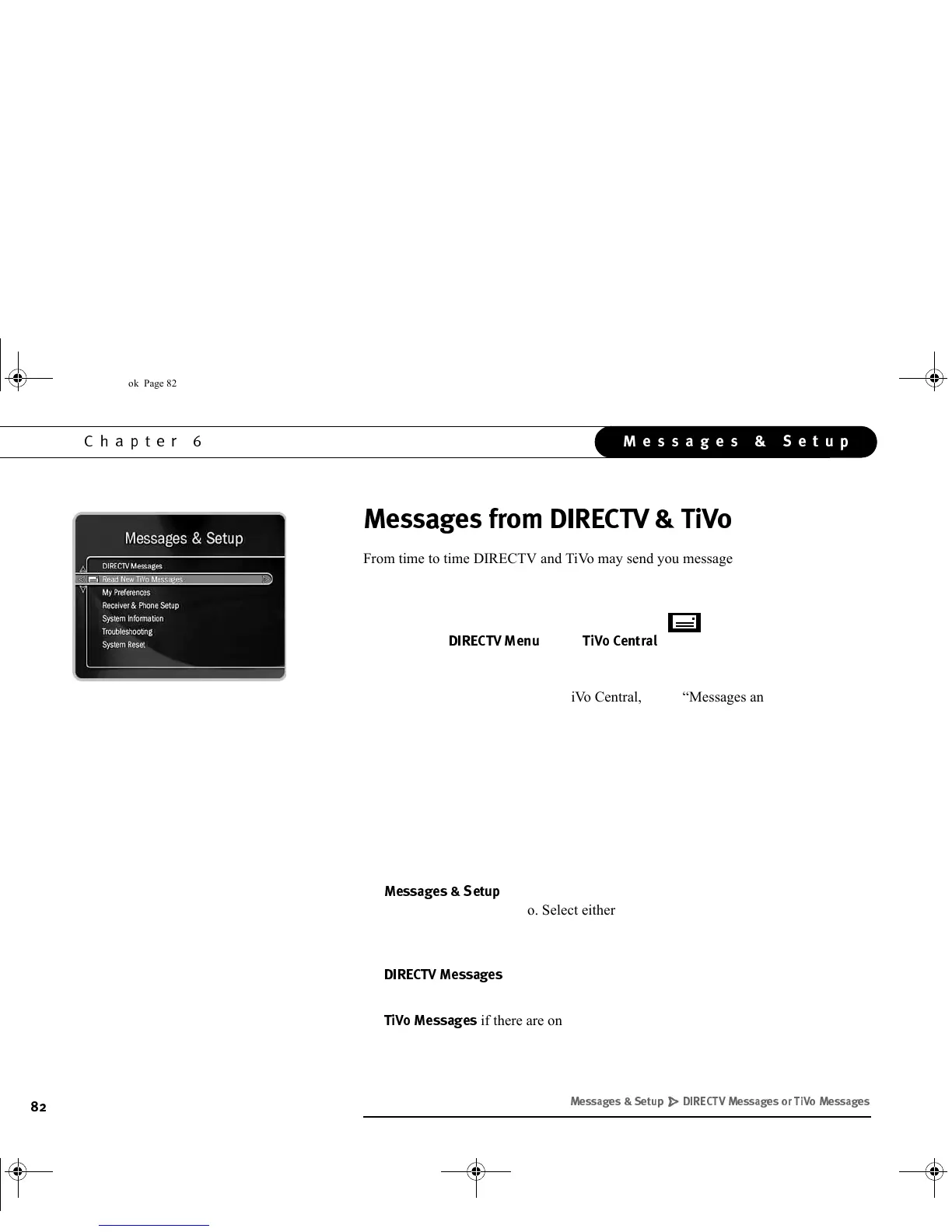
1. From the DIRECTV Menu or TiVo Central, select “Messages and Setup.”
2. Select either “Read New DIRECTV Messages” or “Read New TiVo Messages.” (If
you do not have new messages, these menu choices will just be “DIRECTV
Messages,” and “TiVo Messages.”)
3. Select the message you want to read.
Use the CHAN DOWN button to see text that does not fit on the screen. When you are
finished reading a message, select “Done,” or “Delete Message.”
Selecting the message icon in the Channel Banner will take you to:
•
$7
if there are no messages or if there are new messages from
both DIRECTV and TiVo. Select either “Read New DIRECTV Messages” or
“Read New TiVo Messages.” (If you do not have new messages, these menu
choices will just be “DIRECTV Messages,” and “TiVo Messages.”)
•
$
if there are only new messages from DIRECTV. You can then
select the message you want to read.
•
$
if there are only new messages from TiVo. You can then select the
message you want to read.
+)/' "(+) ( +)
GC Viewer's Guide.book Page 82 Tuesday, March 13, 2001 8:59 AM



 To Next Page