Chapter 1
Chapter 2 Chapter 3 Chapter 4 Chapter 5
75
CHAPTER 2 - DETAILED INFORMATION
75
Main Menu - Parental, Fav’s & Settings
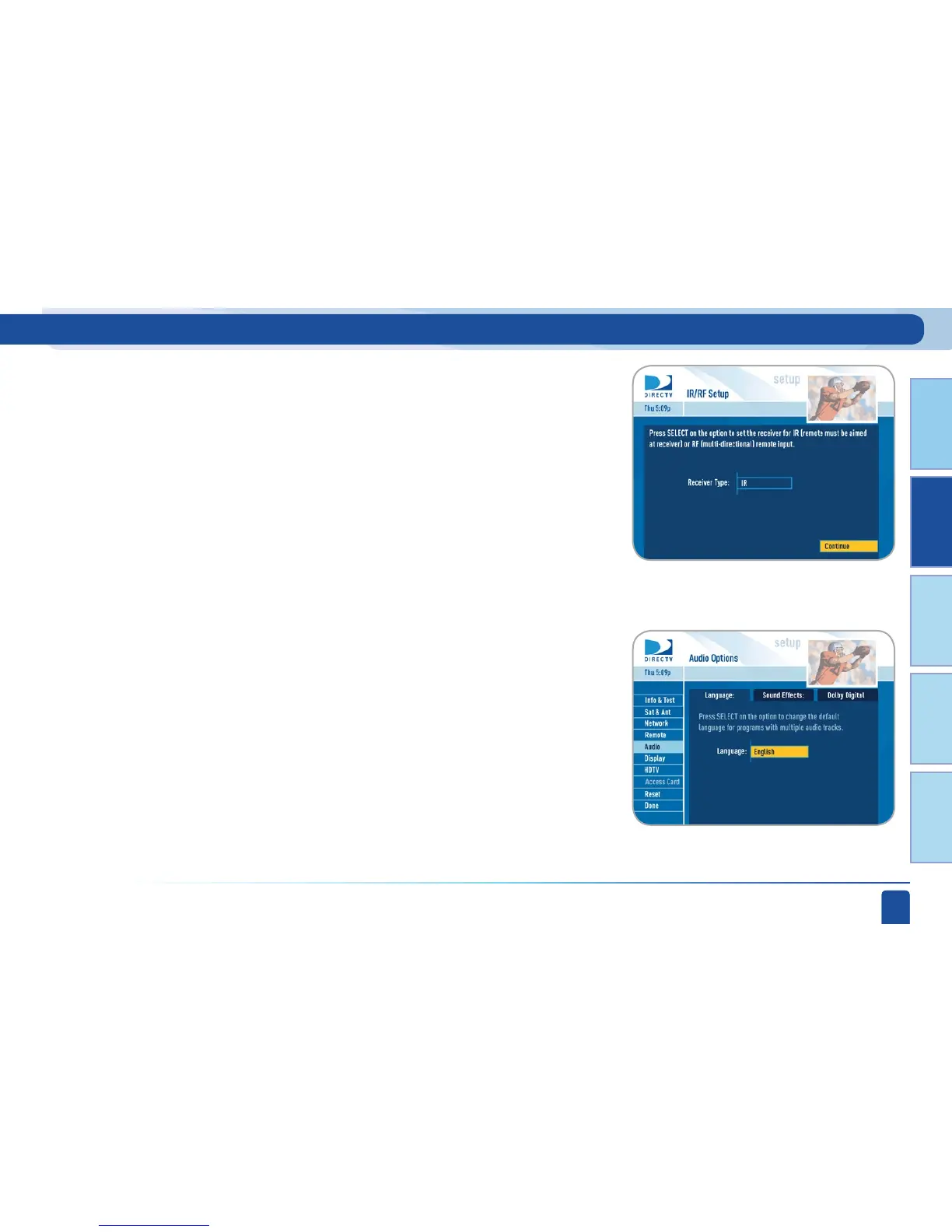
The Audio option in Setup lets you make lasting adjustments to settings such
as your preferred audio language, how loud you want the sound effects on
the receiver to be, and whether you want Dolby Digital output (for a surround
sound system, for example).
Not all TV programs deliver Dolby
®
Digital 5.1 channel signals. Look for the
Dolby
®
Digital icon in the program description and Channel Banner.
To make temporary adjustments to your preferred audio language, use the
Audio Options item from the Options menu in Live TV (or press GREEN from
Live TV to cycle through the available audio tracks).
Audio:
If you have an optional RF remote, select IR/RF Setup to change your remote
method of transmission from Infrared (IR) signals to Radio Frequency
(RF). While IR transmission requires a clear line of sight to the front of the
receiver, RF transmission lets your put your receiver inside a cabinet or
behind solid doors and still be able to command it from up to 200 feet away.
Select Receiver Mode if you want to use one remote to command more than
one DIRECTV
®
Receiver.



 To Next Page