94
Connecting the Phone Line
CONNECTING THE PHONE LINE
You must keep the receiver connected to an active telephone line (or broadband network
connection) to order Pay-Per-View programs, use all of the DishHOME Interactive features, or use
other services from DISH with your remote control.
Note: You may be able to use a wireless modem jack. However, this may not support all the
features of this receiver, such as Caller ID. See www.dish.com
for compatible modem products.
Note: If you have a Digital Subscriber Line (DSL), you may have to install a DSL filter between the
receiver’s back panel P
HONE JACK and the telephone wall jack to successfully connect with DISH.
You can obtain a filter from your DSL provider.
Phone Line Connections
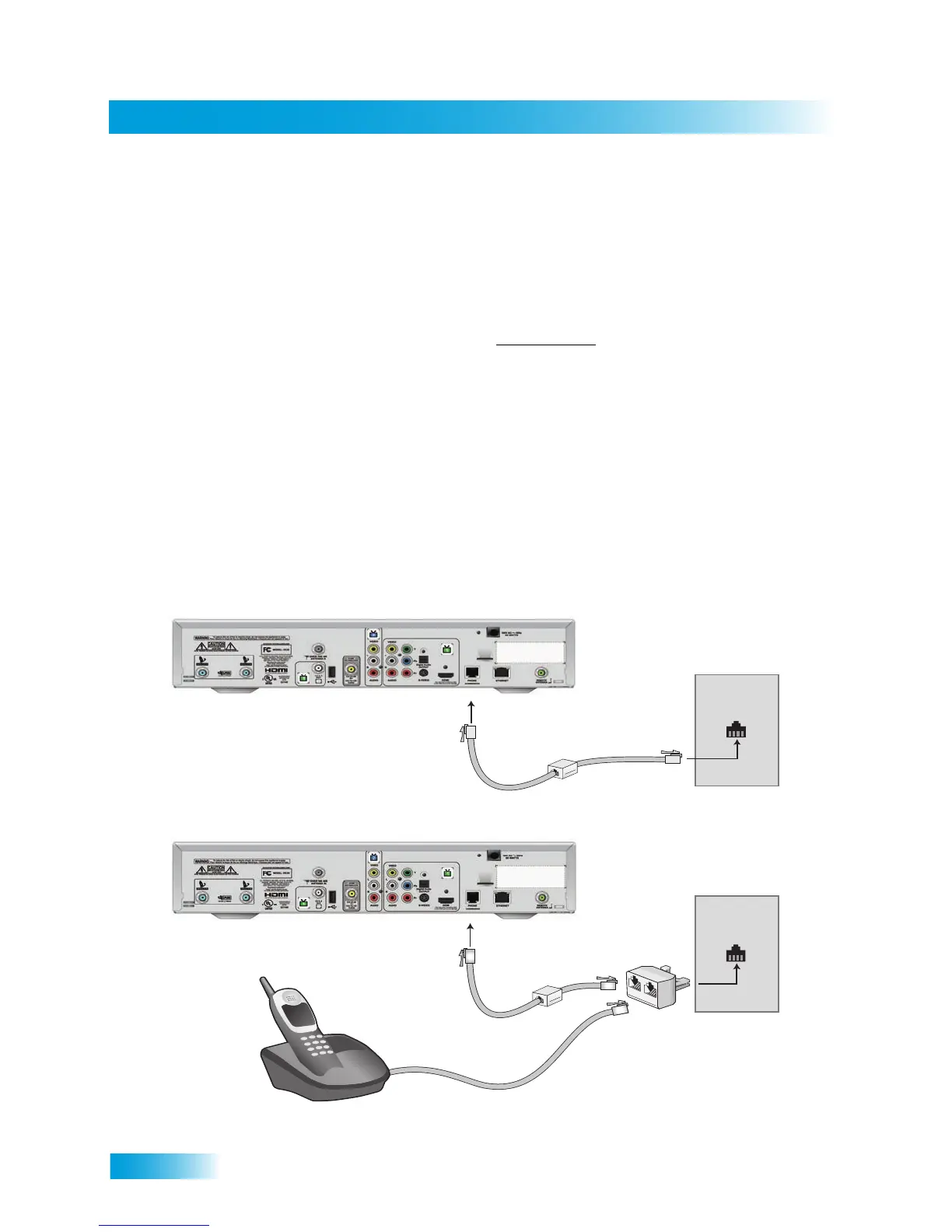
Run a telephone cable with a standard RJ-11 connector from the receiver’s back panel PHONE to
an active telephone connection, as shown below. You can use an optional Y-adapter if your phone
needs to be plugged in to the same jack as the receiver.
Note: Never connect the phone line to an Ethernet port.
Phone Jack
Optional
Phone Coupler
Phone
Y-Adapter
Phone Jack
Optional
Phone Coupler










 To Next Page