54
Using the Timers List
Special Considerations When Using Timers
• For Locked Programs—You must enter the receiver password before you can create an
automatic timer. It is possible to create a manual timer for a locked program without entering
the password. However, if you do this, when the timer starts, the receiver may display only an
error-message or password-entry screen.
• For Pay-Per-View Programs—You must order a Pay-Per-View program or event on your
receiver when you create a timer for it.
• For Blacked Out Programs—If you set a timer for a program that is blacked out in your area,
when the timer starts the receiver may display only an error message screen.
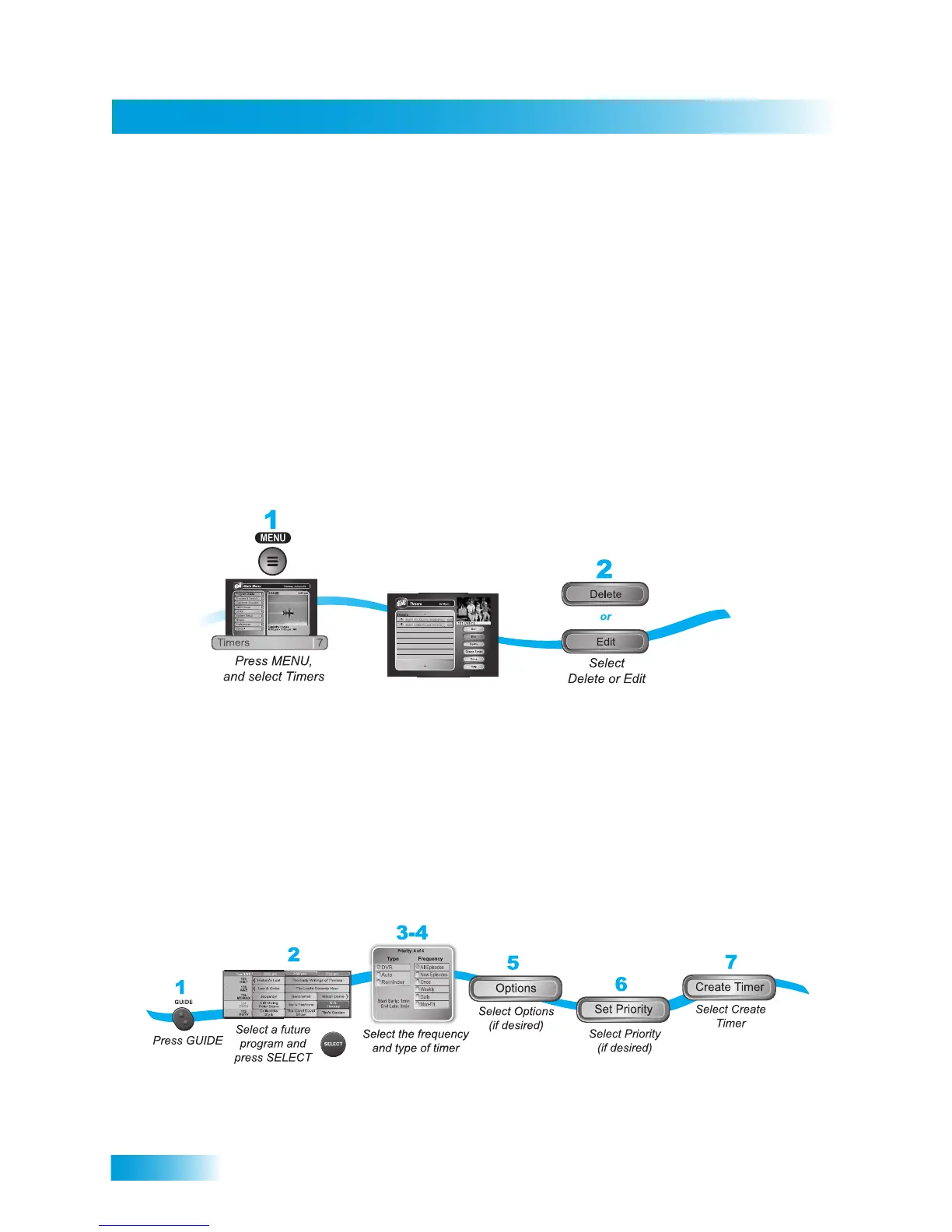
USING THE TIMERS LIST
1 Press the MENU button and then select Timers (7).
2 When the Timers menu screen opens, you can edit or delete the timers that you have set.
SETTING UP AN AUTOMATIC TIMER
You can create an automatic timer for a future event. The following instructions explain the
simplest way to set up an automatic timer.










 To Next Page