20
Using the On-Screen Menus
USING THE ON-SCREEN MENUS
The menus make using your receiver and selecting programs to watch quick and easy.
Use the menus to control the receiver and to use its features, such as setting locks for
parental controls, choosing a program to watch, or creating a new Favorites list.
Open and Close Menus
You can open the menus in either of two ways:
• Press the MENU button on the receiver’s front panel or remote control to open the
Main Menu, and then access any of the other menus from the Main Menu.
• Use the following buttons on the remote control:
– Press GUIDE to open the Program Guide.
– Press THEMES (LEFT ARROW) when watching a program to open the Themes
and Search menu.
– Press BROWSE (RIGHT ARROW) to display the Browse Banner.
To close a menu and return to watching a program, press VIEW LIVE TV.
Highlighting Menu Options
Use the remote control ARROWS to move the on-screen highlight to the menu option.
When you move the on-screen highlight, the option becomes orange.
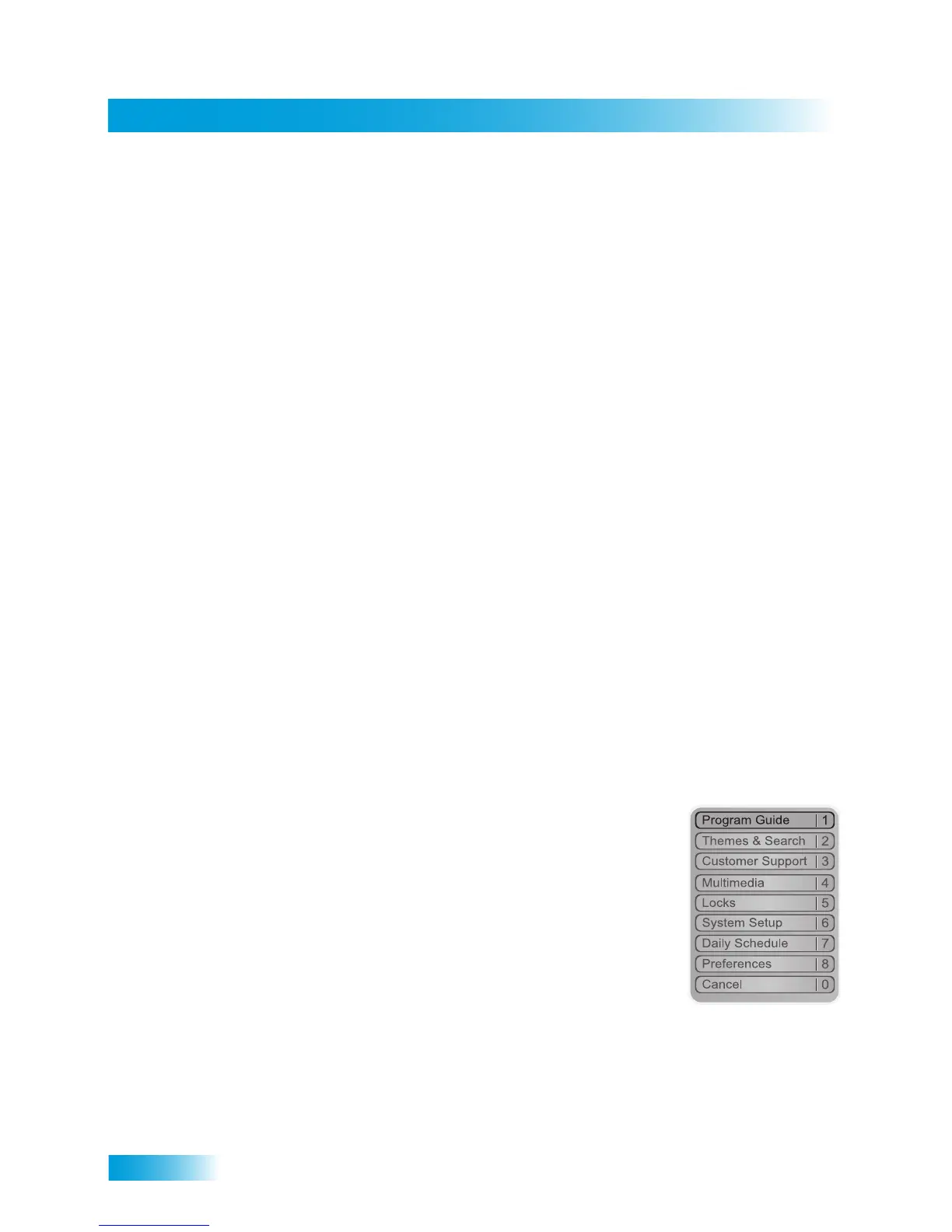
Selecting Menu Options
When you select a menu option, that option takes effect right
away. You can select a menu option in either of two ways:
• Move the highlight to the menu option using the remote control
ARROWS. In the example, Program Guide is highlighted.
Then pressSELECT.
• If the menu option has a number next to it, press the number
on the NUMBER PAD button that matches this number. When
you use the NUMBER PAD, you do not need to highlight the
option first.
List of Choices in the Menus
When you make a choice in a list, the receiver does not apply the change until you select
Save or Done. If you do not want to save any changes, select Cancel to discard all the
changes made in the menu. There are two types of lists:










 To Next Page