21
Using Text Fields
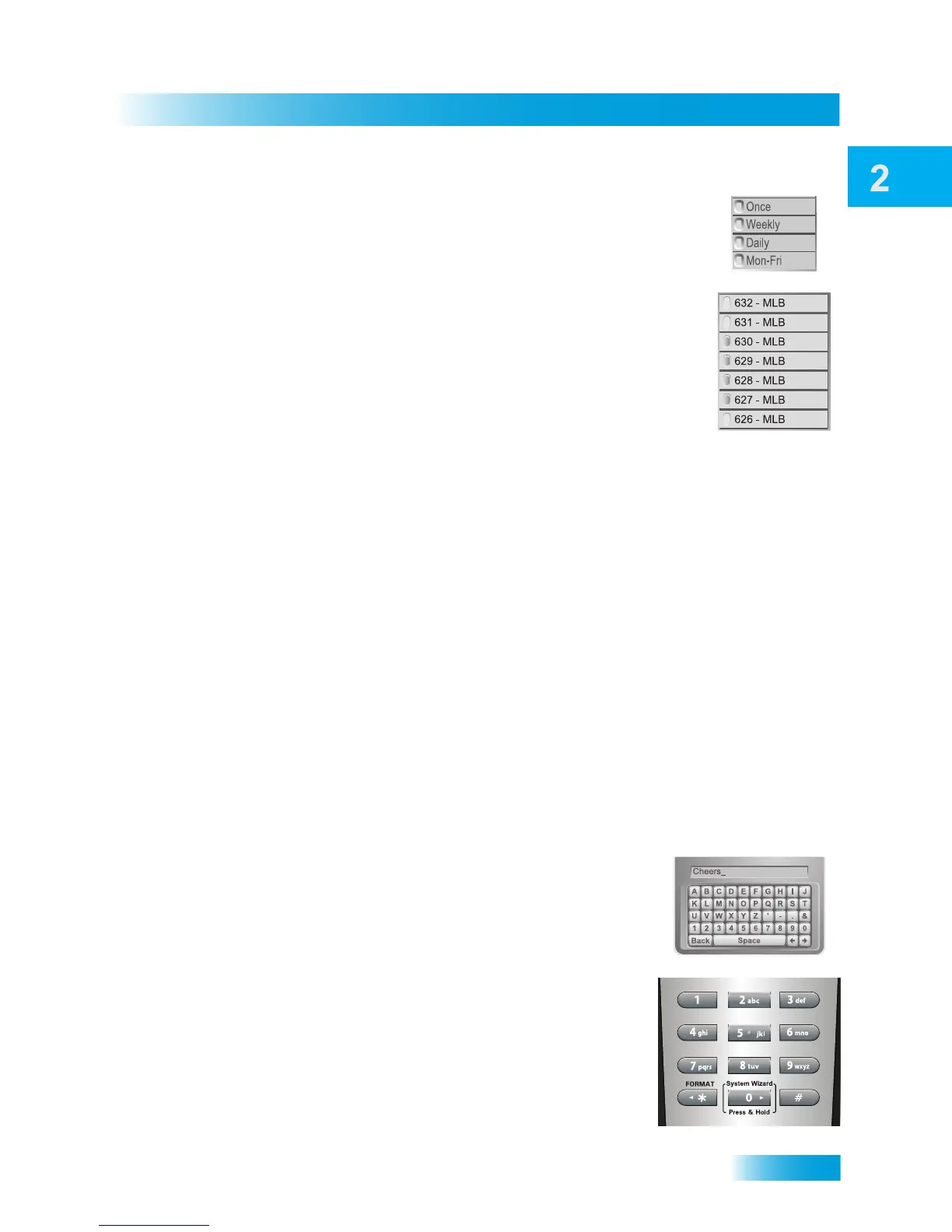
• A single-choice list allows you to select only one choice at a time.
If you select another choice, your previous choice is deselected.
• A multiple-choice list allows you to select more than one choice at
one time. If you select another choice, your previous choice(s)
stays selected. To deselect a previous choice, select it again.
Canceling a Procedure
You can cancel a procedure in any of three ways:
• If you want to return to watching a program, press the VIEW LIVE TV button.
• If you want to return to the previous menu, press the CANCEL button.
• If you do nothing in the menu for a few moments, the menu will close automatically,
discarding any changes you selected but did not save.
USING TEXT FIELDS
When you use features on the receiver, you might be required to enter information, such
as the name of a movie when using Search, into areas known as text fields. Your receiver
has two basic ways to enter the information:
• Virtual Keyboard
• Remote Control NUMBER PAD
Using the Virtual Keyboard
Use the virtual keyboard letters to type the information. Use
the LEFT, RIGHT, UP, and DOWN ARROWS to navigate
around the keyboard. Select the characters you want.
Using the Number Pad
Use the letters above the NUMBER PAD on the remote
control—just like on a telephone—while the highlight is in the
field. For example, when looking for the channel and times to
watch Rudy Friml Presents, you press 7 three times for an R,
8 two times for a U, 3 one time for a D, and 9 three times for a
Y to spell the word “Rudy.”










 To Next Page