22
Questions
While in the Text Field
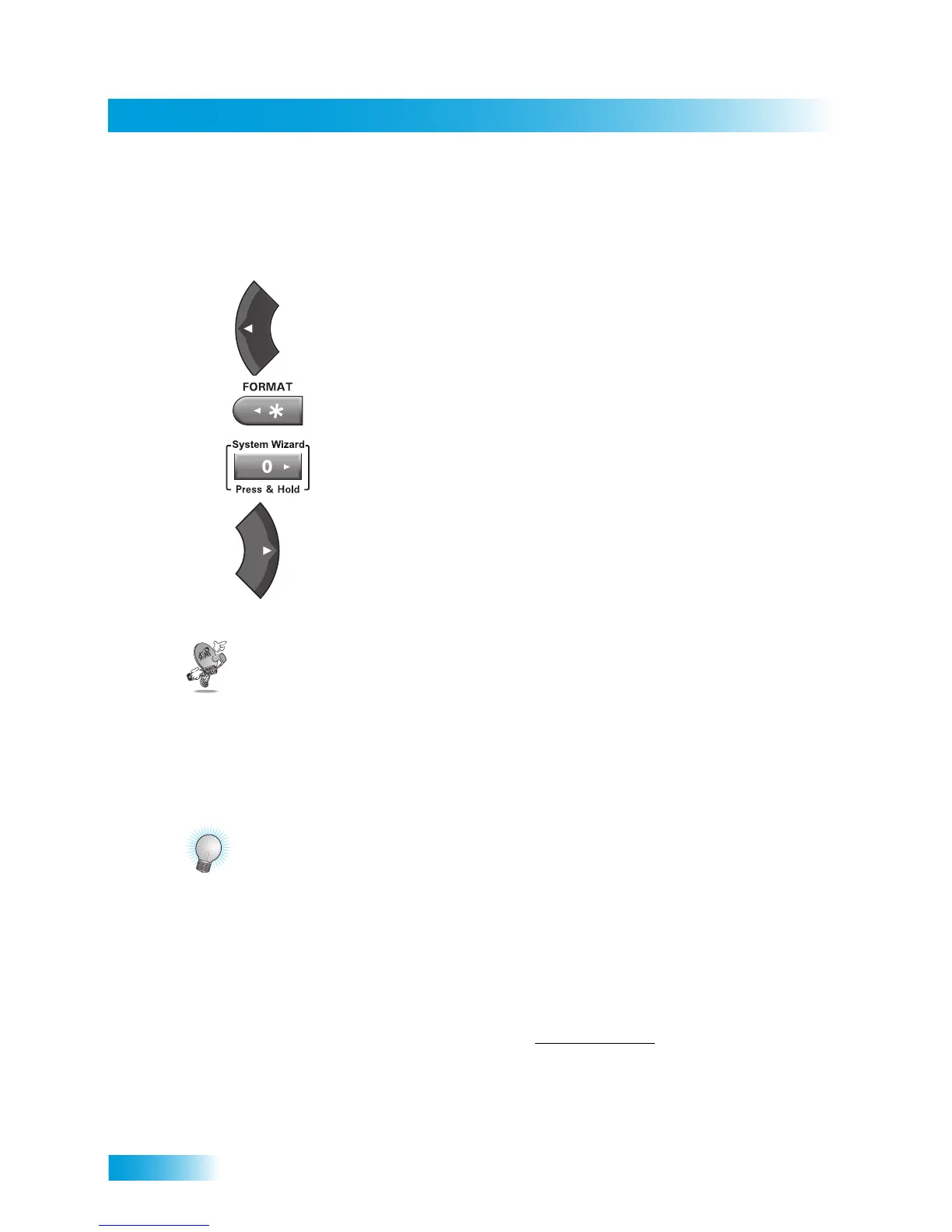
When the cursor is in the text field:
Press the LEFT ARROW to delete characters.
Press FORMAT(*) to backspace without deleting characters.
Press 0 to enter a blank space, such as between words.
Use the RIGHT ARROW to forward space without deleting characters.
QUESTIONS
• Why would I want to put the receiver in Single Mode? When the satellite receiver
is in Single Mode, you can use the PIP functions. See page 28 for more information.
• How can I watch the same program on all of the TVs in my house? Put the
receiver in Single Mode (page 12), and then enable Shared View (page 76).
TIPS
• You can use the Front Panel Locks to prevent the mode from being changed
accidentally. See page 47 for instructions.
• The only way to turn off the TV2 outputs is by pressing POWER on Remote Control 2.
• In Dual Mode, Remote Control 1 is used to control TV1 menus on the nearby TV.
Remote Control 2 is used to control TV2 menus on the remote TV(s).
• If you would like to put the receiver in a remote location (such as a closet or cabinet),
be sure to get a replacement remote control that uses UHF Pro signals to control TV1.
Please call your DISH retailer, or visit the www.mydish.com
website, select Upgrades,
and then Remotes & Accessories.
• To use Remote Control 2, be sure to attach the Remote Control Antenna to the input
jack on your receiver back panel. See page 15 for details.
• On Remote Control 2, press the FORMAT (* button) to change the aspect ratio (that
is, the shape of the image) for HD channels displayed on the remote TV(s).










 To Next Page